Task Queue
The operation of A-Parser is based on a Task Queue - you add tasks and they are executed in order, thereby allowing you to load the scraper with work for a long time without monitoring when it finishes.
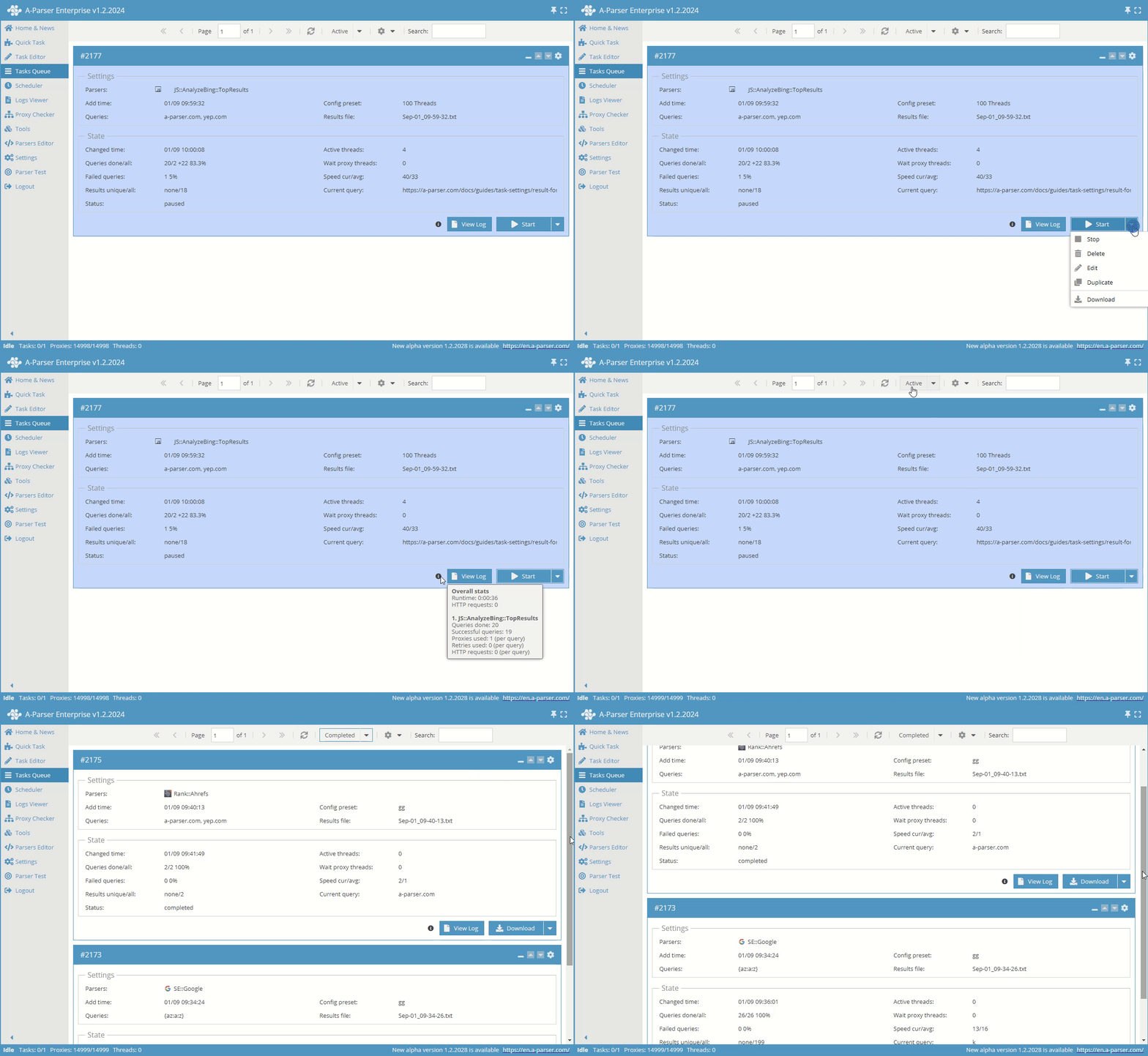
Main advantages of the task queue in A-Parser
- Support for executing multiple tasks simultaneously
- Pausing and complete stopping of task execution
- Saving intermediate results of task work, which allows continuing work from the moment the scraper was disconnected (or the computer\server was turned off)
- Moving individual tasks in the queue
- Ability to edit already created tasks, as well as copying tasks for reuse
- Completed tasks move to the completed tasks queue, where you can view the results of each task and download the result
Operation algorithm
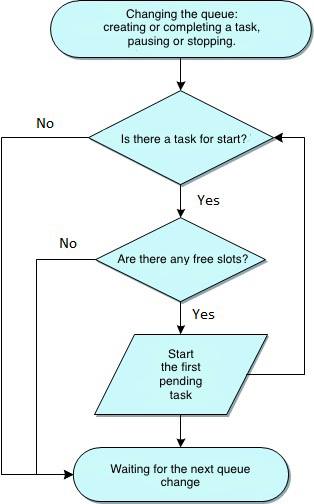
Task working slots
The number of simultaneously running tasks is regulated by working slots, this parameter is specified in the general settings (Settings -> Global Settings -> Max active tasks). By default, the value is set to 1, i.e., one simultaneously running task, others will wait their turn.
Task statuses in the queue
Each task has its own status, here is a list of possible states:
| Status | Description |
|---|---|
waitSlot | Waiting for a free slot to execute the task; a new task always enters the queue with this status |
work | Task is running |
paused | Task is paused; it holds the working slot, preventing subsequent tasks from starting |
stopped | Task is stopped; the working slot is released |
completed | Task is completed - all queries are processed, the task moves to the completed tasks queue, the working slot is released |
When setting the Max active tasks parameter to more than one, it should be noted that the number of threads will increase, as will the overall resource consumption by the scraper.
To achieve maximum operating speed, always use only one task with the optimal number of threads selected for the specific computer\server.