Tools
This menu section contains auxiliary and service tools for A-Parser.
Template testing
For quick template verification, A-Parser includes a Template Testing tool. It contains preset results for all scrapers based on test queries, allowing you to execute a formatting template without actual scraping. Here you can test templates for subsequent use in presets.
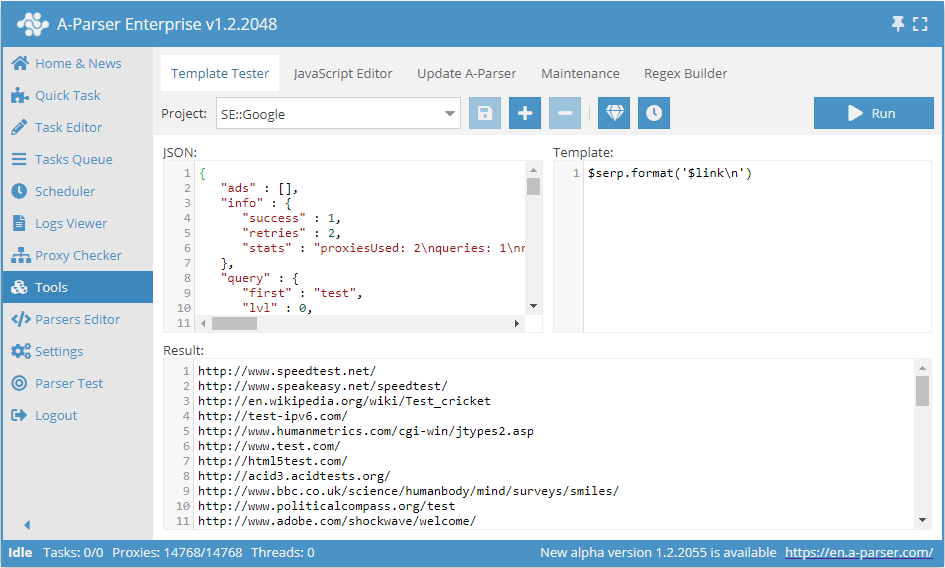
In the Project drop-down menu, you can select a ready-made result structure for one of the built-in scrapers, or you can paste your own JSON into the JSON field. On the right, in the Template field, the template being tested is written, and at the bottom, in the Result field, you can see the result of the template execution after clicking the Start button.
In template testing, all rules of the template engine are fully functional, so you can also test complex templates using the built-in template engine tools.
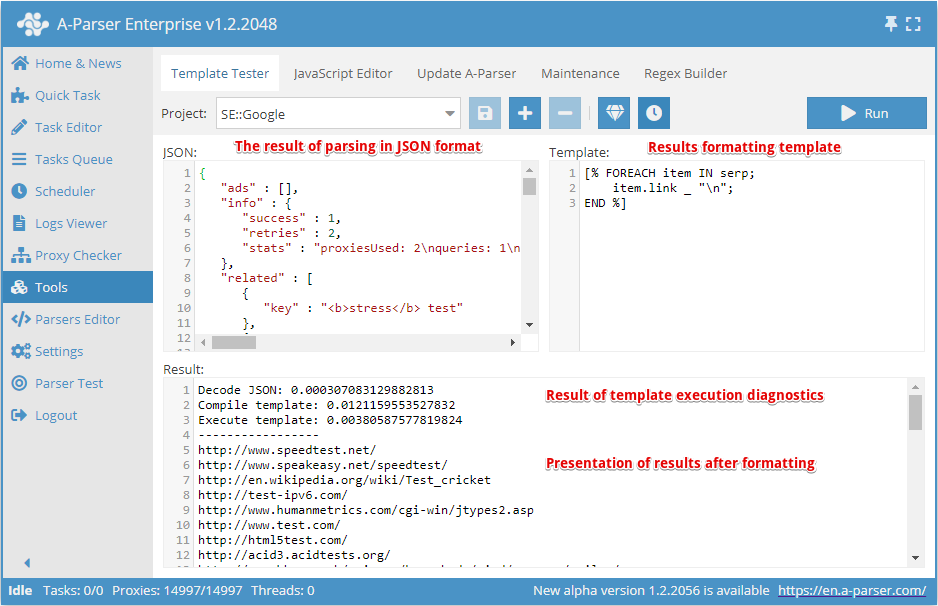
Elements of the Template Tester tab:
 Adding a new project
 Deleting a project
 Saving a project
 Formatting a JSON document
 Template execution speed diagnostics
Preset projects cannot be saved; to save changes, you must add a new project.
Template testing is available for each scraper separately; to do this, you must select a preset project.
Results are presented in JSON format, which allows you to make changes to the source data if necessary.
After changing the template, it must be applied - click the Start button in the upper right corner.
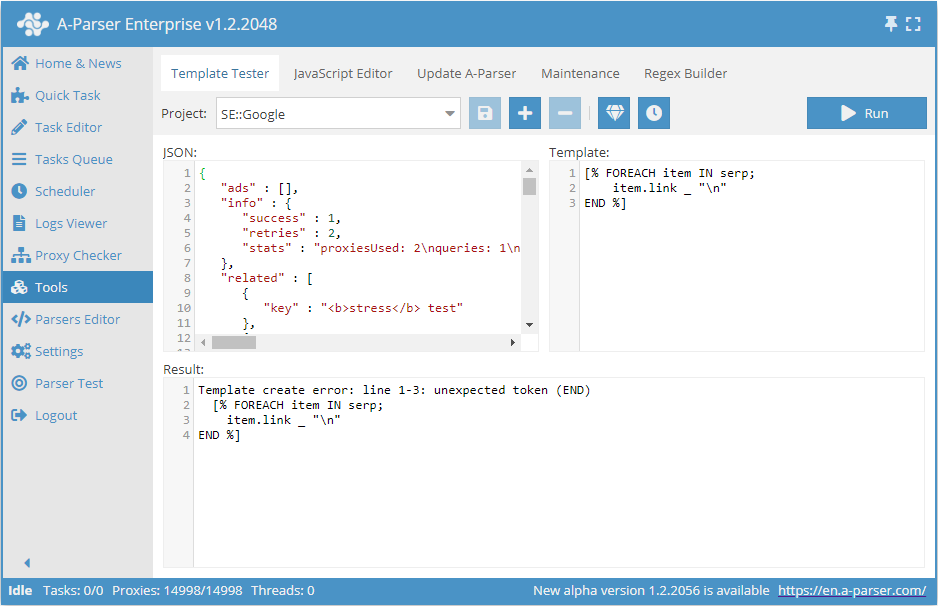
If the template is composed incorrectly, a detailed error will appear in the Result field:
JavaScript Editor
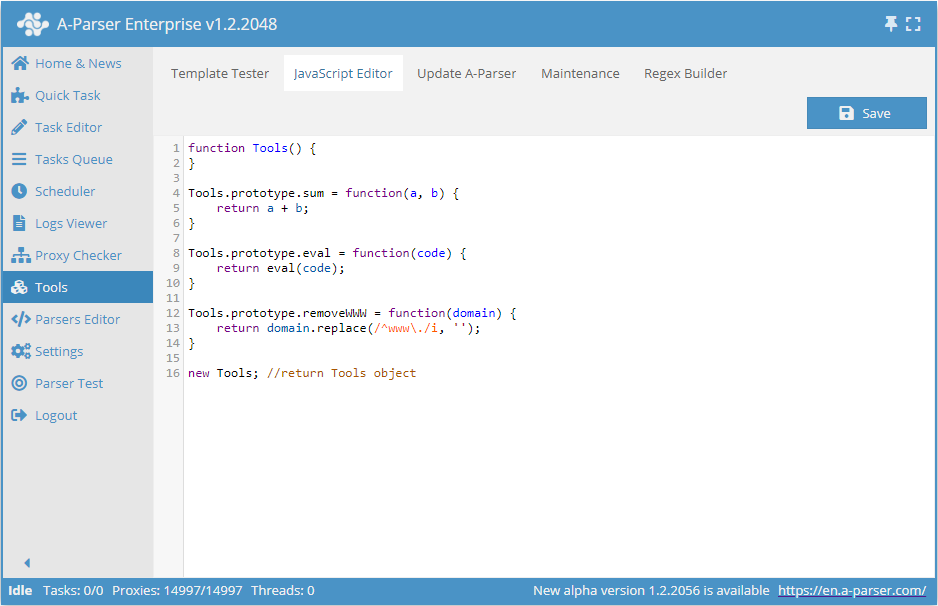
This tab is used to manage (create/edit/delete) functions used in tools.js.
Let's look at an example of the following function, which is available in the JavaScript Editor by default:
Tools.prototype.sum = function(a, b) {
    // Function body (Additional calculations can be here)
    return a + b;
}
sum- the function name, by which it will be available via$tools.js.sum
a, b- function arguments (optional)
a + b- the returned result of the function
Example of creating a function
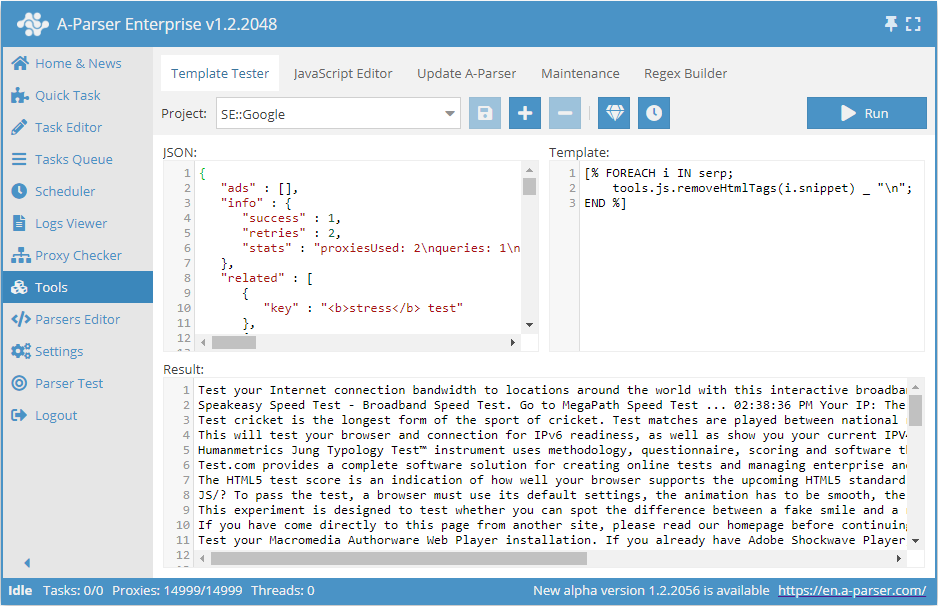
An example of creating a function to remove HTML tags and testing its operation in the Template Tester tab.
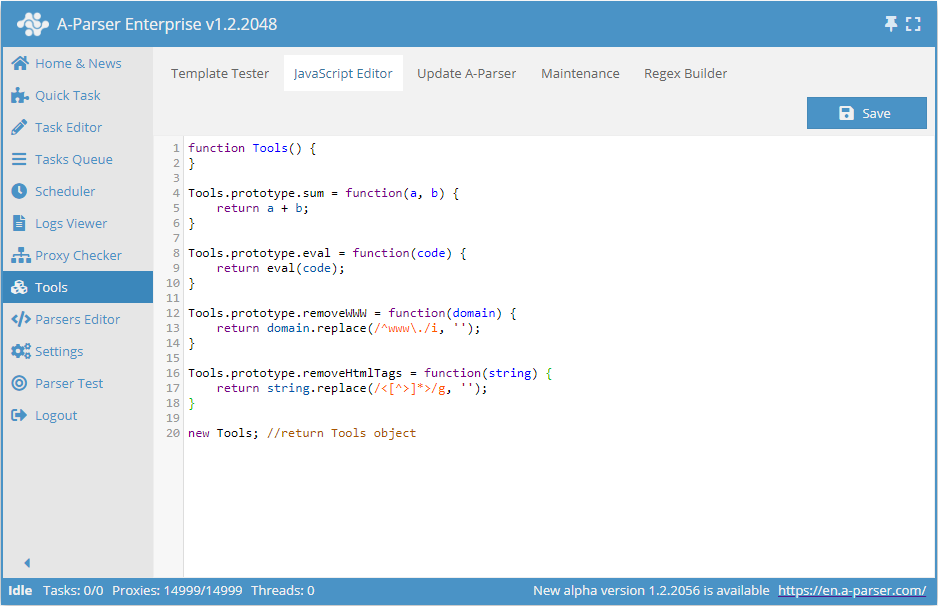
Function code:
Tools.prototype.removeHtmlTags = function(string) {
    return string.replace(/<[^>]*>/g, '');
}
Result format:
[% FOREACH i IN serp;
    tools.js.removeHtmlTags(i.snippet) _ "\n";
END %]
Updating A-Parser
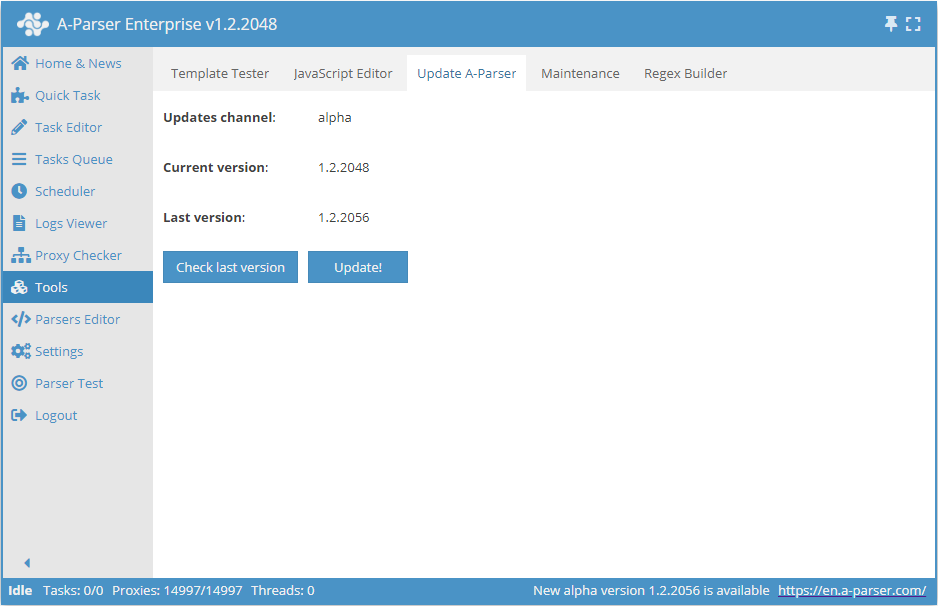
On this tab, you can update A-Parser to the latest version using the interface.
Service
This is a service tab where the following are available:
- Debugging and diagnostics of A-Parser operation
- Restarting and shutting down A-Parser
- Translation Editor
In most cases, these tools are used only for A-Parser development or problem diagnostics and are not needed by users for work.
Regex Builder
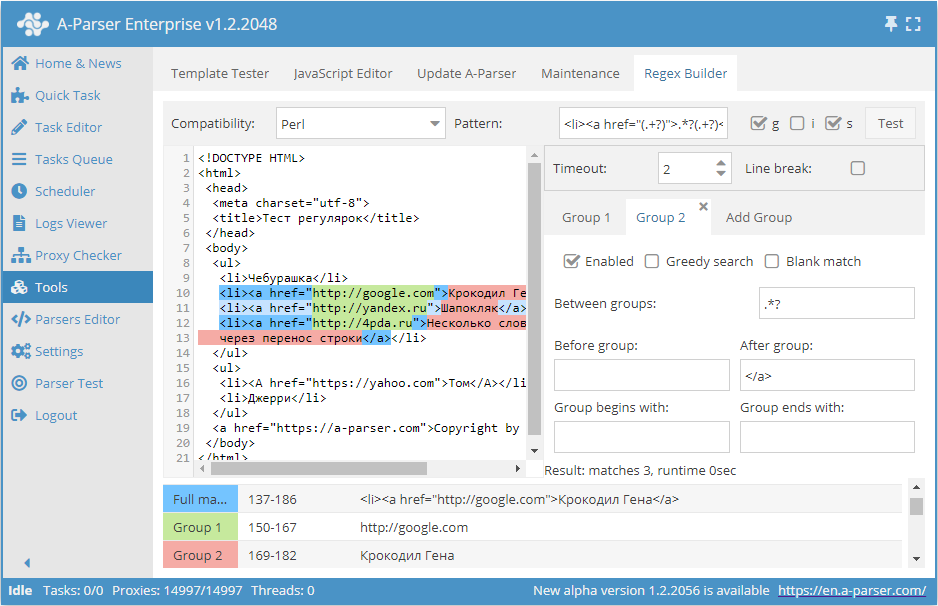
The Regex Builder is used for quickly composing simple regular expressions. Its full description is available here.