Task Scheduler
The Task Scheduler allows you to easily schedule tasks that require periodic execution, such as analyzing website rankings or backlink metrics.
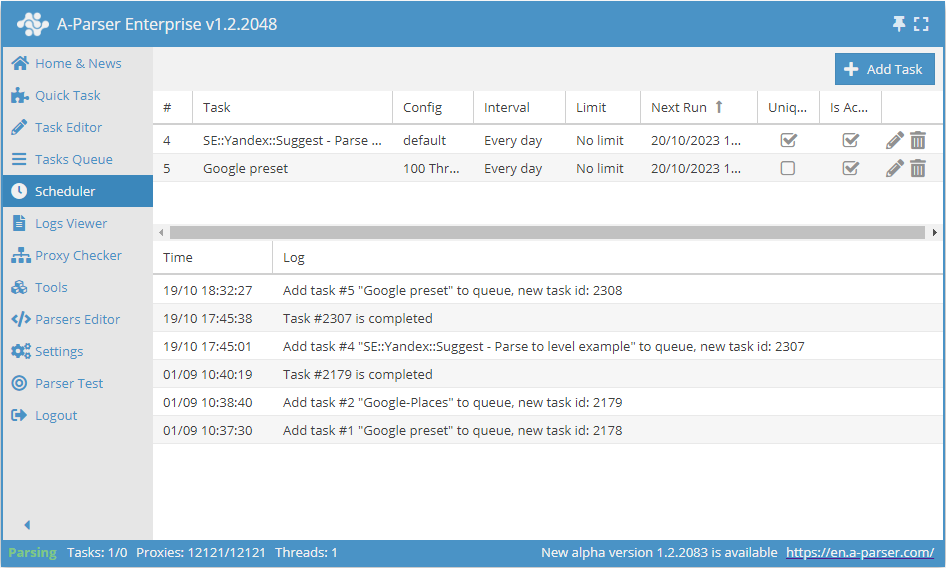
Adding a task
To add a task, go to the Scheduler and click the Add Task button in the upper right corner, after which a scheduling window will appear where you can set the start date and time, the number and frequency of repetitions, and enable Task uniqueness:
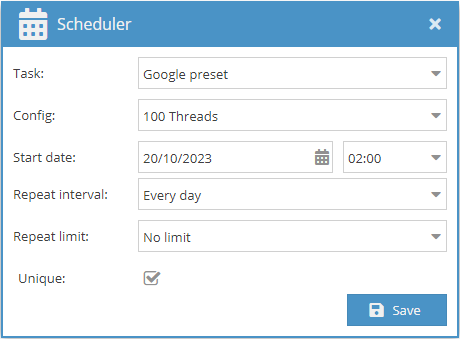
Task deduplication
With the Unique option enabled, a task will not be started if the previous instance is still running.
For convenience, selected parameters are saved, allowing them to be reused by simply selecting them from the drop-down list. A Scheduler History is also maintained, where you can see what actions were performed in the Scheduler and when.
Useful links
🔗 Automatic message forwarding from Telegram channels
Example of using the Scheduler for continuous monitoring of messages in Telegram channels
🔗 Periodic backlink checking
Example of using the Scheduler to update data in a table