Template Engine Tools (tools)
In the Template Toolkit template engine, a global variable $tools is available, which stores a set of tools accessible in any template and inside JS scrapers.
There is also a $tools.error variable, which contains error descriptions if any occur during the operation of all tools.
Adding queries $tools.query.*
This tool allows adding queries to existing ones right during the task execution, forming them based on already scraped results. It can be used as an analogue of the Parse to level function in those scrapers where it is not implemented. There are 2 methods:
[% tools.query.add(query, maxLevel) %]- adds a single query[% tools.query.addAll(array, item, maxLevel) %]- adds an array of queries
The maxLevel parameter specifies up to which level to add queries and is optional: if it is omitted, the scraper will effectively add new queries as long as they exist. It is also recommended to enable the Unique queries option to avoid looping and excessive scraper work.
It is possible to set an arbitrary level for subqueries. This can be used to distribute logic, i.e., when each level represents separate functionality.
example:
[% tools.query.add({query => query, lvl => 1}) %]- adds a query to a specific level.
example for JS:
this.query.add({
    query: "some query",
    lvl: 1,
})
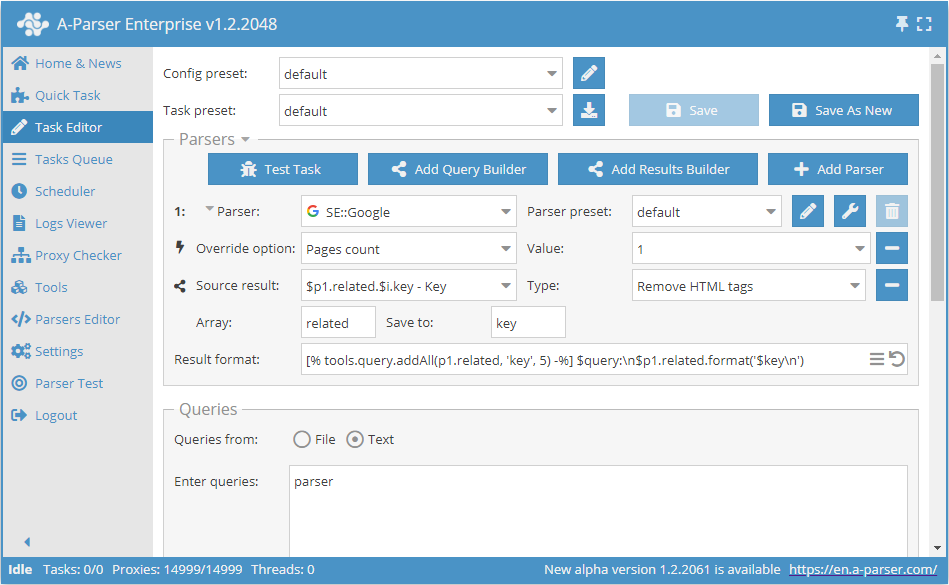
Result of the preset operation in the screenshot:
parser:
parser
what is parsing in programming
parsing in compiler
compiler and parser development
what is syntax analysis
difference between lexical analysis and syntax analysis
syntax analyzer
parser programming language
parser:
parser definition
xml parser
parser generator
parser swtor
parser c++
ffxiv parser
html parser
parser java
what is parsing in programming:
parse wikipedia
parser compiler
what is a parser
parsing programming languages
definition of parser
parsing c++
parser define
parsing java
html parser:
online html parser
html parser php
html parser java
...
Parsing JSON structures $tools.parseJSON()
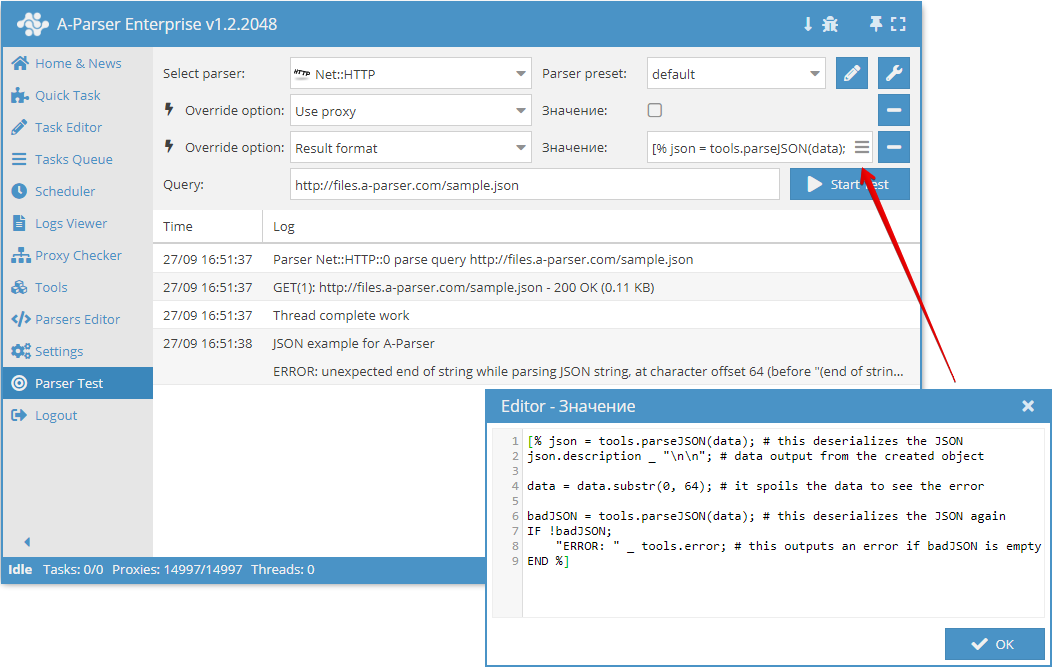
This tool allows deserializing data in JSON format into variables (object) accessible in the template engine. Usage example:
[% tools.parseJSON(data) %]
After deserialization, keys from the resulting object can be accessed as regular variables and arrays.
If a string with invalid JSON is passed as an argument, the scraper will record an error in $tools.error.
Output to CSV $tools.CSVline
This tool automatically formats values to CSV and adds a line break, thus in the result format it is sufficient to list the required variables, and the output will be a valid CSV file ready for import into Google Docs / Excel / etc.
Usage example:
[% tools.CSVline(query, p1.serp.0.link, p2.title) %]
Video using $tools.CSVline():
Working with SQLite DB $tools.sqlite.*
This tool allows easy and full-featured work with SQLite databases. There are three methods:
$tools.sqlite.get()- a method that allows getting a single piece of information from the DB using SELECT, for example:
[% res = tools.sqlite.get('results/test.sqlite', 'SELECT COUNT(*) AS count FROM test') %]
$tools.sqlite.run()- a method that allows performing DB operations (INSERT, DROP, etc.), for example:
[% res = tools.sqlite.run('results/test.sqlite', 'INSERT INTO test VALUES(?)', 'test') %]
$tools.sqlite.all()- a method that allows outputting all data from a table, for example:
[% res = tools.sqlite.get('results/test.sqlite', 'SELECT * FROM test') %]
User-agent substitution $tools.ua.*
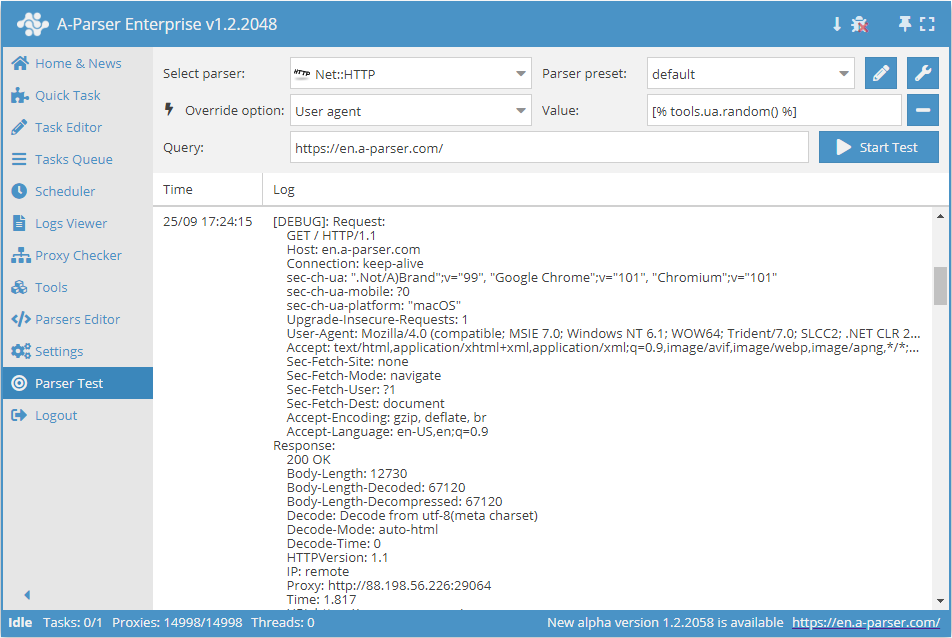
This tool is designed to substitute the user-agent in scrapers that use it (for example,  Net::HTTP). There are two methods:
$tools.ua.list()- contains the full list of available user agents.$tools.ua.random()- outputs a random one from the available user agents.
Usage example:
The list of all user-agents is stored in the file files/tools/user-agents.txt, which can be edited if necessary.
When using this tool for the User agent parameter in scrapers, it must be specified explicitly:
[% tools.ua.random() %]
JS support in tools $tools.js.*
This tool allows adding your own JS functions and using them directly in the template engine. Using Node.js modules is also supported. Functions are added in Tools -> JavaScript Editor
Working with base64 $tools.base64.*
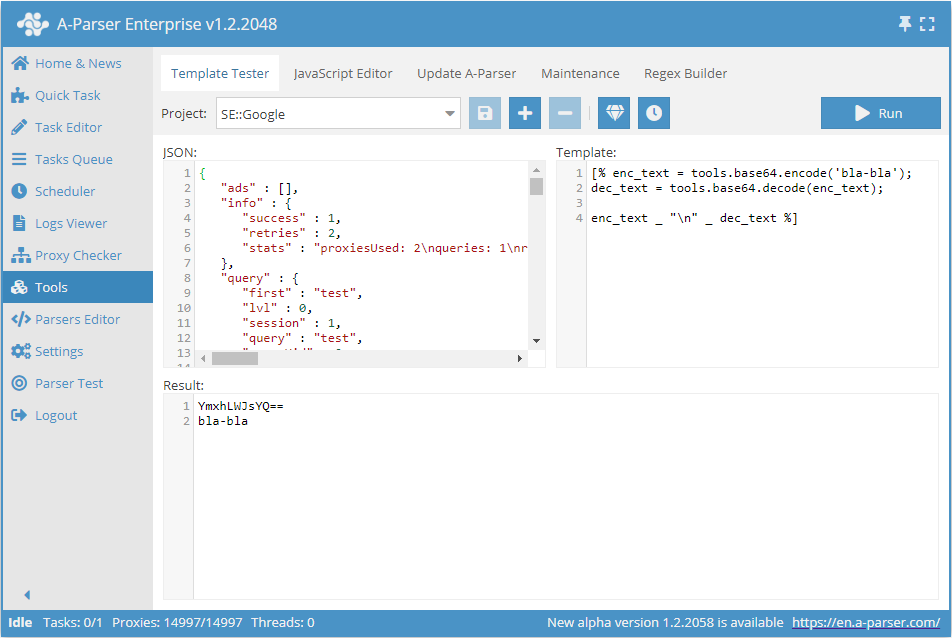
This tool allows working with base64 directly in the scraper. This tool has 2 methods:
$tools.base64.encode()- encodes text to base64$tools.base64.decode()- decodes a base64 string to text
Usage example:
Data reference $tools.data.*
This tool is essentially an object containing a large amount of preset information - languages, regions, domains for search engines, etc. Full list of elements (may change in the future):
"YandexWordStatRegions", "TopDomains", "CountryCodes", "YahooLocalDomains", "GoogleDomains", "BingTranslatorLangs", "Top1000Words", "GoogleLangs", "GoogleInterfaceLangs", "EnglishMonths", "GoogleTrendsCountries"
Each of these elements is an array or hash of data; you can view the contents by outputting the data, for example, in JSON:
[% tools.data.GoogleDomains.json() %]
In-memory data storage $tools.memory.*
A simple key/value storage in memory, common to all tasks, API requests, etc., reset when the scraper is restarted. There are three methods:
[% tools.memory.set(key, value) %]- sets thevaluefor thekey[% tools.memory.get(key) %]- returns the value corresponding to thekey[% tools.memory.delete(key) %]- deletes the record bykeyfrom memory
Getting A-Parser version information $tools.aparser.version()
This tool allows getting information about the A-Parser version and outputting it to the result.
Usage example:
[% tools.aparser.version() %]
Getting task ID and thread count $tools.task.*
This tool allows getting information about the task id and showing the number of threads. There are two methods:
[% tools.task.id %]- returns the task id[% tools.task.threadsCount %]- returns the number of threads used in the task
Stopping a task $tools.task.stop()
This tool allows stopping the task execution at any moment. A string is accepted as an argument, which should contain the reason for stopping the task.
Usage example:
[% IF query.num == 3;
    tools.task.stop('Stop after 3 queries');
END %]