Proxy Settings
High-quality A-Parser operation in most cases relies on working with proxies, so A-Parser has first-class support for proxies of various types and configurations, and also supports simultaneous operation with several different proxy sources, both in a single task and by separating them by type between different tasks.
Main A-Parser features for working with proxies:
- Simultaneous support for HTTP, SOCKS4, and SOCKS5 proxies
- Multithreaded proxy checking
- Loading proxies from a local file
- Multithreaded loading from external sources
- Anonymity checking
- Support for login/password authorization for both HTTP and SOCKS5 proxies, as well as support for various authorization data in
login:password@ip:portformat - Ability to set custom regular expressions for the proxy IP address and port when scraping from external sources
- Ability to export checked proxies to a file
- Ability to use multiple proxy sources in one task
- Support for domain proxies in
domain:portandlogin:pass@domain:portformats
Management
Proxy checkers are managed in the Proxy Checker tab, where you can add, delete, as well as enable and disable proxy checkers. This tab also displays statistics for each proxy checker, a graph of alive proxies, and statistics on source processing.
Setting up proxies from the Members Area
Proxy Unlimited (regular proxies)
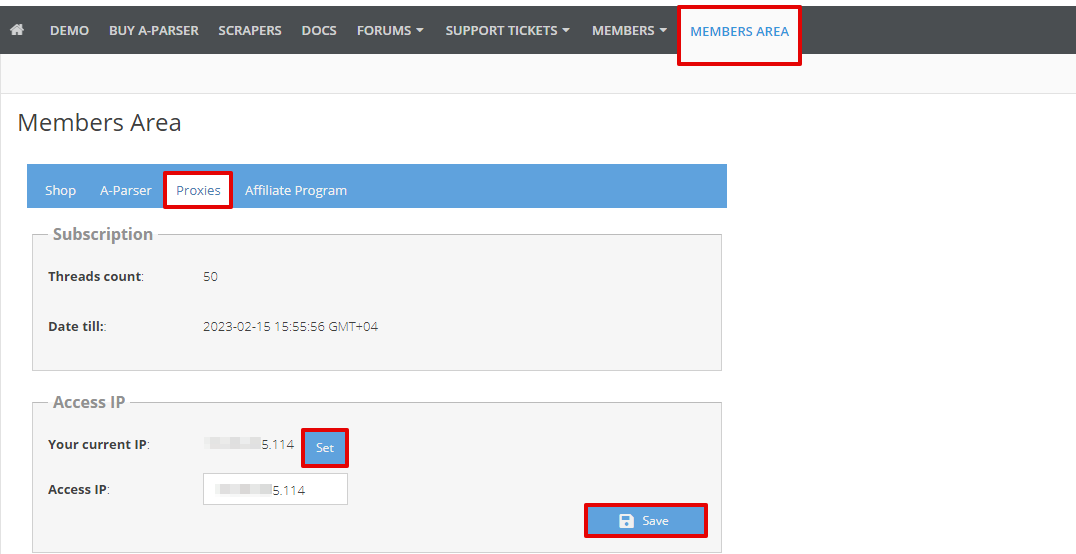
To use Unlimited proxies from A-Parser, you need to go to the Members Area, to the Proxy tab, click the Use IP button and the Save button.
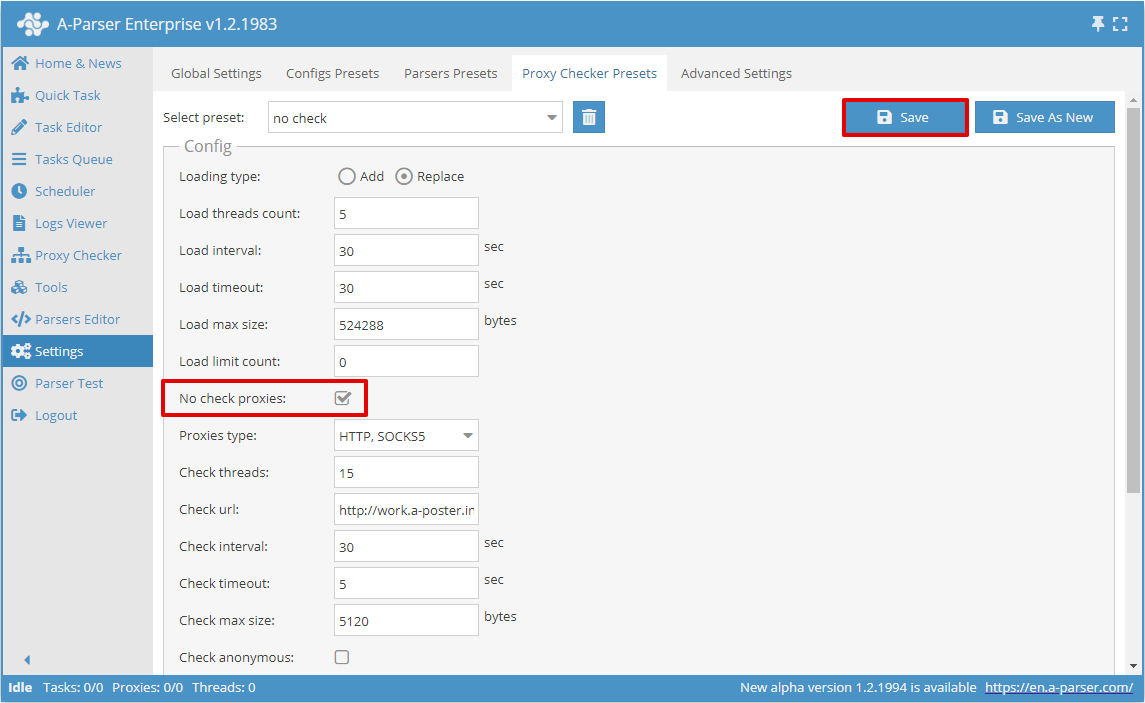
Next, add a proxy checker. It is sufficient to disable proxy checking (check the box next to the No check proxies option), other settings can be left at default. Save the proxy checker: for existing ones click the Save button, for new ones - Save as New.
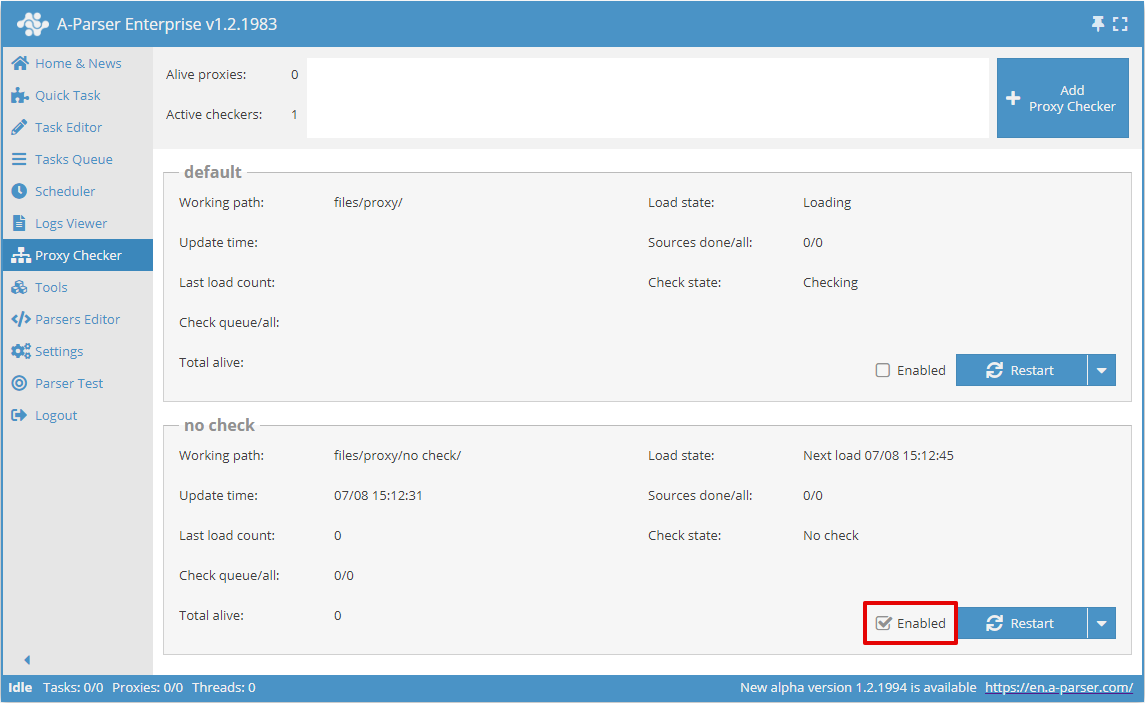
Return to the Proxy Checker menu, check if the newly created checker is enabled, if not, then enable it.
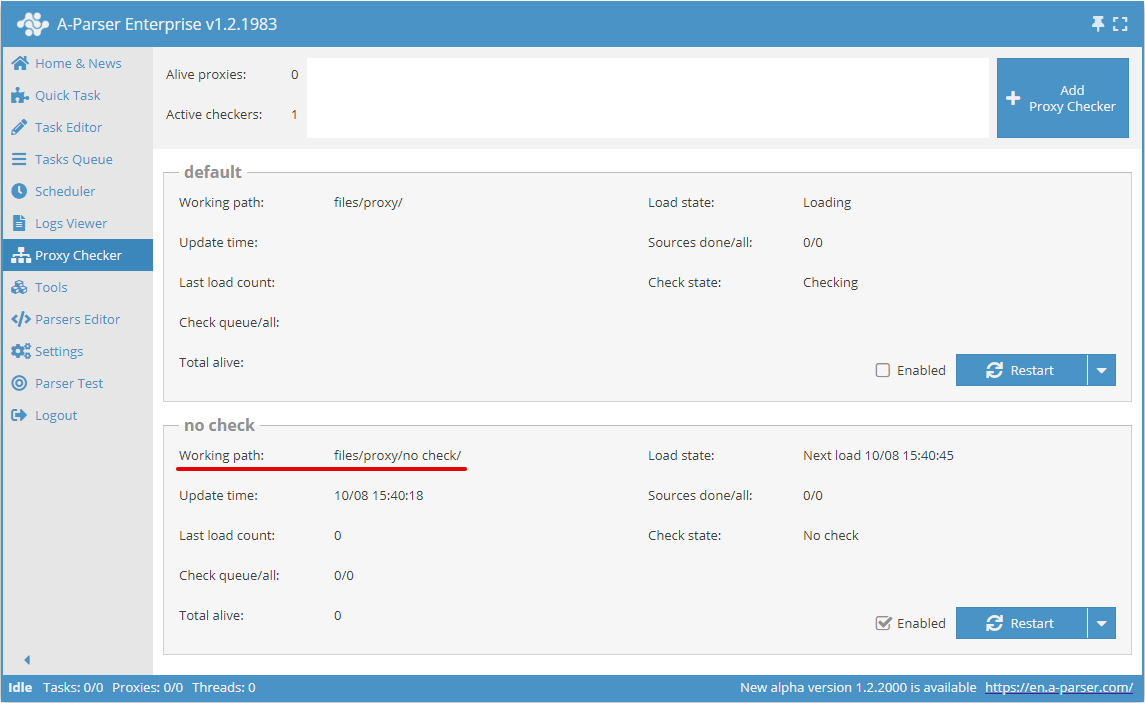
Open the proxy checker directory specified in the Working path field.
From the Members Area, copy 1 link to the proxy list and specify it in the sites.txt of the created proxy checker.
- http://work.a-poster.info/prx/perm_socks.txt - Each port has its own proxy with its own outgoing IP address. The proxy is fixed to its port as long as it is online. This list is updated every 30 seconds and always contains current and alive proxies. Recommended for most tasks.
- http://work.a-poster.info/prx/rand_socks.txt - The outgoing IP address changes for each connection to the proxy. The IP address is chosen randomly from all alive proxies. This list is fixed and there is no need to update it.
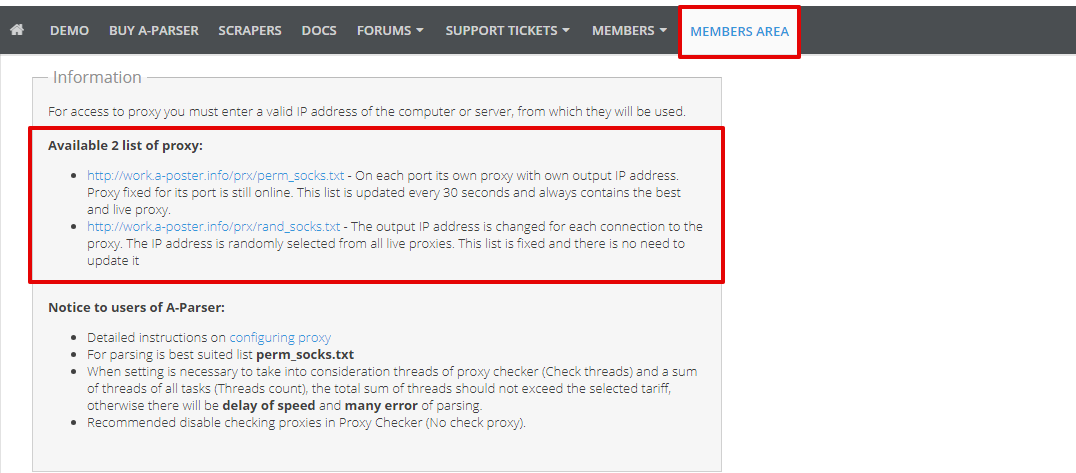
Return to A-Parser, to the Proxy Checker menu for the created proxy checker. In the "Total alive" field of this proxy checker, there should be more than 0 - this means the proxies are configured correctly.
Proxy Premium
To use Premium proxies from A-Parser, you need to go to the Members Area, to the Proxy Premium tab and generate a link to the proxy with the required parameters.
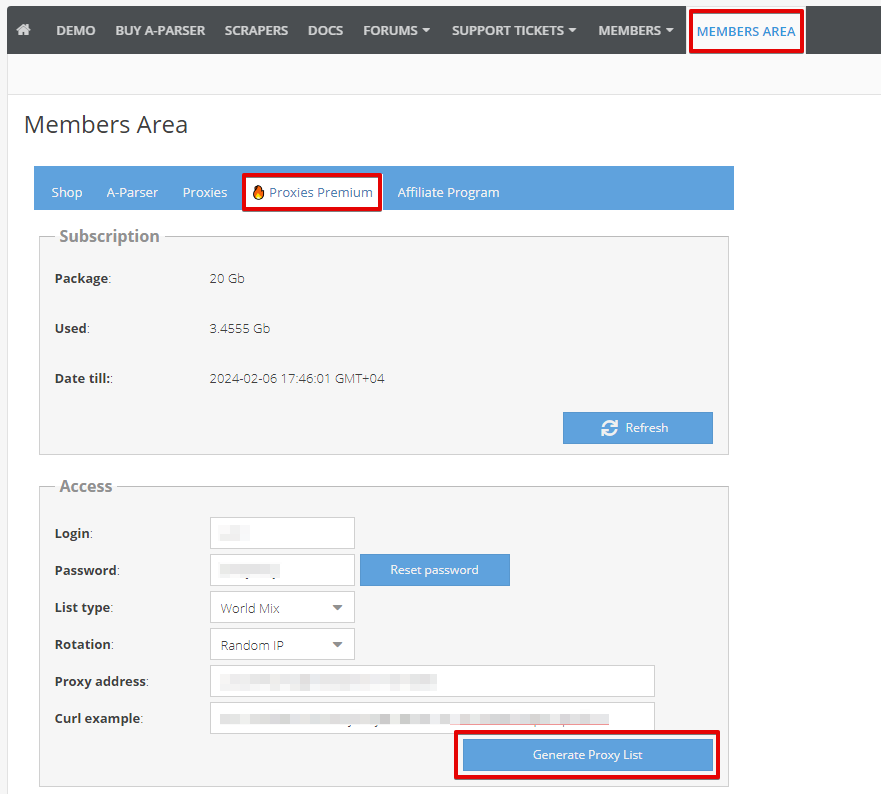
Next, add a proxy checker. You need to disable proxy checking (check the box next to the No check proxies option), and in the Proxy type field, select a single type — SOCKS5 or HTTP, matching your generated list. The default value HTTP, SOCKS5 is not suitable: it represents the checking order for two protocols, not the type of the Premium list. Enable proxy authentication (check the box next to the Use proxy authorization option). Other settings can be left at their defaults. Save the proxy checker: click the Save button for existing ones, or Save as New for new ones.
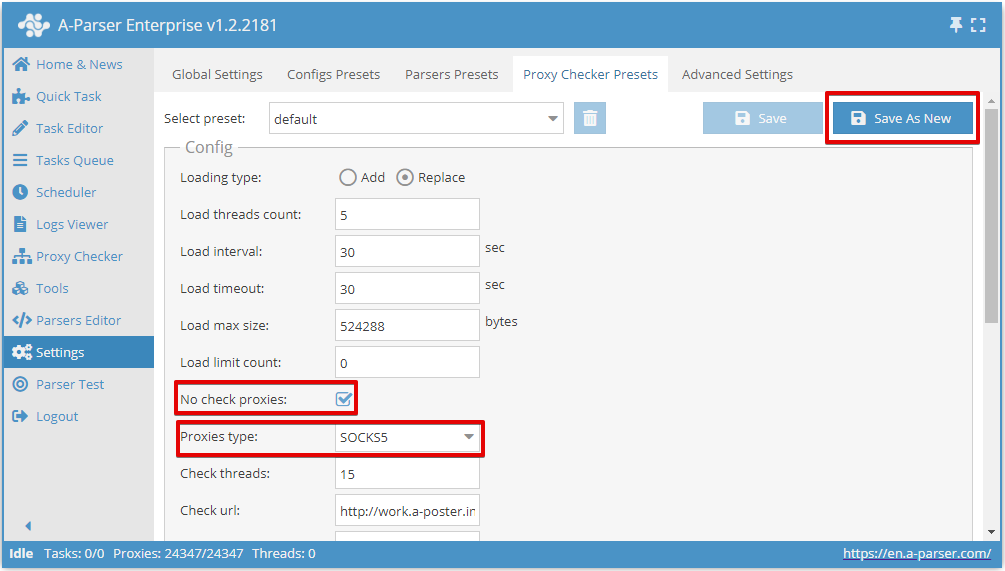
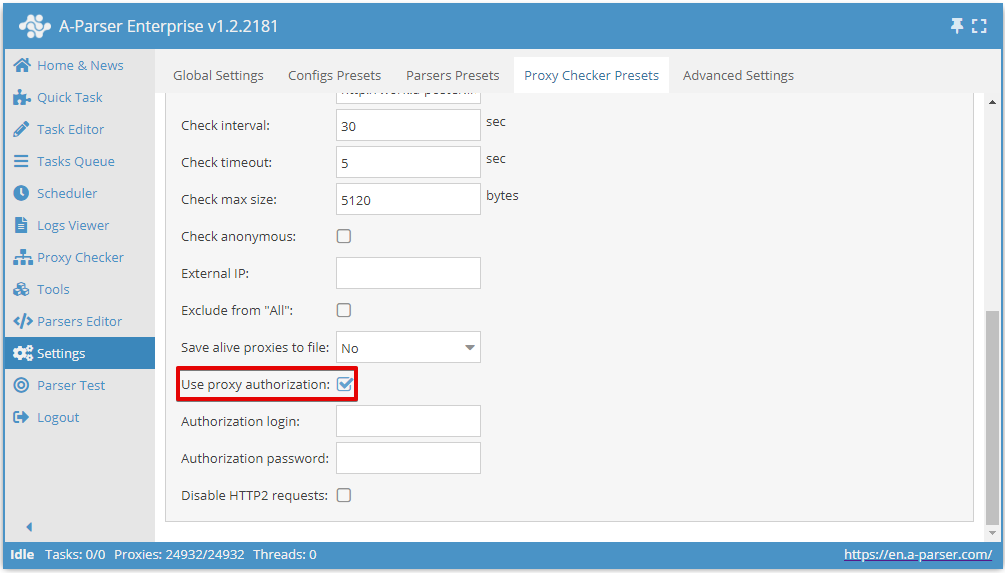
Return to the Proxy Checker menu. Check if the newly created checker is enabled, if not, then enable it. After that, open the proxy checker directory specified in the Working path field.
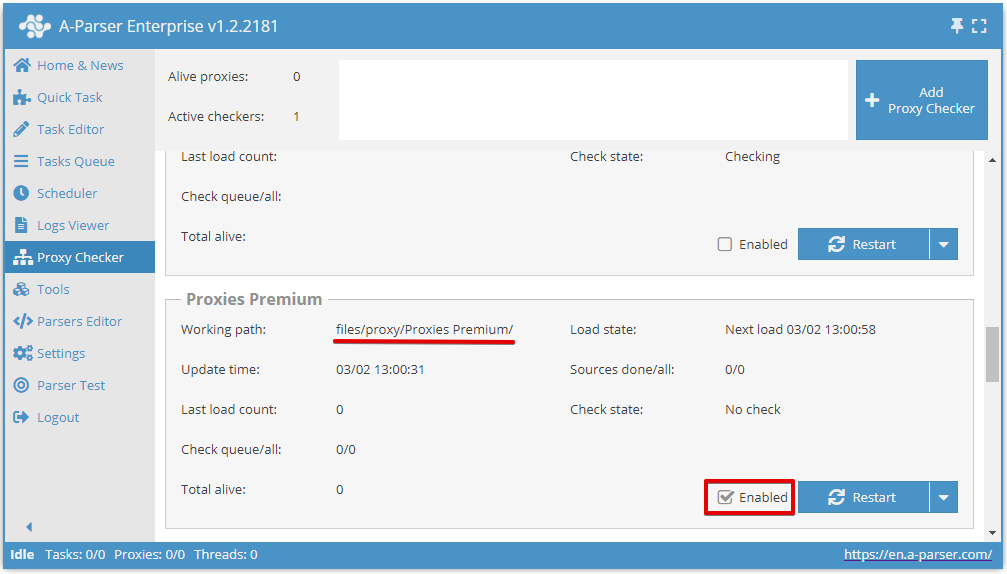
Paste the proxy link generated in the Members Area into the sites.txt file of the created proxy checker and save.
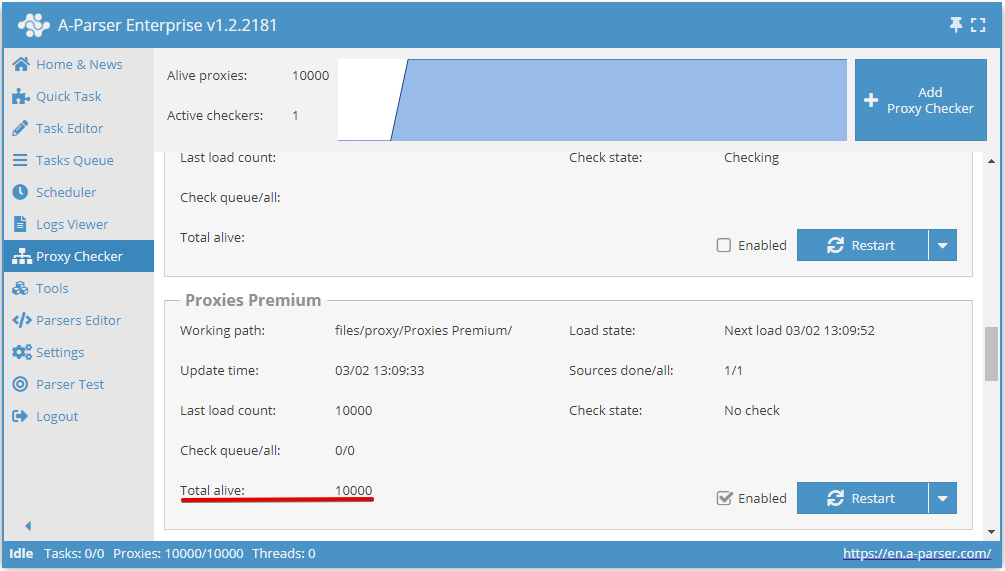
Return to A-Parser, to the Proxy Checker menu for the created proxy checker. In the "Total alive" field of this proxy checker, there should be more than 0 - this means the proxies are configured correctly.
Format
In order to set the required proxy format, you need to add parameters to the link in the required sequence (format is arbitrary).
Example of login:password:ip:port format - &format=login:password:host:port, the proxy link will look as follows https://proxifyr.com/proxyList?login=12345&password=12345&type=mix&rotation=10&format=login:password:host:port
Detailed proxy configuration
More details about proxy checkers and other proxy configuration options in the Proxy Checkers section