HTTP requests (+working with cookies, proxies, sessions)
Base class methods
To collect data from a web page, you need to perform an HTTP request. In A-Parser JavaScript API v2, an easy-to-use
method for performing HTTP requests is implemented, which returns a JSON object depending on the specified
method arguments. Next, you will learn: how an HTTP request is made, what arguments and options the method has, the results
of the specified options, how to specify the condition for a successful HTTP request, and more.
Methods allowing for easy manipulation of cookies, proxies, and sessions in the created scraper are also described. After a successful HTTP request, or before execution, you can set/change proxy/cookie/session data for performing HTTP requests or save it for execution by another thread using the Session Manager.
These methods are inherited from BaseParser and are the basis for creating custom scrapers
await this.request(method, url[, queryParams][, opts])
await this.request(method, url, queryParams, opts)
Getting an HTTP response by request, the following are specified as arguments:
method- request method (GET, POST...)url- link for the requestqueryParams- hash with get parameters or hash with the body of a post requestopts- hash with request options
opts.check_content
check_content: [ condition1, condition2, ...] - an array of conditions for checking the received content; if the check
fails, the request will be repeated with a different proxy.
Features:
- using strings as conditions (search by string occurrence)
- using regular expressions as conditions
- using custom check functions, which receive response data and headers
- multiple different types of conditions can be specified at once
- for logical negation, place the condition in an array, i.e.,
check_content: ['xxxx', [/yyyy/]]means that the request will be considered successful if the received data contains the substringxxxxand at the same time the regular expression/yyyy/finds no matches on the page
For a successful request, all checks specified in the array must pass
Example (comments indicate what is needed for the request to be considered successful):
let response = await this.request('GET', set.query, {}, {
    check_content: [
        /<\/html>|<\/body>/, // this regular expression must match on the received page
        ['XXXX'], // this substring must not be on the received page
        '</html>', // this substring must be on the received page
        (data, hdr) => {
            return hdr.Status == 200 && data.length > 100;
        } // this function must return true
    ]
});
opts.decode
decode: 'auto-html' - automatic encoding detection and conversion to utf8
Possible values:
auto-html- based on headers, meta tags, and page content (optimal recommended option)utf8- indicates that the document is in utf8 encoding<encoding>- any other encoding
opts.headers
headers: { ... } - hash with headers, header name is specified in lowercase, you can also specify cookie.
Example:
headers: {
    accept: 'image/avif,image/webp,image/apng,image/svg+xml,image/*,*/*;q=0.8',
    'accept-encoding': 'gzip, deflate, br',
    cookie: 'a=321; b=test',
    'user-agent' 'Mozilla/5.0 (Windows NT 10.0; Win64; x64) AppleWebKit/537.36 (KHTML, like Gecko) Chrome/88.0.4324.150 Safari/537.36'
}
opts.headers_order
headers_order: ['cookie', 'user-agent', ...] - allows overriding the header sorting order
opts.onlyheaders
onlyheaders: 0 - determines reading of data; if enabled (1), receives only headers
opts.recurse
recurse: N - maximum number of redirect hops, default is 7, use 0 to disable redirect
following
opts.proxyretries
proxyretries: N - number of request attempts, by default taken from scraper settings
opts.parsecodes
parsecodes: { ... } - list of HTTP response codes that the scraper will consider successful, by default taken from
scraper settings. If you specify '*': 1, then all responses will be considered successful.
Example:
parsecodes: {
    200: 1,
    403: 1,
    500: 1
}
opts.timeout
timeout: N - response timeout in seconds, by default taken from scraper settings
opts.do_gzip
do_gzip: 1 - determines whether to use compression (gzip/deflate/br), enabled by default (1), to disable
set the value to 0
opts.max_size
max_size: N - maximum response size in bytes, by default taken from scraper settings
opts.cookie_jar
cookie_jar: { ... } - hash with cookies. Example hash:
"cookie_jar": {
    "version": 1,
    ".google.com": {
        "/": {
            "login": {
                "value": "true"
            },
            "lang": {
                "value": "ru-RU"
            }
        }
    },
    ".test.google.com": {
        "/": {
            "id": {
                "value": 155643
            }
        }
    }
opts.attempt
attempt: N - indicates the current attempt number; when using this parameter, the built-in attempt handler for
this request is ignored
opts.browser
browser: 1 - automatic browser header emulation (1 - enabled, 0 - disabled)
opts.use_proxy
use_proxy: 1 - overrides proxy usage for an individual request inside the JS scraper over the global
Use proxy parameter (1 - enabled, 0 - disabled)
opts.noextraquery
noextraquery: 0 - disables adding Extra query string to the request URL (1 - enabled, 0 - disabled)
opts.save_to_file
save_to_file: file - allows downloading a file directly to disk, bypassing memory recording. Instead of file, specify the name and
path to save the file. When using this option, everything related to data is ignored (content check
in opts.check_content will not be performed, response.data will be empty, etc.)
opts.bypass_cloudflare
bypass_cloudflare: 0 - automatic CloudFlare JavaScript protection bypass using Chrome browser (1 - enabled, 0 -
disabled)
Chrome Headless control in this case is carried out by scraper settings bypassCloudFlareChromeMaxPages
and bypassCloudFlareChromeHeadless, which must be specified in static defaultConf and static editableConf:
static defaultConf: typeof BaseParser.defaultConf = {
    version: '0.0.1',
    results: {
        flat: [
            ['title', 'Title'],
        ]
    },
    max_size: 2 * 1024 * 1024,
    parsecodes: {
        200: 1,
    },
    results_format: "$title\n",
    bypass_cloudflare: 1,
    bypassCloudFlareChromeMaxPages: 20,
    bypassCloudFlareChromeHeadless: 0
};

static editableConf: typeof BaseParser.editableConf = [
    ['bypass_cloudflare', ['textfield', 'bypass_cloudflare']],
    ['bypassCloudFlareChromeMaxPages', ['textfield', 'bypassCloudFlareChromeMaxPages']],
    ['bypassCloudFlareChromeHeadless', ['textfield', 'bypassCloudFlareChromeHeadless']],
];

async parse(set, results) {
    const {success, data, headers} = await this.request('GET', set.query, {}, {
        bypass_cloudflare: this.conf.bypass_cloudflare
    });
    return results;
}
opts.follow_meta_refresh
follow_meta_refresh: 0 - allows following redirects declared via HTML meta tag:
<meta http-equiv="refresh" content="time; url=..."/>
opts.redirect_filter
redirect_filter: (hdr) => 1 | 0 - allows specifying a filtering function for following redirects; if the function
returns 1, the scraper will follow the redirect (considering the opts.recurse parameter), if 0 is returned, following
redirects will stop:
redirect_filter: (hdr) => {
    if (hdr.location.match(/login/))
        return 1;
    return 0;
}
opts.follow_common_rediects
opts.follow_common_rediects: 0 - determines whether to follow standard redirects (e.g., http -> https
and/or www.domain.com -> domain.com); if 1 is specified, the scraper will follow standard redirects regardless of the
opts.recurse parameter
opts.http2
opts.http2: 0 - determines whether to use the HTTP/2 protocol when performing requests; by default
HTTP/1.1 is used
opts.randomize_tls_fingerprint
opts.randomize_tls_fingerprint: 0 - this option allows bypassing site bans by TLS fingerprint (1 - enabled, 0 -
disabled)
opts.tlsOpts
tlsOpts: { ... } – allows
passing settings for
https connections
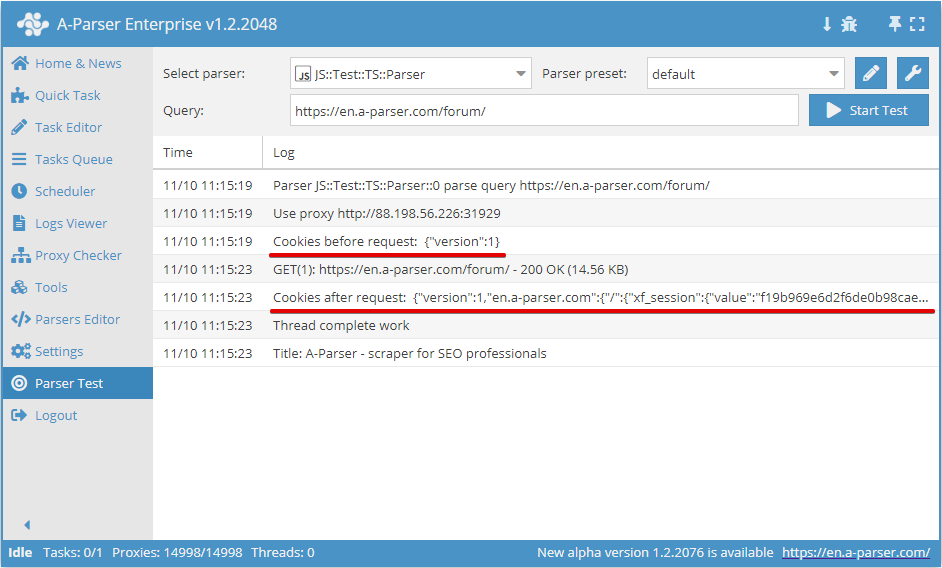
await this.cookies.*
Working with cookies for the current request
.getAll()
Getting an array of cookies
await this.cookies.getAll();
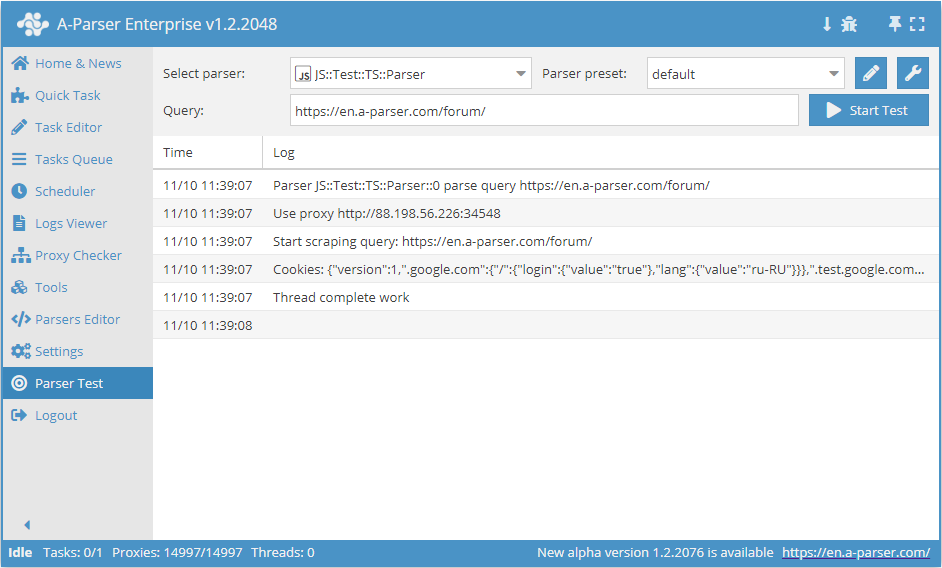
.setAll(cookie_jar)
Setting cookies, a hash with cookies must be passed as an argument
async parse(set, results) {
    this.logger.put("Start scraping query: " + set.query);

    await this.cookies.setAll({
        "version": 1,
        ".google.com": {
            "/": {
                "login": {
                    "value": "true"
                },
                "lang": {
                    "value": "ru-RU"
                }
            }
        },
        ".test.google.com": {
            "/": {
                "id": {
                    "value": 155643
                }
            }
        }
    });

    let cookies = await this.cookies.getAll();

    this.logger.put("Cookies: " + JSON.stringify(cookies));

    results.SKIP = 1;
    return results;
}
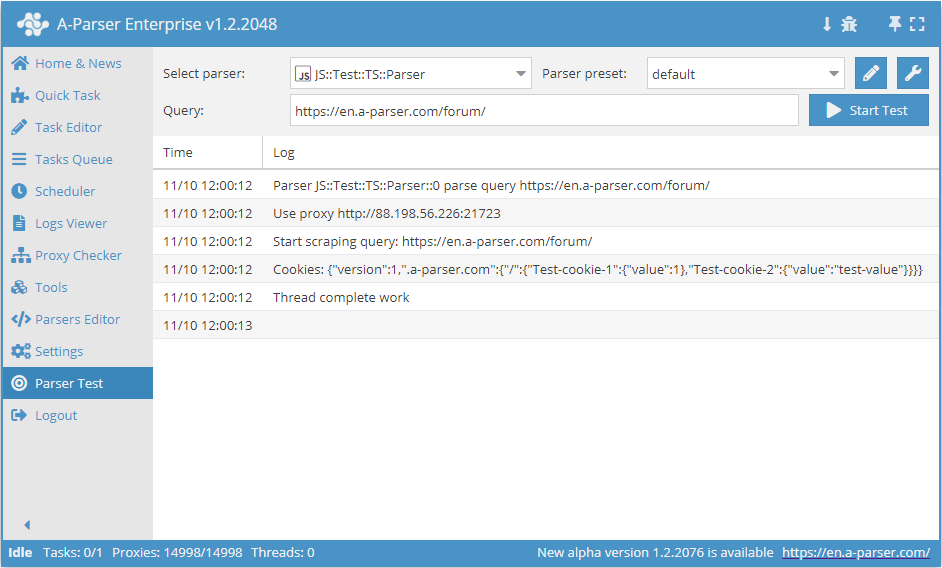
.set(host, path, name, value)
await this.cookies.set(host, path, name, value) - setting a single cookie.
The cookie's scope directly depends on the format of the specified domain, so the presence of a dot before the host is taken into account in host:
- if a dot is specified (
this.cookies.set('.domain.com', ...)), then the cookie will be used for all subdomains (e.g., a.domain.com, b.a.domain.com) - if the host is specified without a leading dot (
this.cookies.set('site.com', ...)), then the cookie will be used strictly for the specified host (host-only cookie) and is not passed to subdomains
This distinction is critically important, as the simultaneous existence of cookies with and without a dot can lead to their duplication and unpredictable site behavior. For correct emulation, always check exactly how the target site sets cookies (with or without the Domain attribute) and use the appropriate format.
async parse(set, results) {
    this.logger.put("Start scraping query: " + set.query);

    await this.cookies.set('.a-parser.com', '/', 'Test-cookie-1', 1);
    await this.cookies.set('.a-parser.com', '/', 'Test-cookie-2', 'test-value');

    let cookies = await this.cookies.getAll();

    this.logger.put("Cookies: " + JSON.stringify(cookies));

    results.SKIP = 1;
    return results;
}
await this.proxy.*
Working with proxies
.next()
Change proxy to the next one; the old proxy will no longer be used for the current request
.ban()
Change and ban the proxy (must be used when the service blocks operation by IP); the proxy will be banned for the time
specified in the scraper settings (proxybannedcleanup)
.get()
Get the current proxy (the last proxy with which the request was made)
.set(proxy, noChange?)
await this.proxy.set('http://127.0.0.1:8080', true) - set proxy for the next request. The noChange parameter is optional; if set to true, the proxy will not change between attempts. Default is noChange = false
await this.sessionManager.*
Methods for working with sessions. Each session necessarily stores the used proxy and cookies. You can also additionally save arbitrary data.
To use sessions in a JS scraper, you must first initialize the Session Manager. This is done using the await this.sessionManagerinit() method in init()
.init(opts?)
Session Manager initialization. An object (opts) with additional parameters can be passed as an argument (all parameters are optional):
name- allows overriding the name of the scraper to which the sessions belong; by default, it equals the name of the scraper where initialization occurswaitForSession- tells the scraper to wait for a session until it appears (this is relevant only when multiple tasks are running, e.g., one generates sessions, the second uses them), i.e.,.get()and.reset()will always wait for a sessiondomain- specifies to search for sessions among all saved for this scraper (if the value is not set), or only for a specific domain (the domain must be specified with a leading dot, e.g.,.site.com)sessionsKey- allows manually setting the name of the session storage; if not set, the name is formed automatically based onname(or the scraper name ifnameis not set), domain, and proxycheckerexpire- sets the session lifetime in minutes; by default, it is unlimited
Usage example:
async init() {
    await this.sessionManager.init({
        name: 'JS::test',
        expire: 15 * 60
    });
}
.get(opts?)
Getting a new session, must be called before making a request (before the first attempt). Returns an object with arbitrary data saved in the session. An object (opts) with additional parameters can be passed as an argument (all parameters are optional):
waitTimeout- ability to specify how many minutes to wait for a session to appear; works independently of thewaitForSessionparameter in.init()(ignores it); upon expiration, an empty session will be usedtag- getting a session with a specified tag; for example, a domain name can be used to bind sessions to the domains from which they were obtained
Usage example:
await this.sessionManager.get({
    waitTimeout: 10,
    tag: 'test session'
})
.reset(opts?)
Clearing cookies and getting a new session. Must be used if the request was not successful with the current session. Returns an object with arbitrary data saved in the session. An object (opts) with additional parameters can be passed as an argument (all parameters are optional):
waitTimeout- ability to specify how many minutes to wait for a session to appear; works independently of thewaitForSessionparameter in.init()(ignores it); upon expiration, an empty session will be usedtag- getting a session with a specified tag; for example, a domain name can be used to bind sessions to the domains from which they were obtained
Usage example:
await this.sessionManager.reset({
    waitTimeout: 5,
    tag: 'test session'
})
.save(sessionOpts?, saveOpts?)
Saving a successful session with the ability to save arbitrary data in the session. Supports 2 optional arguments:
sessionOpts- arbitrary data for storage in the session; can be a number, string, array, or objectsaveOpts- object with session saving parameters:multiply- optional parameter, allows multiplying the session; a number must be specified as the valuetag- optional parameter, sets a tag for the saved session; for example, a domain name can be used to bind sessions to the domains from which they were obtained
Usage example:
await this.sessionManager.save('some data here', {
    multiply: 3,
    tag: 'test session'
})
.count()
Returns the number of sessions for the current Session Manager
Usage example:
let sesCount = await this.sessionManager.count();
.removeById(sessionId)
Deletes all sessions with a given id. Returns the number of deleted sessions. The current session id is contained in the variable this.sessionId
Usage example:
const removedCount = await this.sessionManager.removeById(this.sessionId);
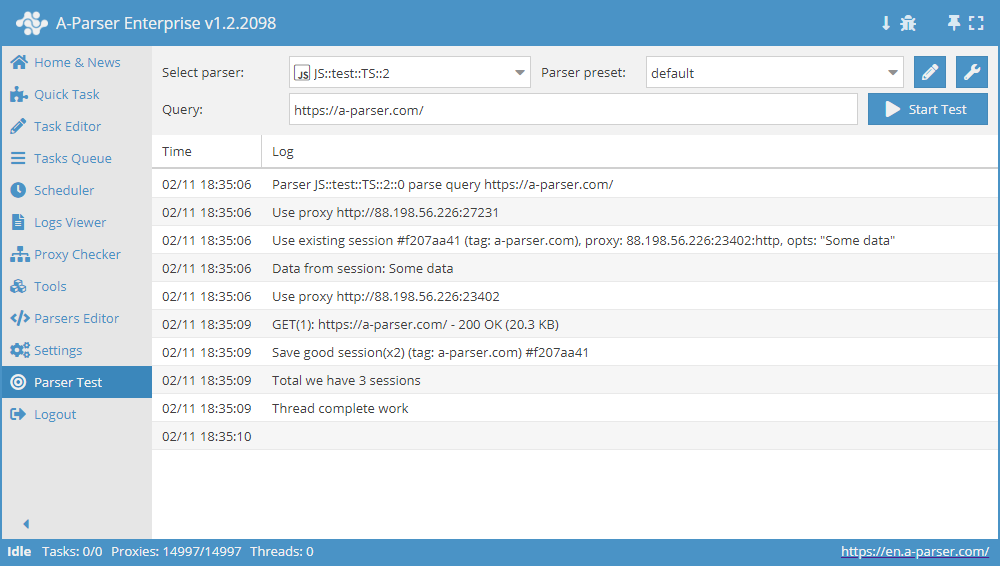
Comprehensive example of using the Session Manager
async init() {
    await this.sessionManager.init({
        expire: 15 * 60
    });
}

async parse(set, results) {
    let ses = await this.sessionManager.get();

    for(let attempt = 1; attempt <= this.conf.proxyretries; attempt++) {
        if(ses)
            this.logger.put('Data from session:', ses);
        const { success, data } = await this.request('GET', set.query, {}, { attempt });
        if(success) {
            // process data here
            results.success = 1;
            break;
        } else if(attempt < this.conf.proxyretries) {
            const removedCount = await this.sessionManager.removeById(this.sessionId);
            this.logger.put(`Removed ${removedCount} bad sessions with id #${this.sessionId}`);
            ses = await this.sessionManager.reset();
        }
    }

    if(results.success) {
        await this.sessionManager.save('Some data', { multiply: 2 });
        this.logger.put(`Total we have ${await this.sessionManager.count()} sessions`);
    }

    return results;
}
Request methods await this.request
GET Method
Request parameters can be passed directly in the request string https://a-parser.com/users/?type=staff:
const { success, data, headers } = await this.request('GET', 'https://a-parser.com/users/?type=staff');
Or as an object in queryParams, where key: value equals param=value:
const { success, data, headers } = await this.request('GET', 'https://a-parser.com/users/', {
    type: 'staff'
});
POST Method
If the POST method is used, the request body can be passed in two ways:
List variable names and their values in
queryParams, for example:{
"key": set.query,
"id": 1234,
"type": "text"
}List them in
opts.body, for example:body: 'key=' + set.query + '&id=1234&type=text'
If the request body is passed as an object, it is automatically converted to form-urlencoded form; also, if body is specified and no
content-type header is specified, content-type: application/x-www-form-urlencoded will be automatically assigned:
const { success, data, headers } = await this.request('POST', 'https://jsonplaceholder.typicode.com/posts', {
    title: 'foo,',
    body: 'bar',
    userId: 1
});
If the POST request body is a string or buffer, it is passed as is:
// request with a string
const string = 'title=foo&body=bar&userId=1';
const { success, data, headers } = await this.request('POST', 'https://jsonplaceholder.typicode.com/posts', {}, {
    body: string
});

// request with a buffer
const string = 'title=foo&body=bar&userId=1';
const buf = Buffer.from(string, 'utf8');
const { success, data, headers } = await this.request('POST', 'https://jsonplaceholder.typicode.com/posts', {}, {
    body: buf
});
File Upload
Sending a file with a POST request using the form-data module:
const file = fs.readFileSync('pathToFile');
const FormData = require('form-data');
const format = new FormData();
format.append('file', file, 'fileName.ext');

const { success, data, headers } = await this.request('POST', 'https://file.io', {}, {
    headers: format.getHeaders(),
    body: format.getBuffer()
});
Example of sending a file in a POST request with content type multipart/form-data:
const EOL = '\r\n';
const file = fs.readFileSync('pathToFile');
const boundary = '----WebKitFormBoundary' + String(Math.random()).slice(2);
const requestHeaders = {
    'content-type': 'multipart/form-data; boundary=' + boundary
};

const body = '--'
    + boundary
    + EOL
    + 'Content-Disposition: form-data; name="file"; filename="fileName.ext"'
    + EOL
    + 'Content-Type: text/html'
    + EOL
    + EOL
    + file
    + EOL
    + '--'
    + boundary
    + '--';

const { success, data, headers } = await this.request('POST', 'https://file.io', {}, {
    headers: requestHeaders,
    body
});