Additional Task Editor Options
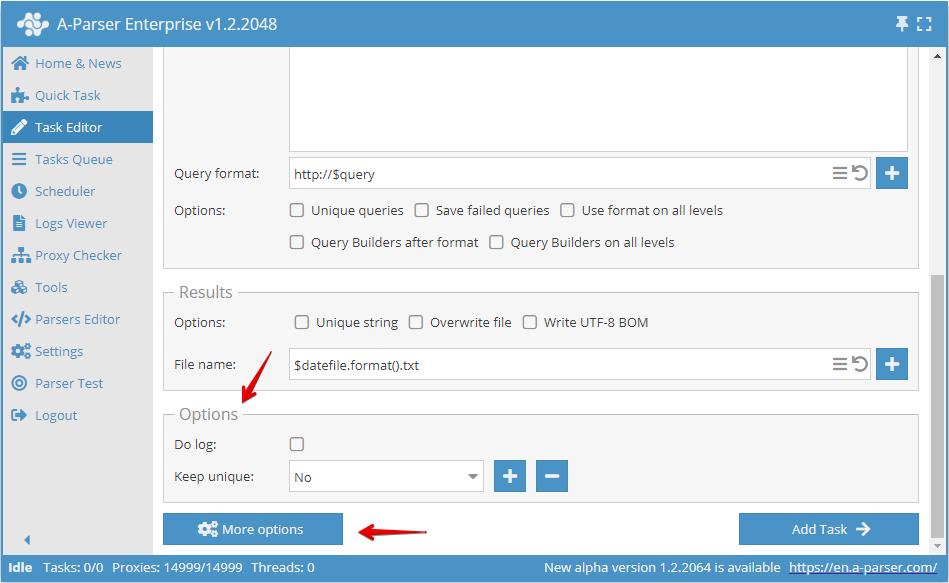
The Task Editor includes additional options that allow you to enable logs for a task, maintain a deduplication database that can be used across multiple tasks, set task priority, specify which preset to run upon completion of the current task, and other extremely useful options.
Base options
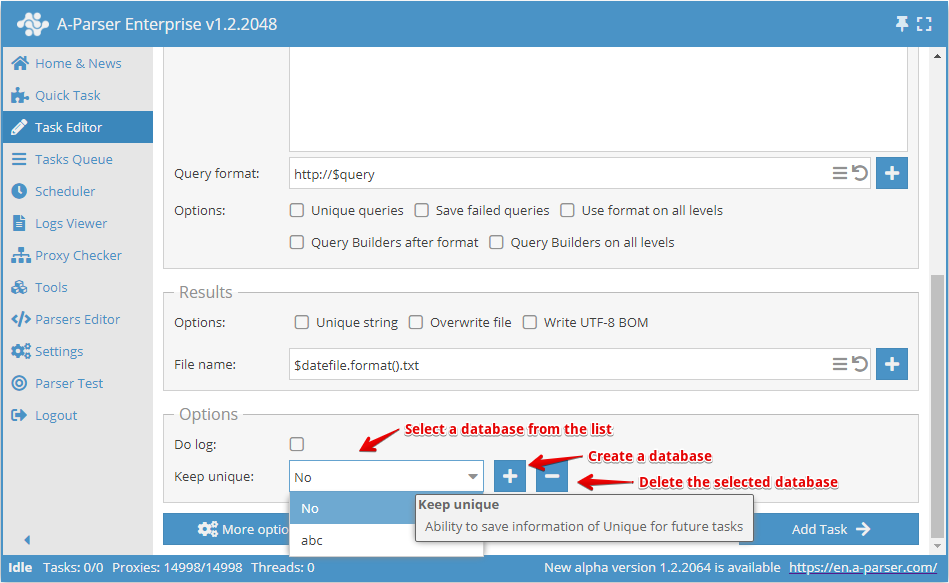
Do log
Select this option to be able to view task logs during task execution or after completion. You will be able to see the reasons for failed queries in the task log, allowing you to draw conclusions and take necessary actions based on that information.
Saving deduplication state
Keep unique - the ability to save deduplication information for future tasks.
Advanced options
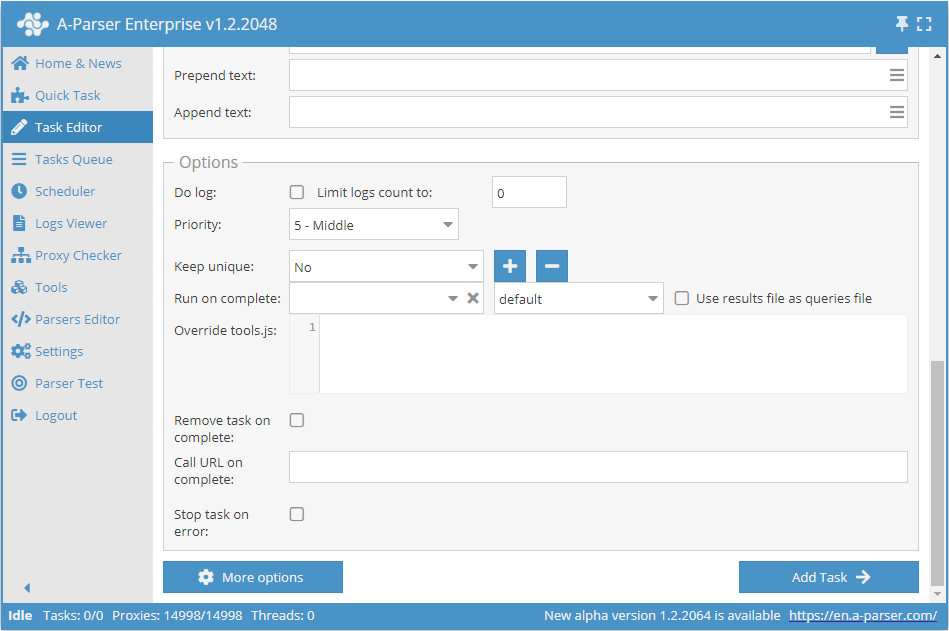
By clicking the More options button, you will see advanced settings for results: limit the number of logs, priority, run on completion, use results file for queries, override tools.js, remove task on completion, call URL on completion.
Prepend and Append text
Prepend and append text - A-Parser can insert starting and ending text into the result file to form a CSV file header, for opening and closing tags of an XML file, etc.
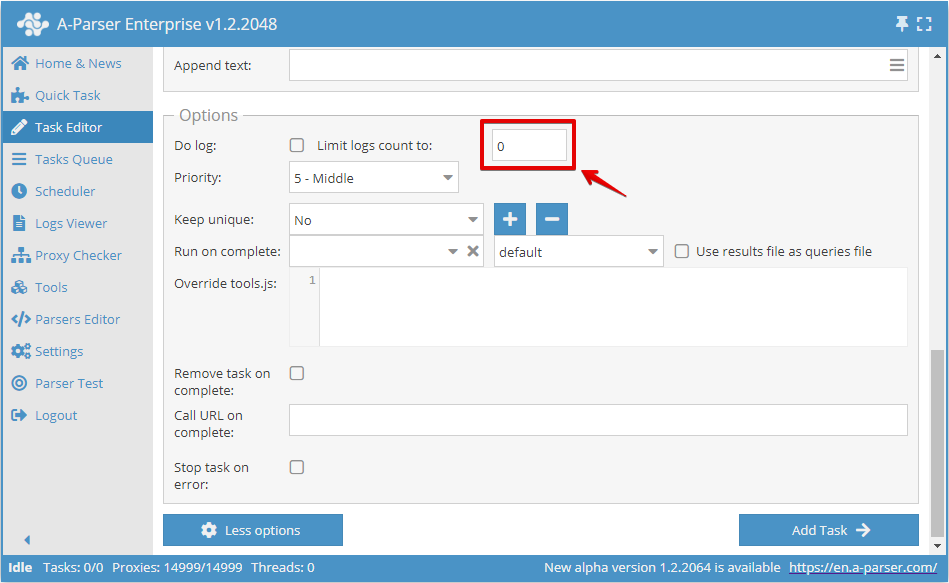
Limit logs
If the value is greater than zero, old logs are automatically deleted.
Task priority
Used in conjunction with the Dynamic thread limit setting. Tasks with higher priority will receive threads immediately after each request is completed in tasks with lower priority.
- If tasks have the same priority, preference is given to the task that was added earlier in time.
- Works only with dynamic thread limit.
- When adding a task via API, you must specify the prio field from 1 to 100 (higher is higher).
Run next task on completion of current one
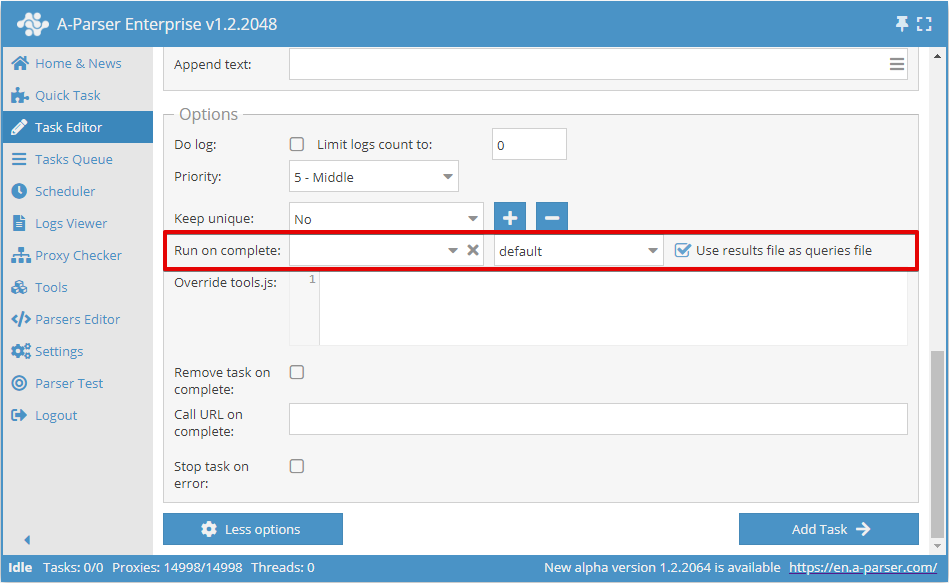
Run on complete - the ability to launch the next task after the current one finishes. In the settings, you can specify the required thread config and select the Use result file for query option, which allows using the result file of the current task as a source of queries for the task specified in the dropdown list.
Call Callback URL on task completion
Call URL on complete - the ability to send a POST request to the specified URL upon task completion, with a JSON containing the task state in the body:
{
   "taskUid" : "214",
   "state" : {
      "requests" : "1",
      "additionalCount" : 0,
      "addTime" : 1527501047,
      "activeThreads" : 0,
      "logExists" : 0,
      "changeTime" : 1527501049,
      "resultsCount" : 0,
      "lastQuery" : "tt",
      "lastTotalFail" : 0,
      "avgSpeed" : 60,
      "queriesDoneCount" : 1,
      "started" : 1,
      "queriesCount" : 1,
      "minimized" : 0,
      "curSpeed" : 0,
      "totalWaitProxyThreads" : 0,
      "totalFail" : 1,
      "queriesDoneCountAtStart" : 0,
      "startTime" : 1527501049,
      "runTime" : 0,
      "uniqueResultsCount" : "none"
   },
   "status" : "completed",
   "stats" : "<b>Overall stats</b><br>Runtime: 0:00:00<br>HTTP requests: 1<br><br><b>1. Net::HTTP</b><br>Queries done: 1<br>Successful queries: 0<br>Proxies used: 1 (per query)<br>Retries used: 1 (per query)<br>HTTP requests: 1 (per query)<br>Proxies banned: 0/10000"
}
Tools.js overrides
Override tools.js - overrides the existing tools.js for the current preset and also allows exporting only the necessary functions along with the preset.
Remove task on completion
Remove task on complete - deletes the task upon completion without adding it to the completed list.
Stop task on error
Stop task on error - stops task execution when a failed request occurs.