Results Filters
In A-Parser, there is an option to filter results based on a set of specific rules and save only the necessary data to the output.
Using filtering
Main use cases:
- Saving only those links that contain a specific string occurrence (e.g., a CMS footprint)
- Filtering a domain database by specific parameters (e.g., Yandex SQI from 300, language RU)
- Checking the server response (e.g., 200 OK or the presence of specific headers)
- Checking if the original query is present in the snippet
- Any other use cases where results need to be restricted by specific conditions
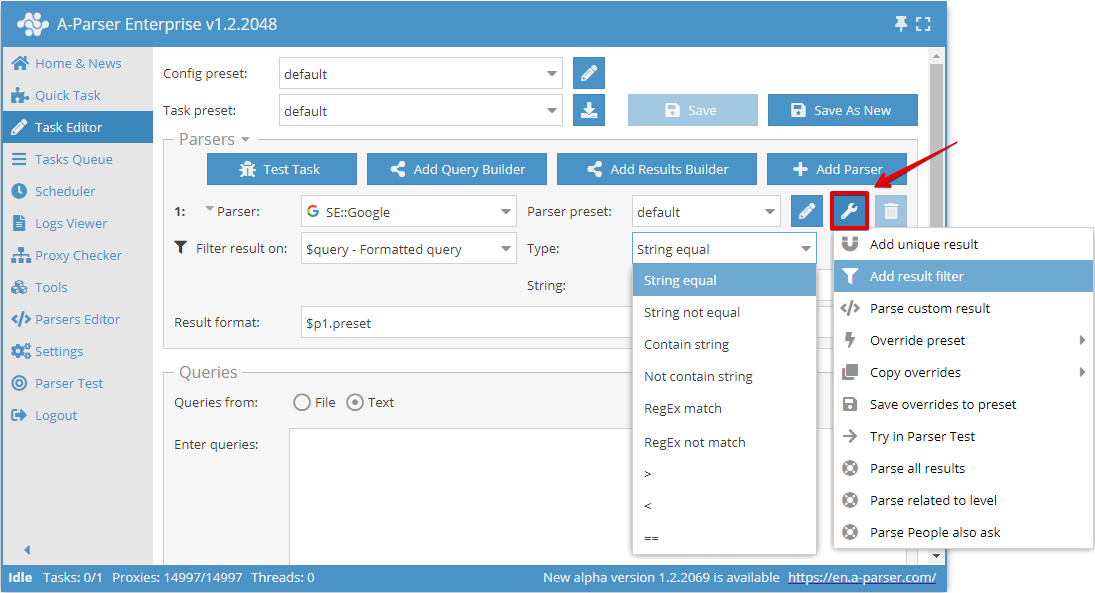
Filters can be added in the Task Editor by clicking the tool icon next to the required scraper:
Filtering types
You can filter both single results and arrays of results. There are several types of filters:
- By equality or inequality of strings
- By presence or absence of a substring
- By matching or not matching a regular expression
- Numeric values can be filtered by greater than, less than, and equality
See also: Results presentation
Features
- When filtering arrays of results, only the results that match the filter remain in the array
- When filtering simple results, if a result does not match the filter, the result for this query is skipped entirely, including when using multiple scrapers
- When using two or more filters in a task, a logical AND is applied between them; in other words, the result will be saved if it matches the conditions of all filters simultaneously
- When comparing in the value field (string, regular expression, or numeric value), you can use the Template Toolkit engine; all variables similar to the General result format are available
Examples
Filtering by text on a page
Checking a database of sites for the presence of specific text on a page
We use a file with links as queries; the result is a filtered file with links where the searched text is found.
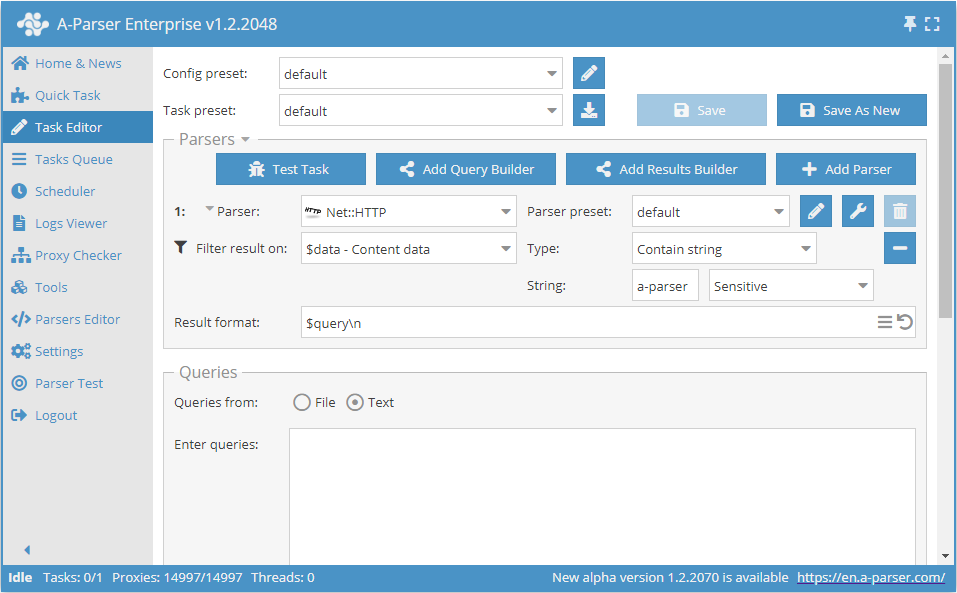
Using the scraper  Net::HTTP to download the target page, we save the query (the link being checked) in the result. We filter the
 $data result - content of the downloaded page, set the filter type Contain string and specify the string itself:
Filtering images by size
Filtering images by resolution
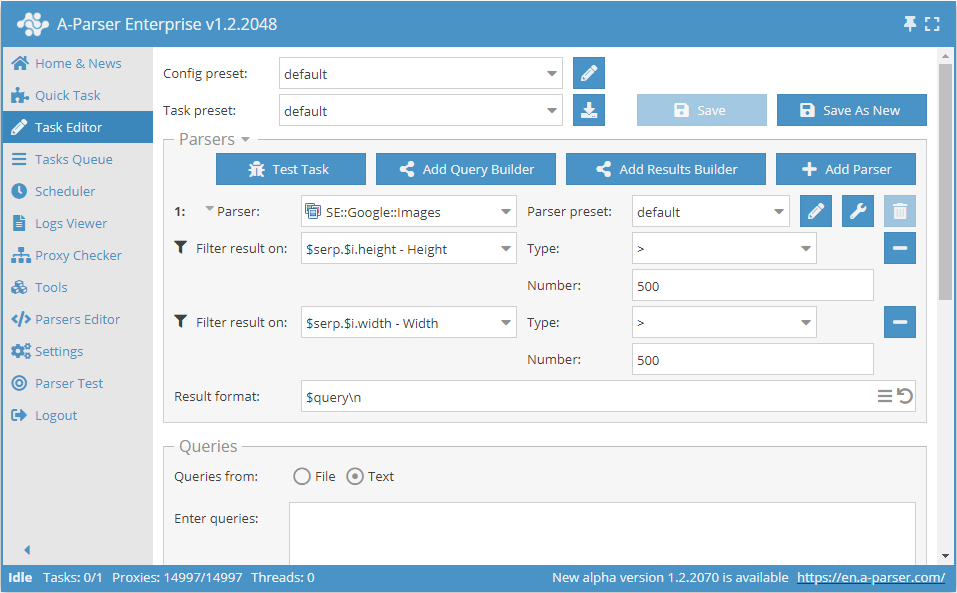
Filter the height and width of the image when scraping via  SE::Google::Images, saving only those images that are larger than 500x500 pixels:
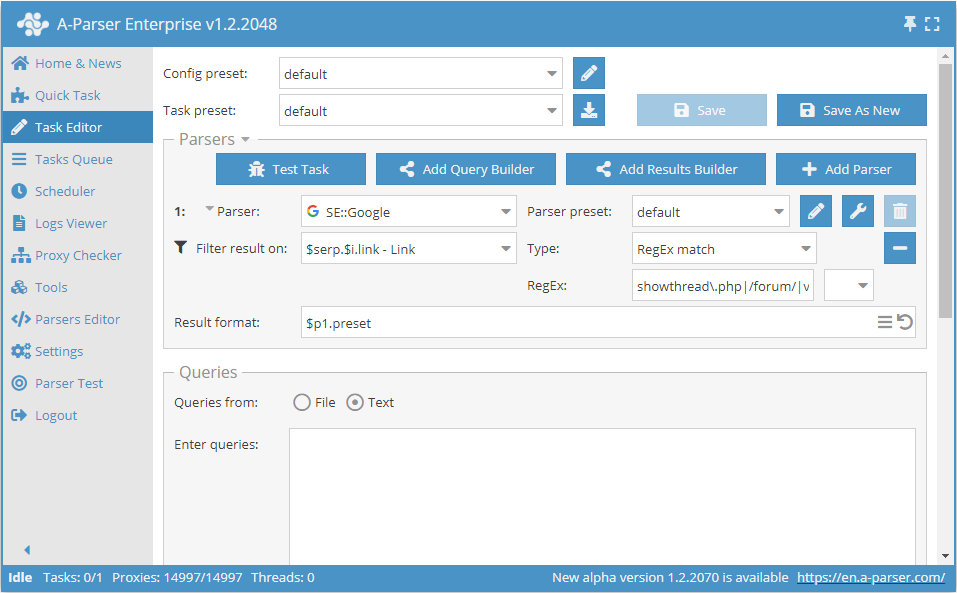
Filtering by several criteria
Filtering links by the occurrence of any of several different strings
To filter links by several different strings, we will use the ability to specify regular expressions; to do this, write several criteria via a separator:
showthread\.php
/forum/
viewtopic\.php\?t=
Note that regular expressions require escaping a number of characters
Using a query in a filter
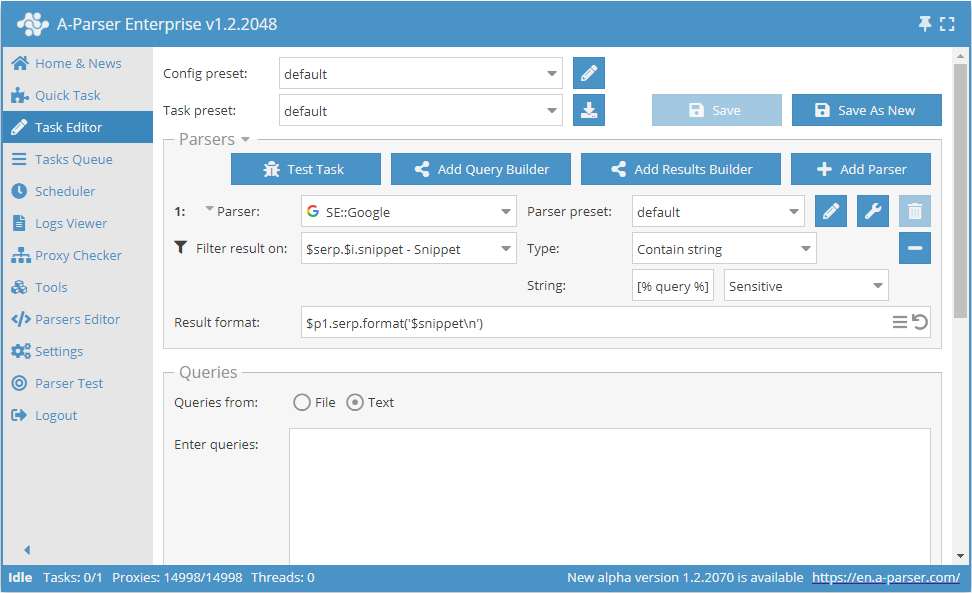
Saving Google snippets that contain the original query
As the string for comparison, explicitly specify [% query %] — the variable that contains the query, and select Sensitive to search for the substring considering character case: