Results deduplication
Deduplication, unique results, removing duplicates, removing repeats - all of this implies that we do not need repeating results. In A-Parser there are 2 methods of deduplication, let's examine each in detail.
Deduplication by string
This method works after result formation; immediately before writing the result to a file, each line is checked for uniqueness and only new unique lines are written to the file.
See also: Order of processing requests
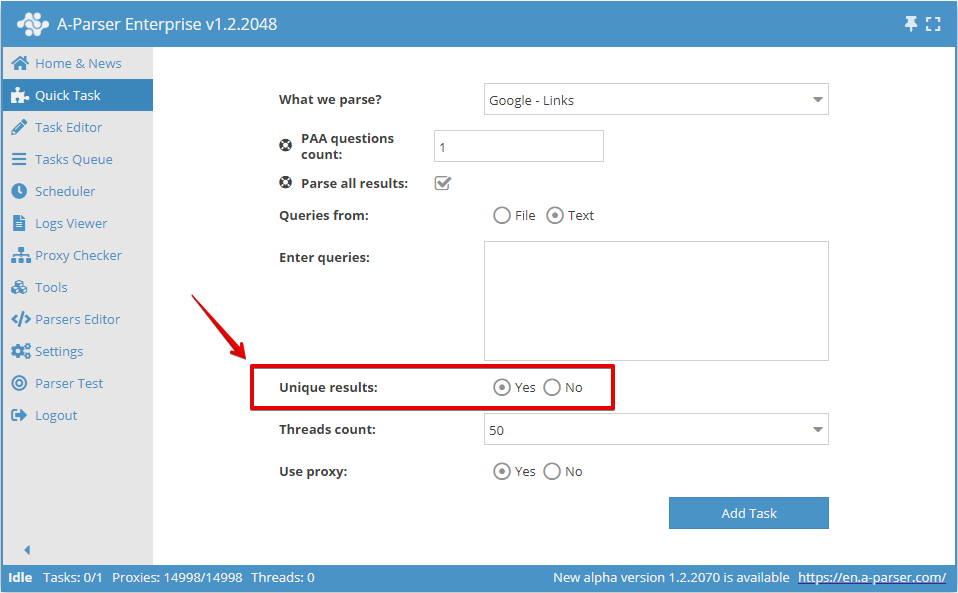
You can enable deduplication by string in the Quick Task:
Or in the Task Editor:
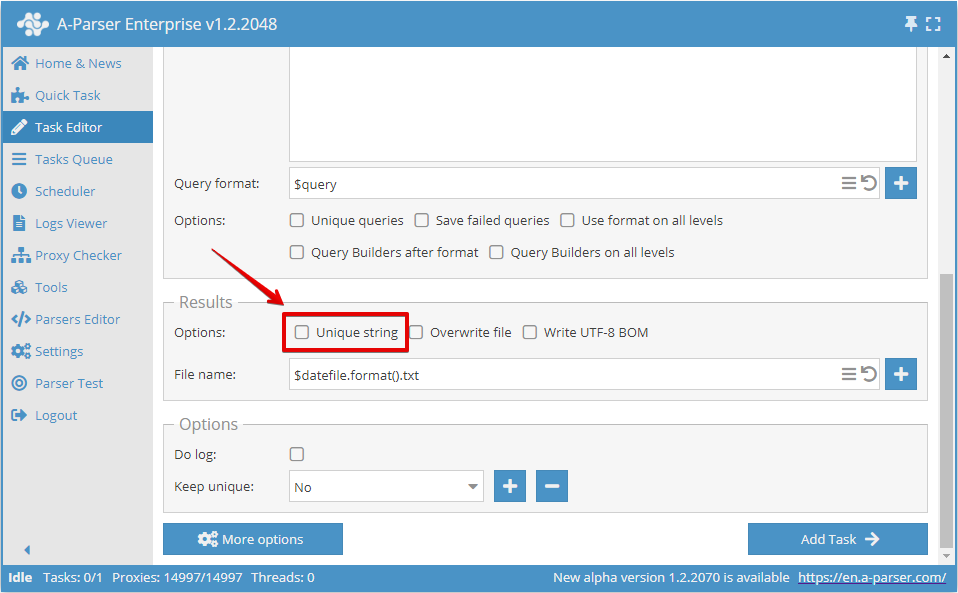
Deduplication by any result
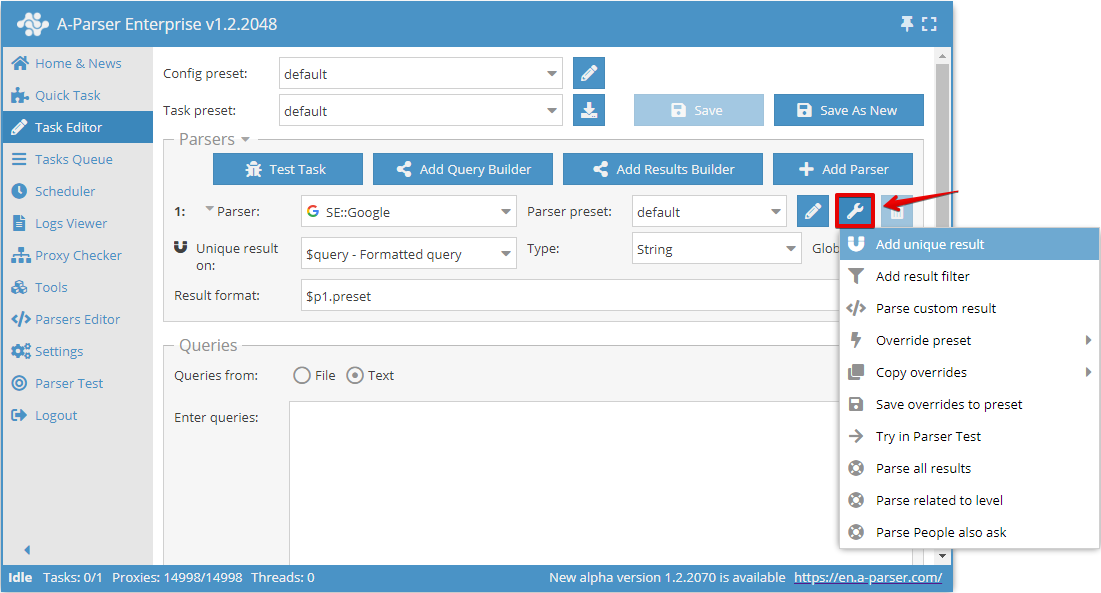
Deduplication by any result allows you to perform deduplication directly on a selected result from a specific scraper. You can add this type of deduplication in the Task Editor by clicking on the tool icon to the right of the scraper and clicking Add unique result:
Now you can choose which result to perform deduplication on and the deduplication type:
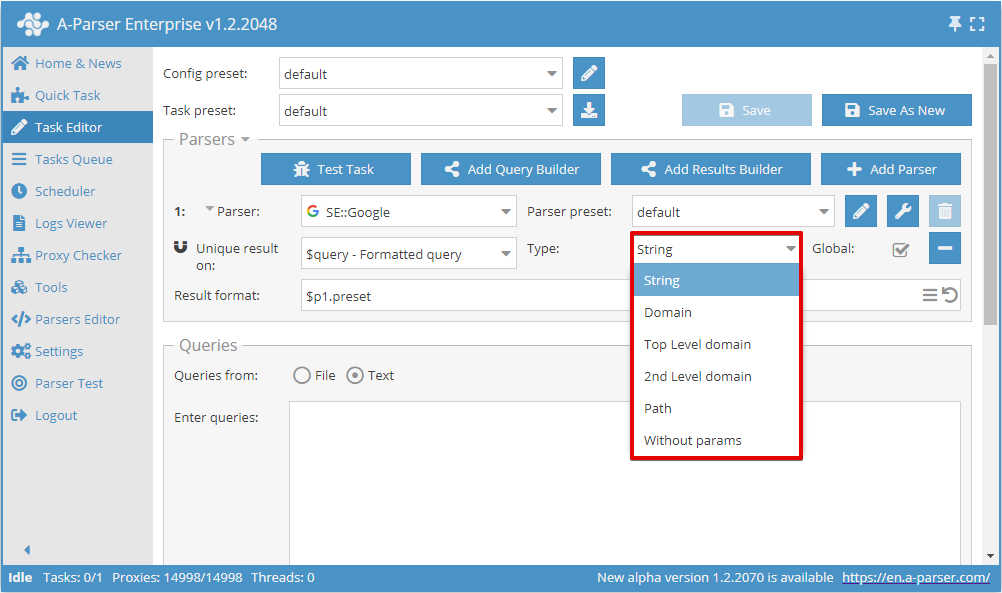
The Global switch is used when 2 or more scrapers are selected; it determines whether to perform common deduplication or separately for each scraper.
Deduplication types
| Parameter | Description |
|---|---|
| String | Deduplication by string (the entire result string is compared) |
| Domain | Deduplication by domain (the entire domain is compared, for example www.domain.com and domain.com are different domains) |
| Top Level domain | Deduplication by the main domain considering regional, commercial, educational, and other domains (for example domain.co.uk and domain2.co.uk are different domains, while sub1.domain.com and sub2.domain.com are the same) |
| 2nd level domain | Deduplication by 2nd level domain (second-level domains are compared, for example www.domain.com, domain.com, and user.subdomain.domain.com are all one domain) |
| Path | Deduplication by path (parts of the link up to the file are compared, for example http://domain.com/path1/file.php and http://domain.com/path1/file2.php have the same parts of the link up to the file) |
| Without params | Deduplication by link without parameters (links without parameters are compared, for example http://domain.com/file.php?page=1 and http://domain.com/file.php?page=2 are the same links) |
Query deduplication
Query deduplication sends only unique queries to scraping that have not been scraped before in the current task. Main use cases:
- If there are duplicates in the source queries and it is undesirable to scrape them (double work)
- When using the Parse to level option, it is necessary to use only unique queries to prevent query expansion and looping (for example, when using the
 HTML::LinkExtractor scraper)
In all other cases, unnecessary use of query deduplication will only slow down the overall operation of the scraper
Saving deduplication state across tasks
It is possible to save the deduplication database for use in future tasks, which allows saving only new unique results in new tasks (for example, links when scraping SERPs in  SE::Google)
To save the deduplication database, you must create a new database name when adding the first task:
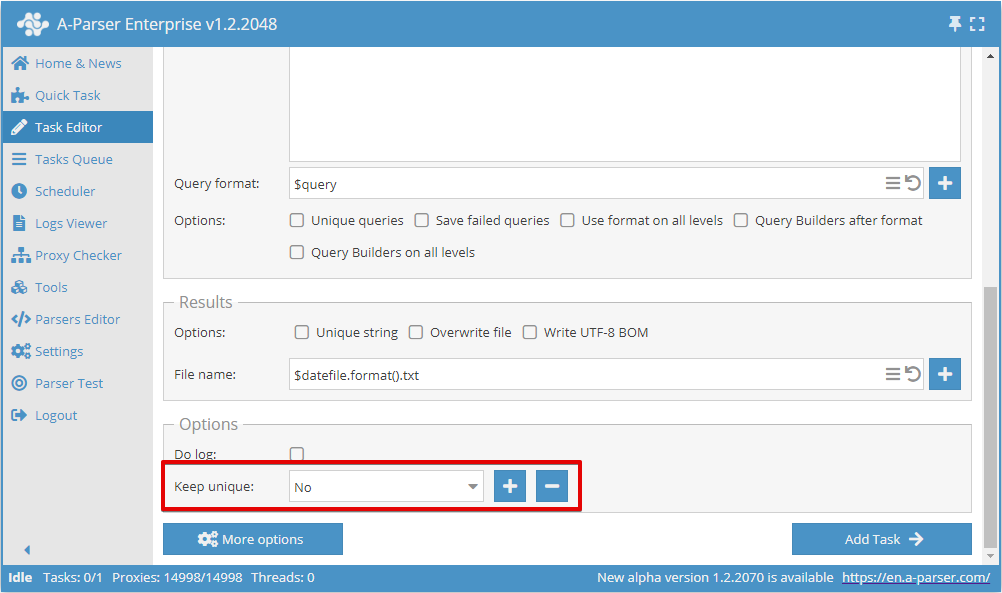
For all subsequent tasks, you must select the previously created database name, thus only new unique results will be saved, regardless of whether the results are written to the same file as in the first task or to a new file.