Results Builder
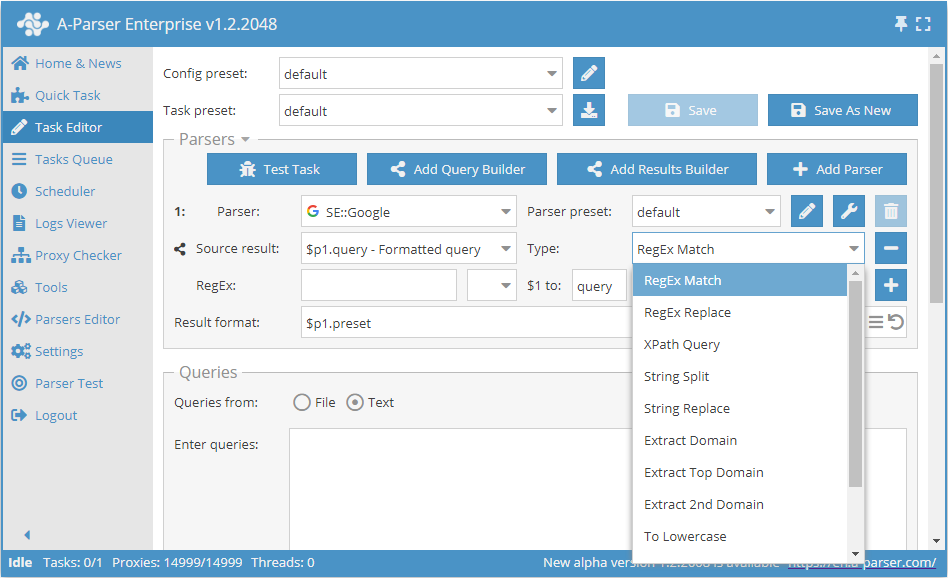
Result Builders - allows you to transform results from each scraper before formatting and saving them to disk
Features
- Splitting the result into parts using a regular expression or an arbitrary delimiter
- Substring replacement in the result or replacement using a regular expression
- Extracting a domain or main domain from a link
- Converting the result to upper\lower case
- Removing HTML tags (
<b>text</b>->text) - Converting HTML entities to their Unicode equivalents (
©->©) - Retrieving data using XPath queries
Examples
Domain scraping
Saving only domains when scraping links from search engines:
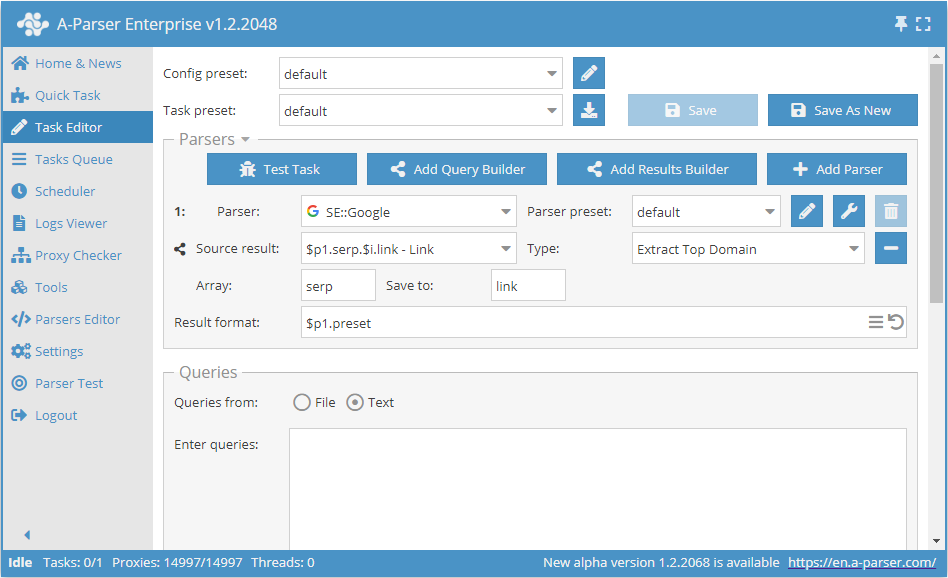
The link elements from the serp array of the first scraper are used as the source; the function for extracting the main domain from the link will be applied to each element, and the new result will be saved under the same name (the link element in the serp array) - therefore, changing the result format is not required
Scraping snippets with cleaning
Saving snippets from search engines with HTML tag removal and HTML entity conversion
By default, anchors and snippets are scraped with all nested tags, which allows preserving the same formatting as when viewing search engine results. If only plain text is needed, you can use the Results Builder features:
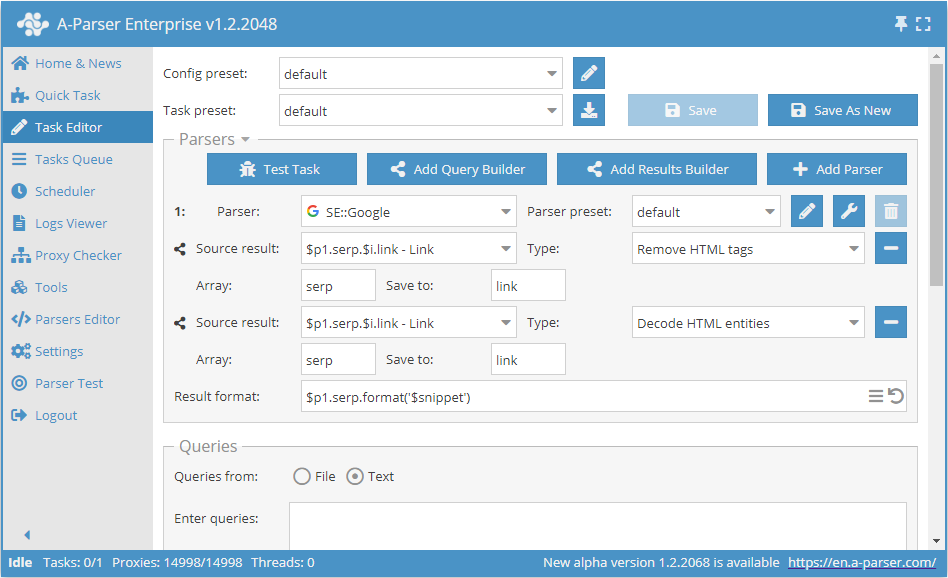
In this example, two Results Builders are applied sequentially to the snippets - HTML tag removal and HTML entity conversion
Scraping using XPath
Scraping links from search results using XPath:
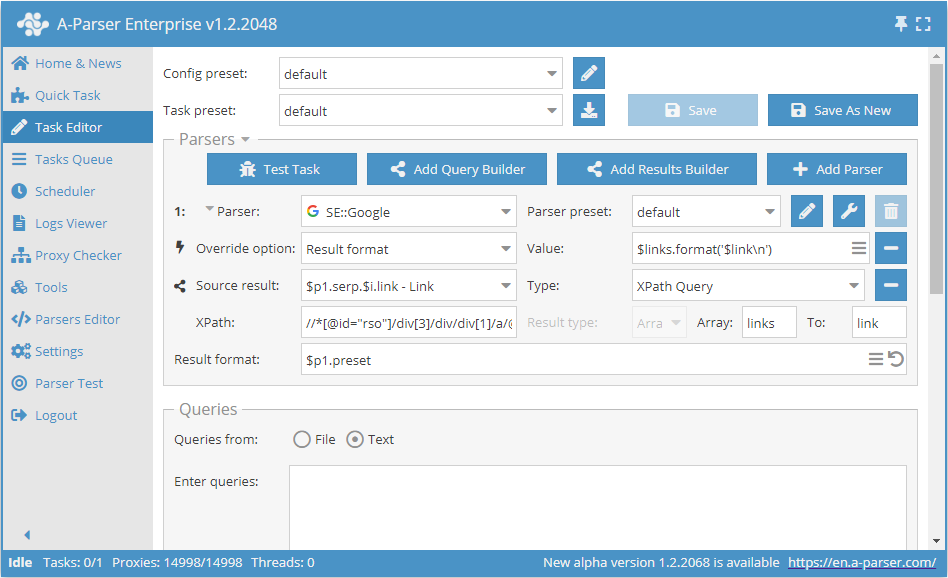
This example shows scraping links from the Google search engine. The following XPath query is used:
//*[@id="rso"]/div[3]/div/div[1]/a/@href