 SE::Google::Images - Google image scraper
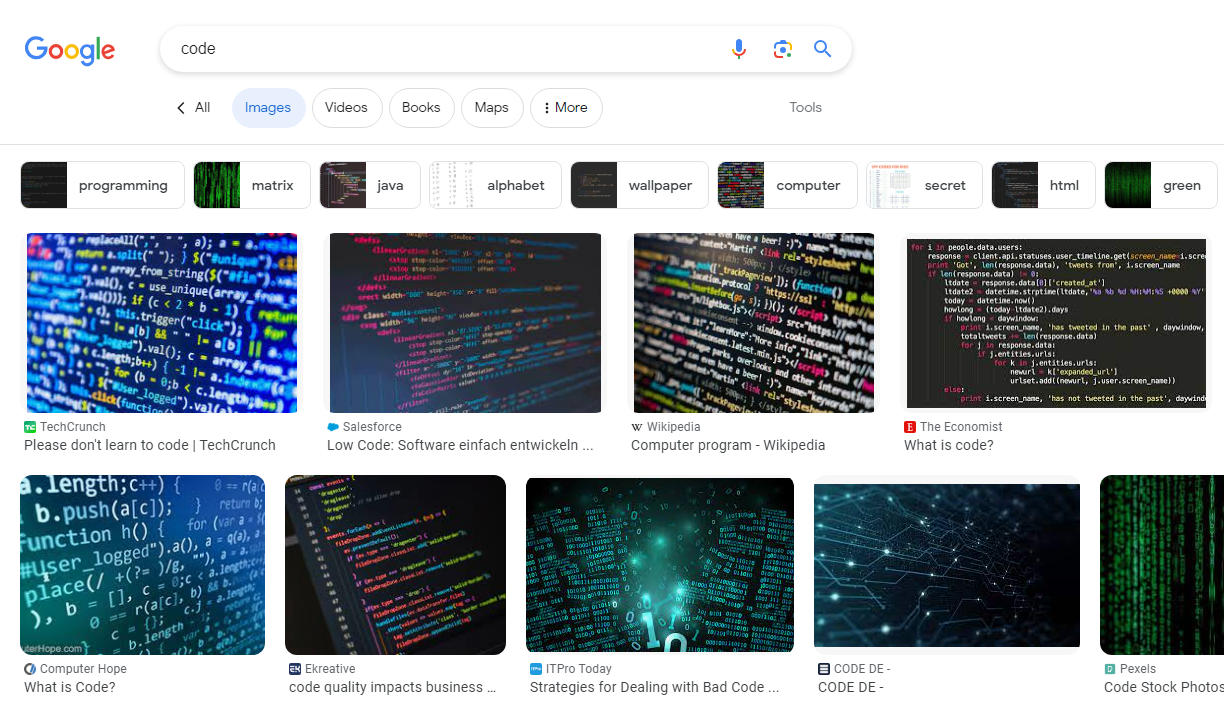
Scraper overview
Google search results image scraper. Thanks to the SE::Google::Images scraper, you will be able to obtain databases of image links or images ready for further use. You can use queries in the same form as you enter them into the Google search bar.
A-Parser functionality allows you to save Google scraper settings for future use (presets), set scraping schedules, and much more. You can use automatic query multiplication, substitution of subqueries from files, brute-forcing of alphanumeric combinations and lists to obtain the maximum possible number of results.
Saving results is possible in the form and structure you need, thanks to the built-in powerful Template Toolkit template engine, which allows applying additional logic to results and outputting data in various formats, including JSON, SQL, and CSV.
Scraper use cases
Downloading images by link
A-Parser allows using a task chain: upon completion of the first task, the second one will start, using links from the first task as queries for the second one.
Download example
How to import an example into A-Parser
eJyNVstS2zAU/ZWOJovQBsdZdOMNE2jT0qGEQliFdEaNb4xAlowkE1KTf++V7PiR
GpOdJd2n7jnHyoih+lFfKdBgNAnmGUncNwnINykjDh/OYxrBhy9yLbikISgyIAlV
GpQ1n5Obr0GQWwaBM9VoEMKKptyQQUbMJgEMJp9BKRYCHrIQ14mSLxsFRjHn8Ex5
as1Gvk+2HV4YfylTYSqXUYd5KGPKRC38er32Ilest5RxVyauam5dhhE/0PC+bgii
y1Szv3Bg1KXk8tBSFYvujT7Q2G0fZopYSAyLm+aLxYAgkhAFeiJVTC2iesnIK+BV
Ht7QZ5hJPFwxDtX2BFeXNLaxeiE1YE+9lQvUP/LMi41Aw5AZJgXleQYLyCrrrWBP
rhaNIBMR2uPSwm2icPTYILggdnOzq3BOem5NMEzq/H/lPiRYUa5hQDSWO6FYTLh/
wgwoaqSaJrYm3M+IFGPOL+AZeGXm4p+mjCOV9HiFTueFY7vJ9L8Y27LFeiqcyVph
DWUUtzqd/qy8QnkhI0uLP9g3ZzEzuNZnjk8B8XHzESAp7+1S4k4sFZRpjEqhTI6a
kYCw86+mNk6qrUYXjck0N5dSrFg0LTC1s0zFDIVpKs5knHCwbZFcXZpKlGq4rgAz
1sVQ7KIsdz/UmUto72GnUsRIyfWPm7zwRDHE42dbbozXWq+huNol5fz2+qJRXYUv
x0rHjiUCN5IIJ+zJ8qeum5dgguD7bHbVlEsFEby4CMKAMMeWcoH38YTZ5of9RESv
DwmcRK8RWx25i0f7Wc5LZjmhFN0UxLGN5SfLVBsZ5zdVTstqElA3iN1WEWjFaY2h
lhaWK66FHcGFFFDFR3YaNw/poOI0Qeh6ppxsuV2RRUgDTynlTa2oeO9a1sOckZ5I
4+NeVnyjwdazapKHbUGLSDl/A+Rt+G2VhkOQ0wlAv+KckO8K1r4SvoGyOqjaJRb1
krYQMCNapmppw+QiZ3Fvh2uvkywGJfaG/fnv4eLT0d2d1z8JmpDrtWCuAEHuvl0M
qidEG2VbpGJPav02ISpZ2aLAfp17+3RuKJj/hgjt/zPcuN5TdL9bzfePG0rub9v0
xe/4H7XrZNePwK//BGxCN4PQvpkW5SOufPplbU+5IEO3SqpwiesHfZX7WpQXNphV
O+aPtv8AjbCG+g==
Collected data
- Links, anchors, and snippets of images
- Links to source pages
- Links to previews
- Image width and height
- Image types
- List of tags
Capabilities
- Scrapes the maximum number of results provided by Google - 10 pages with 100 elements in the SERP
- Supports selection of search country, domain, results language, and Google interface language
- Supports specifying the time of the search results
- Ability to specify filters by size, color, type, and usage rights
- Supports working with ReCaptcha2
Use cases
- Collecting images for filling your own blogs
- Collecting avatar databases
Queries
You should specify search phrases as queries, for example:
Waterfall
Speak in english
Cats and dogs
cars
Query substitutions
You can use built-in macros for query multiplication; for example, if we want to get a very large database of forums, we specify several main queries in different languages:
forum
forum
foro
论坛
In the query format, we specify a character brute-force from a to zzzz; this method allows for maximum rotation of search results and obtaining many new unique results:
$query {az:a:zzzz}
This macro will create 475254 additional queries for each original search query, which in total will give 4 x 475254 = 1901016 search queries—an impressive figure, but no problem at all for A-Parser. At a speed of 2000 queries per minute, such a task will be processed in just 16 hours.
Output results examples
A-Parser supports flexible result formatting thanks to the built-in Template Toolkit template engine, which allows it to output results in any form, as well as in structured formats like CSV or JSON.
Default output
Result format:
$serp.format('$link\n')
Result example:
https://techcrunch.com/wp-content/uploads/2015/04/codecode.jpg
https://specials-images.forbesimg.com/imageserve/5f302109ffad89f9130e07db/960x0.jpg?cropX1=0&cropX2=4800&cropY1=243&cropY2=2943
https://victoria.mediaplanet.com/app/uploads/sites/102/2019/07/mainimage-26.jpg
https://inteng-storage.s3.amazonaws.com/img/iea/9lwjAVnM6E/sizes/ocde_resize_md.jpg
https://miro.medium.com/max/11520/0*Jy3heMl_yP_fQwMO
https://cdn-images.welcometothejungle.com/5DDbrp9_kdlw05Z0hzc7kYEpaaruHhUUWJqs-nW1o8k/rs:auto:980::/q:85/czM6Ly93dHRqLXByb2R1Y3Rpb24vdXBsb2Fkcy9jYXRlZ29yeS9jb3Zlci8yNjYwLzE1NDg4My9jb2xsZWN0aW9uX2NhdGVnb3J5X2JlaGluZF90aGVfY29kZS5qcGc
https://code.org/shared/images/social-media/codeorg2020_social.png
https://miro.medium.com/max/12032/0*ghyQGW_ZCFN_afQ0
https://www.ionos.com/digitalguide/fileadmin/DigitalGuide/Teaser/code-editoren-t.jpg
Output in CSV table
Result format:
[% FOREACH item IN serp;
    tools.CSVline(query, item.link, item.width, item.height,  item.page, item.thumb);
END %]
Result example:
code,https://techcrunch.com/wp-content/uploads/2015/04/codecode.jpg,3888,2592,https://techcrunch.com/2016/05/10/please-dont-learn-to-code/,https://encrypted-tbn0.gstatic.com/images?q=tbn:ANd9GcTda13SHf3DRDIZLWnKwu1HLr0JHXzs8QtiQs98Qc5GyEdD9JuHtdk9B8Qko_n-PdDT39k&usqp=CAU,jpg
code,https://specials-images.forbesimg.com/imageserve/5f302109ffad89f9130e07db/960x0.jpg?cropX1=0&cropX2=4800&cropY1=243&cropY2=2943,960,540,https://www.forbes.com/sites/enriquedans/2020/08/09/could-the-no-code-movement-put-programmers-out-of-ajob/,https://encrypted-tbn0.gstatic.com/images?q=tbn:ANd9GcSyHw0ZZT5tdDwR4UrT0YNui_R-hKHUCgEYBhNKmTRyKRyZ5XQppBVbYfxa9Tds8Zhx5CI&usqp=CAU,jpg
code,https://victoria.mediaplanet.com/app/uploads/sites/102/2019/07/mainimage-26.jpg,1200,630,https://www.educationandcareernews.com/stem-education/5-reasons-students-should-learn-to-code/,https://encrypted-tbn0.gstatic.com/images?q=tbn:ANd9GcQCPak-ygQMNGgIy404t7FticAgqunQe72andfS-QRpaRAno2oJ_qmOshBp85jhLuekQGs&usqp=CAU,jpg
code,https://inteng-storage.s3.amazonaws.com/img/iea/9lwjAVnM6E/sizes/ocde_resize_md.jpg,744,389,https://interestingengineering.com/the-best-ways-to-learn-how-to-code,https://encrypted-tbn0.gstatic.com/images?q=tbn:ANd9GcT90pAbc4h3wggUFQ20JsRJ_XeKAZ0wurtRsOO2rKsUaW4cKx61SntGDg8cpqZrZEcP-Ls&usqp=CAU,jpg
code,https://miro.medium.com/max/11520/0*Jy3heMl_yP_fQwMO,4000,2666,https://medium.com/dealeron-dev/how-to-write-readable-code-8434c58748a1,https://encrypted-tbn0.gstatic.com/images?q=tbn:ANd9GcScySt4wtbwVa_vJIqVVmxkEF943I48xpvWVEbmqOd-PWFgpD1CBCyntWST12MKN7KLrnI&usqp=CAU,
code,https://cdn-images.welcometothejungle.com/5DDbrp9_kdlw05Z0hzc7kYEpaaruHhUUWJqs-nW1o8k/rs:auto:980::/q:85/czM6Ly93dHRqLXByb2R1Y3Rpb24vdXBsb2Fkcy9jYXRlZ29yeS9jb3Zlci8yNjYwLzE1NDg4My9jb2xsZWN0aW9uX2NhdGVnb3J5X2JlaGluZF90aGVfY29kZS5qcGc,980,659,https://www.welcometothejungle.com/en/collections/behind-the-code,https://encrypted-tbn0.gstatic.com/images?q=tbn:ANd9GcQOQYtxNtGy1qVMxUO42XWb75nYjE_w6fMlpJNaDxbro0ZorYIcfS0EPhmTEzhSyHBpvvo&usqp=CAU,
code,https://code.org/shared/images/social-media/codeorg2020_social.png,1200,630,https://code.org/,https://encrypted-tbn0.gstatic.com/images?q=tbn:ANd9GcRB6y-6WBM9qNNlVnSnQtFPoHSLh-W0koeQvT_iKLmHasR-h7fPe7Y-U2327bZaRcZV1jk&usqp=CAU,png
Saving in SQL format
Result format:
[% FOREACH serp;
    "INSERT INTO serp VALUES('" _ query _ "', '"; link _ "', '";  page _ "', '";    thumb _ "')\n";
END %]
Result example:
INSERT INTO serp VALUES('code', 'https://techcrunch.com/wp-content/uploads/2015/04/codecode.jpg', '', 'https://encrypted-tbn0.gstatic.com/images?q=tbn:ANd9GcTda13SHf3DRDIZLWnKwu1HLr0JHXzs8QtiQs98Qc5GyEdD9JuHtdk9B8Qko_n-PdDT39k&usqp=CAU')
INSERT INTO serp VALUES('code', 'https://specials-images.forbesimg.com/imageserve/5f302109ffad89f9130e07db/960x0.jpg?cropX1=0&cropX2=4800&cropY1=243&cropY2=2943', '', 'https://encrypted-tbn0.gstatic.com/images?q=tbn:ANd9GcSyHw0ZZT5tdDwR4UrT0YNui_R-hKHUCgEYBhNKmTRyKRyZ5XQppBVbYfxa9Tds8Zhx5CI&usqp=CAU')
INSERT INTO serp VALUES('code', 'https://victoria.mediaplanet.com/app/uploads/sites/102/2019/07/mainimage-26.jpg', '', 'https://encrypted-tbn0.gstatic.com/images?q=tbn:ANd9GcQCPak-ygQMNGgIy404t7FticAgqunQe72andfS-QRpaRAno2oJ_qmOshBp85jhLuekQGs&usqp=CAU')
INSERT INTO serp VALUES('code', 'https://code.org/shared/images/social-media/codeorg2020_social.png', '', 'https://encrypted-tbn0.gstatic.com/images?q=tbn:ANd9GcRB6y-6WBM9qNNlVnSnQtFPoHSLh-W0koeQvT_iKLmHasR-h7fPe7Y-U2327bZaRcZV1jk&usqp=CAU')
INSERT INTO serp VALUES('code', 'https://cdn-images.welcometothejungle.com/5DDbrp9_kdlw05Z0hzc7kYEpaaruHhUUWJqs-nW1o8k/rs:auto:980::/q:85/czM6Ly93dHRqLXByb2R1Y3Rpb24vdXBsb2Fkcy9jYXRlZ29yeS9jb3Zlci8yNjYwLzE1NDg4My9jb2xsZWN0aW9uX2NhdGVnb3J5X2JlaGluZF90aGVfY29kZS5qcGc', '', 'https://encrypted-tbn0.gstatic.com/images?q=tbn:ANd9GcQOQYtxNtGy1qVMxUO42XWb75nYjE_w6fMlpJNaDxbro0ZorYIcfS0EPhmTEzhSyHBpvvo&usqp=CAU')
INSERT INTO serp VALUES('code', 'https://inteng-storage.s3.amazonaws.com/img/iea/9lwjAVnM6E/sizes/ocde_resize_md.jpg', '', 'https://encrypted-tbn0.gstatic.com/images?q=tbn:ANd9GcT90pAbc4h3wggUFQ20JsRJ_XeKAZ0wurtRsOO2rKsUaW4cKx61SntGDg8cpqZrZEcP-Ls&usqp=CAU')
INSERT INTO serp VALUES('code', 'https://miro.medium.com/max/11520/0*Jy3heMl_yP_fQwMO', '', 'https://encrypted-tbn0.gstatic.com/images?q=tbn:ANd9GcScySt4wtbwVa_vJIqVVmxkEF943I48xpvWVEbmqOd-PWFgpD1CBCyntWST12MKN7KLrnI&usqp=CAU')
Dump results to JSON
Common result format:
[% IF notFirst;
  ",\n";
ELSE;
  notFirst = 1;
END;

obj = {};
obj.query = query;
obj.images = [];

FOREACH item IN p1.serp;
    obj.images.push({
        width = item.width
        height = item.height
        link = item.link
        pagelink = item.pagelink
        thumb = item.thumb
    });
END;

obj.json %]
Initial text:
[
Final text:
]
Result example:
[{
    "images": [
        {
            "link": "https://techcrunch.com/wp-content/uploads/2015/04/codecode.jpg",
            "width": 3888,
            "page": "https://techcrunch.com/2016/05/10/please-dont-learn-to-code/",
            "thumb": "https://encrypted-tbn0.gstatic.com/images?q=tbn:ANd9GcTda13SHf3DRDIZLWnKwu1HLr0JHXzs8QtiQs98Qc5GyEdD9JuHtdk9B8Qko_n-PdDT39k&usqp=CAU",
            "height": 2592
        },
        {
            "link": "https://specials-images.forbesimg.com/imageserve/5f302109ffad89f9130e07db/960x0.jpg?cropX1=0&cropX2=4800&cropY1=243&cropY2=2943",
            "width": 960,
            "page": "https://www.forbes.com/sites/enriquedans/2020/08/09/could-the-no-code-movement-put-programmers-out-of-ajob/",
            "thumb": "https://encrypted-tbn0.gstatic.com/images?q=tbn:ANd9GcSyHw0ZZT5tdDwR4UrT0YNui_R-hKHUCgEYBhNKmTRyKRyZ5XQppBVbYfxa9Tds8Zhx5CI&usqp=CAU",
            "height": 540
        },
        {
            "link": "https://victoria.mediaplanet.com/app/uploads/sites/102/2019/07/mainimage-26.jpg",
            "width": 1200,
            "page": "https://www.educationandcareernews.com/stem-education/5-reasons-students-should-learn-to-code/",
            "thumb": "https://encrypted-tbn0.gstatic.com/images?q=tbn:ANd9GcQCPak-ygQMNGgIy404t7FticAgqunQe72andfS-QRpaRAno2oJ_qmOshBp85jhLuekQGs&usqp=CAU",
            "height": 630
        },

    ],
    "query": "code"
}]
To make the "Prepend text" and "Append text" options available in the Task Editor, you need to activate "More options".
Possible settings
| Parameter | Default value | Description |
|---|---|---|
| Pages count | 10 | Number of pages to scrape |
| Google domain | www.google.com | Google domain for scraping, all domains are supported |
| Results language | Auto (Based on IP) | Selection of results language (lr= parameter) |
| Search from country | Auto (Based on IP) | Selection of the country from which the search is performed (geo-dependent search, gl= parameter) |
| Interface language | English | Ability to select the Google interface language for maximum identity of results in the scraper and in the browser |
| Size | Any size | Selection of image size |
| Color | Any color | Selection of image color |
| Usage rights | Not filtered by license | License for image usage |
| Type | Any type | Selection of image type |
| Serp time | All time | SERP time (time-dependent search, tbs= parameter) |
| Util::ReCaptcha2 preset | default | Preset for the Util::ReCaptcha2 scraper. You must first configure the  Util::ReCaptcha2 scraper - specify your access key and other parameters, then select the created preset here Util::ReCaptcha2 scraper - specify your access key and other parameters, then select the created preset here |
| Safe search | Auto (default) | Ability to enable "Safe search" |