 Cloudflare::Radar - Công cụ cào dữ liệu Cloudflare Radar
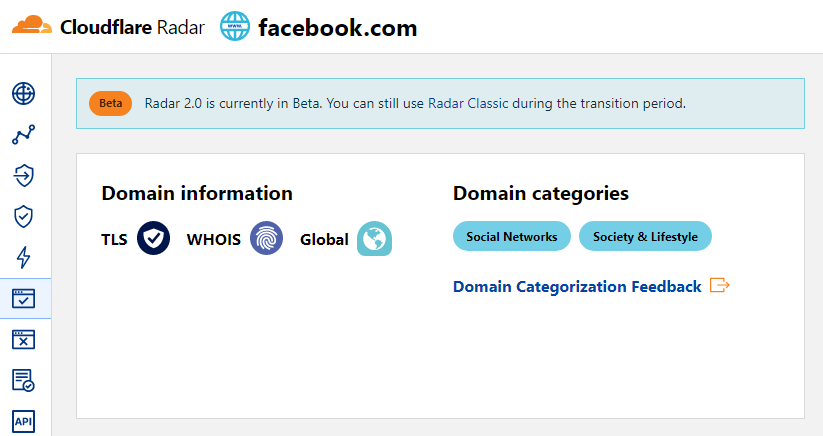
Tổng quan về công cụ cào dữ liệu
Công cụ cào dữ liệu Cloudflare Radar cho phép nhanh chóng xác định danh mục của trang web theo tên miền.
Việc lưu trữ kết quả có thể thực hiện dưới bất kỳ hình thức và cấu trúc nào bạn cần, nhờ vào bộ tạo mẫu mạnh mẽ tích hợp Template Toolkit cho phép áp dụng logic bổ sung cho kết quả và xuất dữ liệu ở nhiều định dạng khác nhau, bao gồm JSON, SQL và CSV
Dữ liệu thu thập được
Dữ liệu được thu thập từ dịch vụ radar.cloudflare.com
- Danh mục của trang web
Ứng dụng
- Xác định tên miền thuộc danh mục trang web nào
Truy vấn
Trong phần truy vấn, bạn cần chỉ định danh sách các tên miền, ví dụ:
a-parser.com
yandex.ru
google.com
vk.com
facebook.com
youtube.com
Các ví dụ về kết quả đầu ra
A-Parser hỗ trợ định dạng kết quả linh hoạt nhờ bộ tạo mẫu tích hợp Template Toolkit, cho phép xuất kết quả ở dạng tùy ý cũng như dạng cấu trúc như CSV hoặc JSON
Đầu ra mặc định
Định dạng kết quả:
$query: $categories.format('$name, ')\n
Ví dụ kết quả hiển thị các danh mục và mô tả của chúng:
a-parser.com: Business, Business & Economy,
yandex.ru: News & Media, Entertainment,
vk.com: Social Networks, Society & Lifestyle,
youtube.com: Video Streaming, Entertainment,
facebook.com: Social Networks, Society & Lifestyle,
google.com: Search Engines, Technology,
Xuất ra bảng CSV
Định dạng kết quả:
[% FOREACH categories;
    tools.CSVline(name, desc);
END %]
Ví dụ kết quả:
Business,"Sites related to business."
"Business & Economy","Sites that are related to business, economy, finance, education, science and technology."
"Social Networks","Sites that facilitate interaction and networking between people."
"Society & Lifestyle","Sites related to lifestyle that are not included in other categories like fashion, food & drink etc."
"Social Networks","Sites that facilitate interaction and networking between people."
"Society & Lifestyle","Sites related to lifestyle that are not included in other categories like fashion, food & drink etc."
"Search Engines","Sites that allow users to search for content using keywords."
Technology,"Sites related to technology that are not included in the science category."
"News & Media","Sites related to news and media."
Entertainment,"Sites related to entertainment that are not includeded in other categories like Comic books, Audio streaming, Video streaming etc."
Dump kết quả ra JSON
Định dạng kết quả chung:
[% IF notFirst;
  ",\n";
ELSE;
  notFirst = 1;
END;

obj = {};
obj.query = query;
obj.categories = [];

FOREACH item IN p1.categories;
    obj.categories.push({
        name = item.name
        desc = item.desc
    });
END;

obj.json %]
Văn bản bắt đầu:
[
Văn bản kết thúc:
]
Ví dụ kết quả:
[{"query":"yandex.ru","categories":[{"desc":"Sites related to news and media.","name":"News & Media"},{"desc":"Sites related to entertainment that are not includeded in other categories like Comic books, Audio streaming, Video streaming etc.","name":"Entertainment"}]},{"query":"google.com","categories":[{"desc":"Sites that allow users to search for content using keywords.","name":"Search Engines"},{"desc":"Sites related to technology that are not included in the science category.","name":"Technology"}]},{"query":"a-parser.com","categories":[{"desc":"Sites related to business.","name":"Business"},{"desc":"Sites that are related to business, economy, finance, education, science and technology.","name":"Business & Economy"}]}]
Để các tùy chọn "Prepend text" và "Append text" hiển thị trong Trình chỉnh sửa tác vụ, bạn cần kích hoạt "More options".
Các thiết lập có thể có
| Tên tham số | Giá trị mặc định | Mô tả |
|---|---|---|
| Bypass CloudFlare with Chrome Max Pages | 10 | Số lượng trang tối đa khi vượt qua CF bằng Chrome |
| Bypass CloudFlare with Chrome Headless | ☑ | Nếu tùy chọn này được bật, trình duyệt sẽ không hiển thị trong khi vượt qua CF bằng Chrome |
| Use session | ☑ | Lưu các phiên làm việc tốt, giúp cào dữ liệu nhanh hơn và nhận được ít lỗi hơn. |