 Cloudflare::Radar - Scraper för Cloudflare Radar
Översikt av scrapern
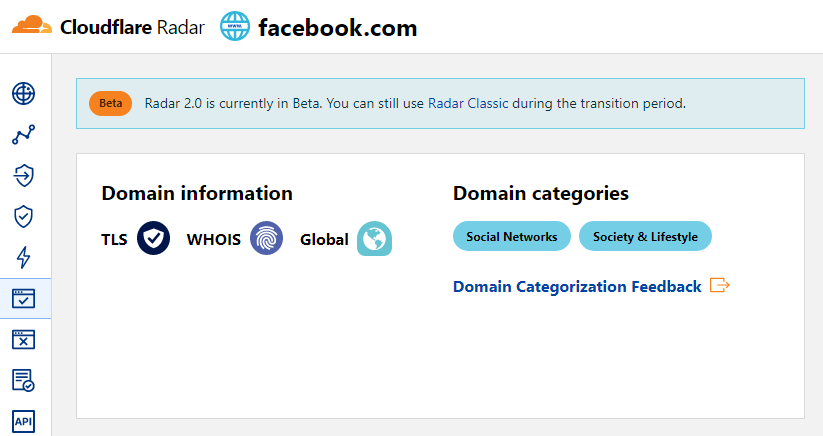
Cloudflare Radar-scrapern gör det möjligt att snabbt fastställa ett webbplats kategori baserat på dess domännamn.
Resultaten kan sparas i det format och den struktur du behöver, tack vare den inbyggda kraftfulla mallmotorn Template Toolkit som gör det möjligt att tillämpa extra logik på resultaten och exportera data i olika format, inklusive JSON, SQL och CSV
Data som samlas in
Data samlas in från tjänsten radar.cloudflare.com
- Webbplatskategorier
Användningsfall
- Fastställa vilken kategori av webbplatser en domän tillhör
Frågor
Som frågor måste en lista över domäner anges, till exempel:
a-parser.com
yandex.ru
google.com
vk.com
facebook.com
youtube.com
Exempel på resultatvisning
A-Parser stöder flexibel formatering av resultat tack vare den inbyggda mallmotorn Template Toolkit, vilket gör att den kan visa resultat i valfri form, såväl som strukturerat, till exempel CSV eller JSON
Standardutdata
Resultatformat:
$query: $categories.format('$name, ')\n
Exempel på resultat där kategorier och deras beskrivning visas:
a-parser.com: Business, Business & Economy,
yandex.ru: News & Media, Entertainment,
vk.com: Social Networks, Society & Lifestyle,
youtube.com: Video Streaming, Entertainment,
facebook.com: Social Networks, Society & Lifestyle,
google.com: Search Engines, Technology,
Utdata till CSV-tabell
Resultatformat:
[% FOREACH categories;
    tools.CSVline(name, desc);
END %]
Exempel på resultat:
Business,"Sites related to business."
"Business & Economy","Sites that are related to business, economy, finance, education, science and technology."
"Social Networks","Sites that facilitate interaction and networking between people."
"Society & Lifestyle","Sites related to lifestyle that are not included in other categories like fashion, food & drink etc."
"Social Networks","Sites that facilitate interaction and networking between people."
"Society & Lifestyle","Sites related to lifestyle that are not included in other categories like fashion, food & drink etc."
"Search Engines","Sites that allow users to search for content using keywords."
Technology,"Sites related to technology that are not included in the science category."
"News & Media","Sites related to news and media."
Entertainment,"Sites related to entertainment that are not includeded in other categories like Comic books, Audio streaming, Video streaming etc."
Dumpa resultat till JSON
Allmänt resultatformat:
[% IF notFirst;
  ",\n";
ELSE;
  notFirst = 1;
END;

obj = {};
obj.query = query;
obj.categories = [];

FOREACH item IN p1.categories;
    obj.categories.push({
        name = item.name
        desc = item.desc
    });
END;

obj.json %]
Starttext:
[
Sluttext:
]
Exempel på resultat:
[{"query":"yandex.ru","categories":[{"desc":"Sites related to news and media.","name":"News & Media"},{"desc":"Sites related to entertainment that are not includeded in other categories like Comic books, Audio streaming, Video streaming etc.","name":"Entertainment"}]},{"query":"google.com","categories":[{"desc":"Sites that allow users to search for content using keywords.","name":"Search Engines"},{"desc":"Sites related to technology that are not included in the science category.","name":"Technology"}]},{"query":"a-parser.com","categories":[{"desc":"Sites related to business.","name":"Business"},{"desc":"Sites that are related to business, economy, finance, education, science and technology.","name":"Business & Economy"}]}]
För att alternativen "Prepend text" och "Append text" ska vara tillgängliga i Task Editor, måste du aktivera "More options".
Möjliga inställningar
| Namn på parameter | Standardvärde | Beskrivning |
|---|---|---|
| Bypass CloudFlare with Chrome Max Pages | 10 | Max antal sidor vid kringgång av CF via Chrome |
| Bypass CloudFlare with Chrome Headless | ☑ | Om alternativet är aktiverat kommer webbläsaren inte att visas under kringgång av CF via Chrome |
| Use session | ☑ | Sparar bra sessioner, vilket gör det möjligt att skrapa ännu snabbare med färre fel. |