 Cloudflare::Radar - Cloudflare Radar 爬虫工具
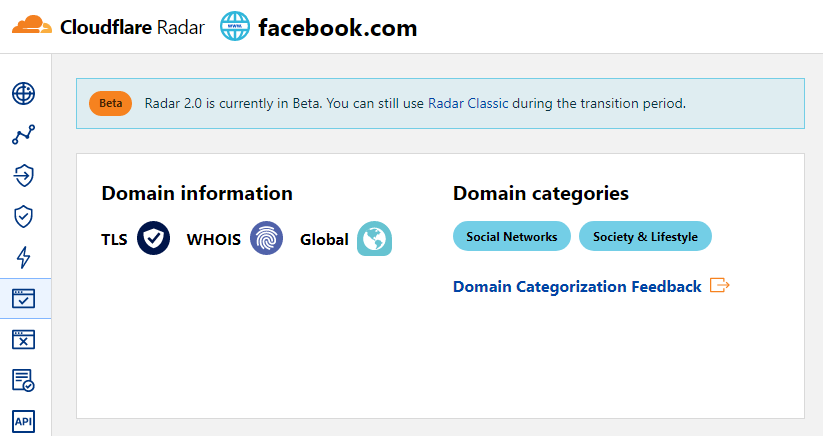
Cloudflare Radar 爬虫工具概览
Cloudflare Radar 爬虫工具允许通过域名快速确定网站类别。
得益于内置强大的 Template Toolkit 模板引擎,您可以按需保存所需格式和结构的结果,该引擎允许对结果应用额外逻辑并以各种格式输出数据,包括 JSON、SQL 和 CSV。
采集数据
数据采集自 radar.cloudflare.com 服务:
- 网站类别
应用场景
- 确定域名所属的网站类别
查询
查询时需要提供域名列表,例如:
a-parser.com
yandex.ru
google.com
vk.com
facebook.com
youtube.com
结果输出示例
A-Parser 支持灵活的结果格式化,这得益于内置的 Template Toolkit 模板引擎,使其能够以任意形式以及结构化形式(如 CSV 或 JSON)输出结果。
默认输出
结果格式:
$query: $categories.format('$name, ')\n
包含类别及其描述的结果示例:
a-parser.com: Business, Business & Economy,
yandex.ru: News & Media, Entertainment,
vk.com: Social Networks, Society & Lifestyle,
youtube.com: Video Streaming, Entertainment,
facebook.com: Social Networks, Society & Lifestyle,
google.com: Search Engines, Technology,
输出到 CSV 表格
结果格式:
[% FOREACH categories;
    tools.CSVline(name, desc);
END %]
结果示例:
Business,"Sites related to business."
"Business & Economy","Sites that are related to business, economy, finance, education, science and technology."
"Social Networks","Sites that facilitate interaction and networking between people."
"Society & Lifestyle","Sites related to lifestyle that are not included in other categories like fashion, food & drink etc."
"Social Networks","Sites that facilitate interaction and networking between people."
"Society & Lifestyle","Sites related to lifestyle that are not included in other categories like fashion, food & drink etc."
"Search Engines","Sites that allow users to search for content using keywords."
Technology,"Sites related to technology that are not included in the science category."
"News & Media","Sites related to news and media."
Entertainment,"Sites related to entertainment that are not includeded in other categories like Comic books, Audio streaming, Video streaming etc."
将结果转储为 JSON
通用结果格式:
[% IF notFirst;
  ",\n";
ELSE;
  notFirst = 1;
END;

obj = {};
obj.query = query;
obj.categories = [];

FOREACH item IN p1.categories;
    obj.categories.push({
        name = item.name
        desc = item.desc
    });
END;

obj.json %]
起始文本:
[
结束文本:
]
结果示例:
[{"query":"yandex.ru","categories":[{"desc":"Sites related to news and media.","name":"News & Media"},{"desc":"Sites related to entertainment that are not includeded in other categories like Comic books, Audio streaming, Video streaming etc.","name":"Entertainment"}]},{"query":"google.com","categories":[{"desc":"Sites that allow users to search for content using keywords.","name":"Search Engines"},{"desc":"Sites related to technology that are not included in the science category.","name":"Technology"}]},{"query":"a-parser.com","categories":[{"desc":"Sites related to business.","name":"Business"},{"desc":"Sites that are related to business, economy, finance, education, science and technology.","name":"Business & Economy"}]}]
提示
要在任务编辑器中使用“Prepend text”和“Append text”选项,需要激活“More options”。
可选设置
| 参数名称 | 默认值 | 描述 |
|---|---|---|
| Bypass CloudFlare with Chrome Max Pages | 10 | 通过 Chrome 绕过 CF 时的最大页面数 |
| Bypass CloudFlare with Chrome Headless | ☑ | 如果启用此选项,通过 Chrome 绕过 CF 时将不显示浏览器界面 |
| Use session | ☑ | 保存良好的会话,从而能够以更少的错误实现更快速的数据抓取。 |