 Cloudflare::Radar - Cloudflare Radar Scraper
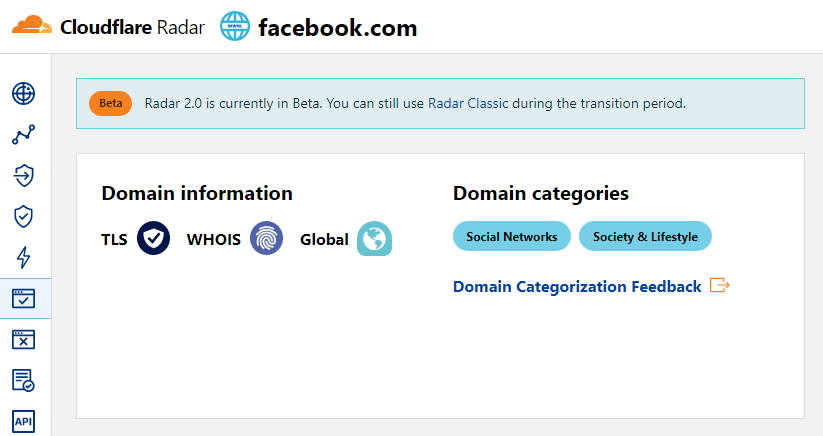
Scraper overview
The Cloudflare Radar scraper allows you to quickly determine a website's category by its domain name.
Results can be saved in any format and structure you need, thanks to the powerful built-in Template Toolkit which allows applying additional logic to results and outputting data in various formats, including JSON, SQL, and CSV
Collected data
Data is collected from the radar.cloudflare.com service
- Website categories
Use cases
- Determining which website category a domain belongs to
Queries
You should specify a list of domains as queries, for example:
a-parser.com
yandex.ru
google.com
vk.com
facebook.com
youtube.com
Results output examples
A-Parser supports flexible result formatting thanks to the built-in Template Toolkit, which allows it to output results in any form, as well as structured ones, such as CSV or JSON
Default output
Result format:
$query: $categories.format('$name, ')\n
Example result showing categories and their descriptions:
a-parser.com: Business, Business & Economy,
yandex.ru: News & Media, Entertainment,
vk.com: Social Networks, Society & Lifestyle,
youtube.com: Video Streaming, Entertainment,
facebook.com: Social Networks, Society & Lifestyle,
google.com: Search Engines, Technology,
Output in CSV table
Result format:
[% FOREACH categories;
    tools.CSVline(name, desc);
END %]
Example result:
Business,"Sites related to business."
"Business & Economy","Sites that are related to business, economy, finance, education, science and technology."
"Social Networks","Sites that facilitate interaction and networking between people."
"Society & Lifestyle","Sites related to lifestyle that are not included in other categories like fashion, food & drink etc."
"Social Networks","Sites that facilitate interaction and networking between people."
"Society & Lifestyle","Sites related to lifestyle that are not included in other categories like fashion, food & drink etc."
"Search Engines","Sites that allow users to search for content using keywords."
Technology,"Sites related to technology that are not included in the science category."
"News & Media","Sites related to news and media."
Entertainment,"Sites related to entertainment that are not includeded in other categories like Comic books, Audio streaming, Video streaming etc."
Dump results to JSON
Common result format:
[% IF notFirst;
  ",\n";
ELSE;
  notFirst = 1;
END;

obj = {};
obj.query = query;
obj.categories = [];

FOREACH item IN p1.categories;
    obj.categories.push({
        name = item.name
        desc = item.desc
    });
END;

obj.json %]
Initial text:
[
Final text:
]
Example result:
[{"query":"yandex.ru","categories":[{"desc":"Sites related to news and media.","name":"News & Media"},{"desc":"Sites related to entertainment that are not includeded in other categories like Comic books, Audio streaming, Video streaming etc.","name":"Entertainment"}]},{"query":"google.com","categories":[{"desc":"Sites that allow users to search for content using keywords.","name":"Search Engines"},{"desc":"Sites related to technology that are not included in the science category.","name":"Technology"}]},{"query":"a-parser.com","categories":[{"desc":"Sites related to business.","name":"Business"},{"desc":"Sites that are related to business, economy, finance, education, science and technology.","name":"Business & Economy"}]}]
To make the "Prepend text" and "Append text" options available in the Task Editor, you need to activate "More options".
Possible settings
| Parameter name | Default value | Description |
|---|---|---|
| Bypass CloudFlare with Chrome Max Pages | 10 | Max number of pages when bypassing CF via Chrome |
| Bypass CloudFlare with Chrome Headless | ☑ | If enabled, the browser will not be displayed during CF bypass via Chrome |
| Use session | ☑ | Saves good sessions, which allows scraping even faster with fewer errors. |