 SE::You - you.com検索結果スクレイパー
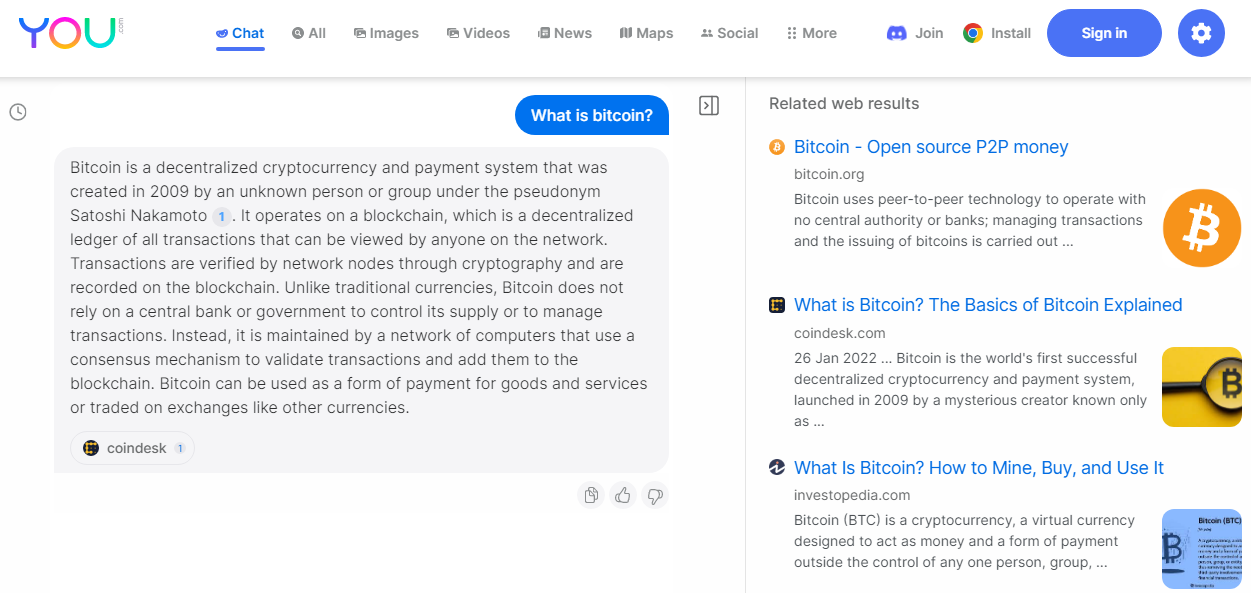
スクレイパー概要
 SE::You - You.comの検索結果スクレイパー。
検索エンジン you.com から結果を収集します。
A-Parserの機能により、SE::You スクレイパーのスクレイピング設定を後で利用するために保存(プリセット)したり、スクレイピングスケジュールを設定したりすることが可能です。自動クエリ増殖、ファイルからのサブクエリ挿入、英数字の組み合わせやリストの総当たりなどを使用して、最大限の結果を取得できます。
結果の保存は、内蔵された強力なテンプレートエンジン Template Toolkit により、必要な形式と構造で保存できます。これにより、結果に追加のロジックを適用したり、JSON、SQL、CSV を含む様々なフォーマットでデータを出力したりできます。
収集データ
- AIによって生成された検索クエリへの回答
- 検索結果からのリンク、アンカー、スニペット、プレビュー画像へのリンク
機能
- スクレイピング地域の選択
- セーフサーチの設定
ユースケース
- 自動生成テキストや you.com の検索結果が必要なあらゆるタスク
クエリ
クエリとしてキーワードを指定する必要があります。例:
What is bitcoin?
test for parser
結果の出力例
A-Parserは、内蔵のテンプレートエンジン Template Toolkit により柔軟な結果フォーマットをサポートしており、任意の形式や、CSVやJSONなどの構造化された形式で結果を出力できます。
デフォルト出力
結果フォーマット:
Question: $query\nAnswer: $answer\n\nRelated web results:\n$serp.format('$link\n')\n
結果の例:
Question: What is bitcoin?
Answer: Bitcoin is a decentralized digital currency that can be sent from user to user on the peer-to-peer bitcoin network without the need for intermediaries. It was created in 2009 by an unknown individual or group using the name Satoshi Nakamoto. Bitcoin transactions are verified by network nodes through cryptography and recorded on a blockchain, which is a public, distributed ledger. The total supply of bitcoin is limited to 21 million coins, and it is divisible to eight decimal places. Bitcoin has gained popularity as an investment and payment method, and there are many online exchanges and wallets which allow users to buy, sell, and store bitcoins.

Related web results:
https://bitcoin.org/
https://www.coindesk.com/learn/what-is-bitcoin/
https://www.investopedia.com/terms/b/bitcoin.asp
https://www.coinbase.com/learn/crypto-basics/what-is-bitcoin
https://www.bitcoin.com/
https://www.nerdwallet.com/article/investing/what-is-bitcoin
https://www.newscientist.com/definition/bitcoin/
https://money.cnn.com/infographic/technology/what-is-bitcoin/index.html
https://crypto.com/
https://en.wikipedia.org/wiki/Bitcoin

Question: test for parser
Answer: To test a parser, you can create a set of test cases that cover as many different scenarios and edge cases as possible. This can include valid inputs, invalid inputs, ambiguous inputs, and corner cases. You can then feed these test cases into your parser and check that the output is correct.

One common approach is to use a testing framework such as JUnit or pytest to automate the testing process. These frameworks provide tools for defining test cases, running tests automatically, and reporting on the results.

You can also use tools such as ANTLRWorks, which provides a GUI for testing ANTLR parsers interactively. This can be helpful when debugging your parser and verifying that it is working correctly.

Overall, the key to testing a parser is to thoroughly cover all possible inputs and edge cases to ensure that it behaves correctly in all situations.

Related web results:
https://stackoverflow.com/questions/4768927/better-way-to-test-automatically-a-parser
https://confluence.atlassian.com/display/BAMBOO/JUnit+Parser
https://softwareengineering.stackexchange.com/questions/367853/how-to-unit-test-a-parser-of-a-file
https://github.com/tc39/test262-parser-tests
https://www.meaningcloud.com/developer/resources/doc/deep-categorization-models/rules/test-parsing
https://github.com/linkedin/dex-test-parser
https://gitlab.arm.com/systemready/edk2-test-parser
https://documentation.tricentis.com/qtest/9910/en/content/qtest_launch/universal_agent_user_guides/develop_custom_test_result_parser_for_universal_agent.htm
https://docs.crowdsec.net/docs/parsers/create/
https://ssricardo.github.io/2018/junit-antlr-parser/
設定可能な項目
| パラメータ | デフォルト値 | 説明 |
|---|---|---|
| Region | All regions | 検索地域 |
| Safe search | Moderate | セーフサーチ |