 Social::Instagram::Geo - 指定された場所のInstagram投稿スクレイパー
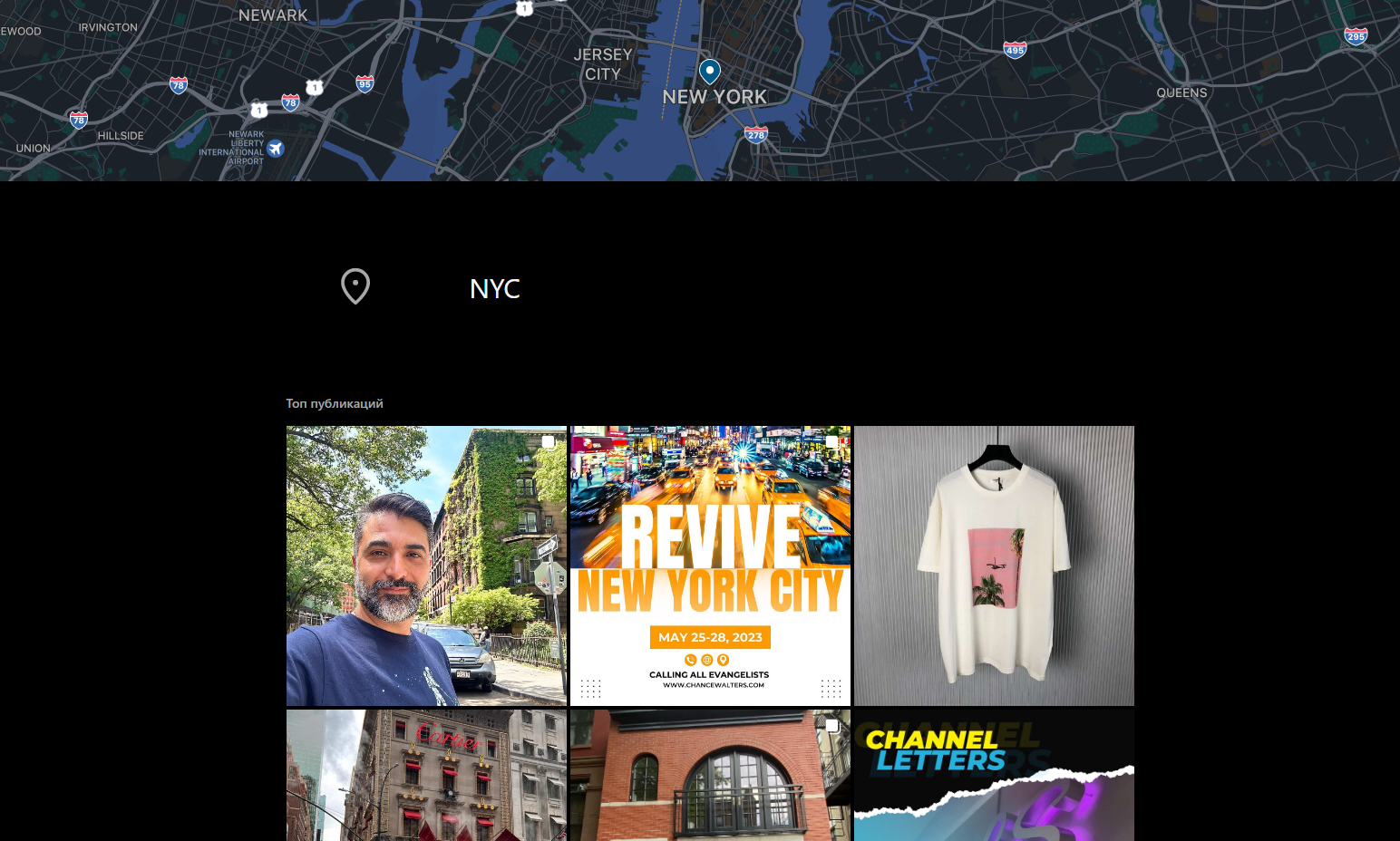
スクレイパーの概要
 Social::Instagram::Geo – 指定された場所のInstagram投稿をスクレイピングします。ユーザー投稿から大量のデータを抽出することが可能です。収集可能なデータには、リンク、座標、電話番号、ジオロケーション名などが含まれます。収集データの全リストは、該当セクションで確認できます。
A-Parserの機能により、Social::Instagram::Geoスクレイパーのスクレイピング設定を将来の使用のために保存(プリセット)したり、スクレイピングスケジュールの設定など、多くのことが可能です。
内蔵された強力なテンプレートエンジンTemplate Toolkitにより、結果のロジック適用や、JSON、SQL、CSVを含む様々なフォーマットでのデータ出力など、必要な形式と構造で結果を保存できます。
注記
スクレイパーは認証済みアカウントのデータを使用します。 スクレイパーを動作させるには、cookieオプションの値を指定する必要があります。これは以下のスクレイパーと同様です。 Social::Instagram::Profile.
収集されるデータ
- ロケーションID
- ジオロケーション名
- 電話番号
- ウェブサイトへのリンク
- カテゴリ
- 座標
- 住所
- 都市
- 電話番号
- 郵便番号
- 投稿の配列
- 投稿タイプ
- 投稿へのリンク
- テキスト
- 公開日
- コメント数
- いいね数
- アイコンへのリンク
- 高さ、幅
ユースケース
- ジオロケーションによる投稿の収集
クエリ
クエリとして、ジオロケーションへのリンクを指定する必要があります。例:
https://www.instagram.com/explore/locations/105682735212415/NYC/
https://www.instagram.com/explore/locations/212898659/kyiv-ukraine/
結果の出力例
A-Parserは、内蔵のテンプレートエンジンTemplate Toolkitにより、柔軟な結果フォーマットをサポートしています。これにより、任意の形式や、CSVやJSONなどの構造化された形式で結果を出力できます。
デフォルト出力
結果フォーマット:
$query: $name\n$posts.format('$link\n')
結果の例:
https://www.instagram.com/explore/locations/105682735212415/NYC/: NYC
https://www.instagram.com/p/CsGvZ-JuFFp/
https://www.instagram.com/p/CsEJfGoOexN/
https://www.instagram.com/p/CsG2dg0LLpT/
https://www.instagram.com/p/CsB426FsFbw/
https://www.instagram.com/p/Cr94CYAuann/
https://www.instagram.com/p/CsFaRsYNsJx/
https://www.instagram.com/p/CsEVuMJoTRs/
https://www.instagram.com/p/CsEeR40vmV4/
https://www.instagram.com/p/CsETicON20r/
https://www.instagram.com/p/CsDVVGEou9q/
https://www.instagram.com/p/Cr_BUIsO7oe/
https://www.instagram.com/p/CsEjjPUr5Pf/
https://www.instagram.com/p/CsA-wtXsENn/
https://www.instagram.com/p/CsD1EvfI2q4/
https://www.instagram.com/p/CsEMt7ANftu/
https://www.instagram.com/p/CsEU3zErxa0/
https://www.instagram.com/p/CsE06QWInBR/
https://www.instagram.com/p/CsEfqP6L4XS/
https://www.instagram.com/p/CsERmBExTT_/
https://www.instagram.com/p/CsFk2u9qQqI/
https://www.instagram.com/p/CsGNmE_u00b/
結果の例:
https://www.instagram.com/p/CsEJfGoOexN/
https://www.instagram.com/p/CsGvZ-JuFFp/
https://www.instagram.com/p/CsG2dg0LLpT/
https://www.instagram.com/p/CsB426FsFbw/
https://www.instagram.com/p/CsFaRsYNsJx/
https://www.instagram.com/p/Cr94CYAuann/
https://www.instagram.com/p/CsEVuMJoTRs/
https://www.instagram.com/p/CsEMt7ANftu/
https://www.instagram.com/p/CsEeR40vmV4/
https://www.instagram.com/p/CsETicON20r/
https://www.instagram.com/p/CsDorQsrsv0/
https://www.instagram.com/p/CsGNmE_u00b/
https://www.instagram.com/p/CsEjjPUr5Pf/
https://www.instagram.com/p/CsDVVGEou9q/
https://www.instagram.com/p/CsD1EvfI2q4/
https://www.instagram.com/p/Cr_BUIsO7oe/
https://www.instagram.com/p/CsEB_rKuuG2/
https://www.instagram.com/p/CsETXjsPu_s/
https://www.instagram.com/p/CsERBkMvLyq/
https://www.instagram.com/p/CsA-wtXsENn/
https://www.instagram.com/p/CsE06QWInBR/
設定可能な項目
| パラメータ | デフォルト値 | 説明 |
|---|---|---|
| cookie | 事前にCookieを指定する必要があります | |
| x-csrftoken | x-csrftokenを指定する機能(必要に応じて) | |
| x-ig-app-id | 936619743392459 | x-ig-app-idを指定する機能(必要に応じて) |
| Posts pages count | 1 | 投稿が含まれるページ数 |
| Type | Ranked/Recent | 出力タイプを「トップ」または「最近」から選択できるオプション |