 FreeAI::GoogleAI - Google AI mode スクレイパー
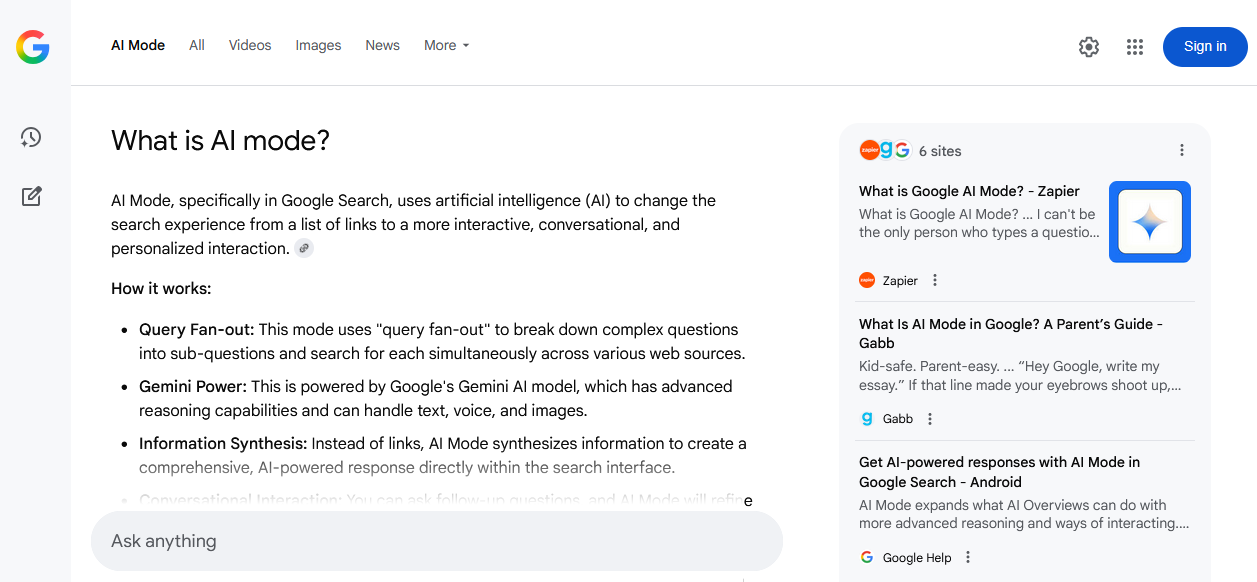
スクレイパーの概要
Google AI mode スクレイパーは、Googleの Gemini をベースに動作する、主要なAIシステムの一つから構造化された情報を収集するための強力なツールです。Google AI modeとの統合により、単なるリンクのリストではなく、学術論文、ブログ、フォーラム、ニュースポータルを含む膨大なソースに基づいた、最新で簡潔かつ関連性の高い回答を得ることができます。
Google AI mode スクレイパーは、詳細な質問、文脈に応じた質問、入れ子構造を含む 自然言語クエリ をサポートしています。マルチスレッドモードにより、処理速度は 毎分800~1500クエリ に達します。構成や使用するプリセットに応じて、数分以内に数万件のユニークなテキスト断片と数百件のリンクを取得できます。
出力結果は、強力なテンプレートエンジン Template Toolkit により、任意の形式で保存可能です。これにより、データを JSON、CSV、SQL などの形式に構造化できるほか、フィルタリング、ソート、集計をリアルタイムで適用できます。
FreeAI::GoogleAI スクレイパーは、提供される結果の質の高さと文脈の正確さから、競合調査、事実や引用の収集、ナレッジベースの作成、ニュースモニタリング、トピック分析などのタスクに最適です。
収集データ
- 回答テキスト
- データソースのリンク、アンカー、スニペット
機能
- Googleの保護を回避するための実ブラウザ(Playwright)による動作
- ブロックされたプロキシの自動ローテーションと禁止処理
- 検索言語と国の選択をサポート
ユースケース
- ナレッジベース、コンテンツプラン、リファレンスシステム、FAQ生成のためのテーマ別クエリによる構造化された回答の収集
- アンカーとスニペットを含む ソースへのリンク の抽出 - 権威あるリソースのリスト作成、引用、バックリンク収集に最適
- ブランド、製品、人物の言及のモニタリング - 文脈とソースへの紐付け
- 権威あるソースからの専門家の意見、トレンド、インサイトの検索と分析
- 主要なトピックに関する情報の最新性と完全性の迅速な確認
- 競合分析の自動化:どのリソースが引用されているか、どのトピックがどの程度の頻度で取り上げられているか
- 異なるソースからの正確な情報の集約を必要とする研究および分析プロジェクトのサポート
- 実際のソースによる裏付けと論理的な文脈を備えた、簡潔で正確な回答を迅速に取得する必要があるあらゆるタスク
クエリ
クエリには、Google AI modeの検索フォームに直接入力する場合と同じように、検索クエリを指定する必要があります。例:
How to learn fast?
How to improve memory and concentration?
What is a parser?
結果
以下、結果の例は分かりやすくするために短縮されています。
デフォルトでは、クエリに対する回答が出力されます。例:
A parser is a program that analyzes input data, typically text or code, and converts it into a structured format that a computer can understand and process.
Here's a breakdown of what a parser does:
Takes Input: Parsers receive input, which can be source code, data in a specific format (like XML or JSON), interactive commands, etc.
Breaks Down Input: The parser breaks the input into its constituent parts, such as keywords, operators, identifiers, and symbols, which are called tokens.
...
結果出力のバリエーション
A-Parserは内蔵のテンプレートエンジン Template Toolkit により柔軟な結果フォーマットをサポートしており、任意の形式や、CSVやJSONなどの構造化された形式で結果を出力できます。
回答のみの出力
結果フォーマット:
$query
Answer: $p1.answer
回答とソースの出力
結果フォーマット:
$query
Answer: $p1.answer


Sources:
$p1.sources.format('$link, $anchor, $snippet\n')
結果の例:
What is a parser?
Answer: A parser is a program that analyzes input data, typically text or code...


Sources:
https://www.techtarget.com/searchapparchitecture/definition/parser, What is a Parser? - TechTarget, Jul 7, 2022 — What is a parser? In computer technology...
https://www.huntress.com/cybersecurity-101/topics/what-is-a-parser, What Is a Parser? - Huntress, May 27, 2025 — Ever wondered what happens behind the scenes...
ソースをCSVにエクスポート
結果フォーマット:
[% FOREACH item IN p1.sources; tools.CSVline(loop.count, item.link, item.anchor, item.snippet); END %]
結果の例:
1,https://www.pcmag.com,"Best Windows Laptop for Most People: HP OmniBook 5 14 (OLED, 34-hour battery)..."
2,https://www.tomshardware.com,"MacBook Air (M5) The Best Laptop (and Mac) overall. Strong performance..."
3,https://au.pcmag.com,"Best Budget MacBook. Apple MacBook Neo. 4.5 Outstanding. Pros & Cons..."
ExcelやGoogleスプレッドシートで正しく開くには、結果ファイル名の拡張子を .csv に変更する必要があります。
設定可能な項目
| パラメータ名 | デフォルト値 | 説明 |
|---|---|---|
| Language (hl) | en | 結果の言語の選択 (hl= パラメータ) |
| Country (gl) | Auto (Based on IP) | 検索を実行する国の選択 (gl= パラメータ) |
| Headless browser | ☐ | GUIなしのバックグラウンドモードでブラウザを起動します。Googleとの互換性を高めるため、オフのままにすることをお勧めします |
| Timeout (seconds) | 60 | ページからの応答を待機する最大時間(秒) |
| Max browser pages | 10 | ブラウザで同時に開くページの最大数 |
| Util::ReCaptcha2 preset | default | Googleのキャプチャ(/sorry/ ページ)を解決するためのプリセット。default — キャプチャは無効化され、プロキシは単にローテーションされます |