 SE::You - you.com 搜索结果爬虫工具
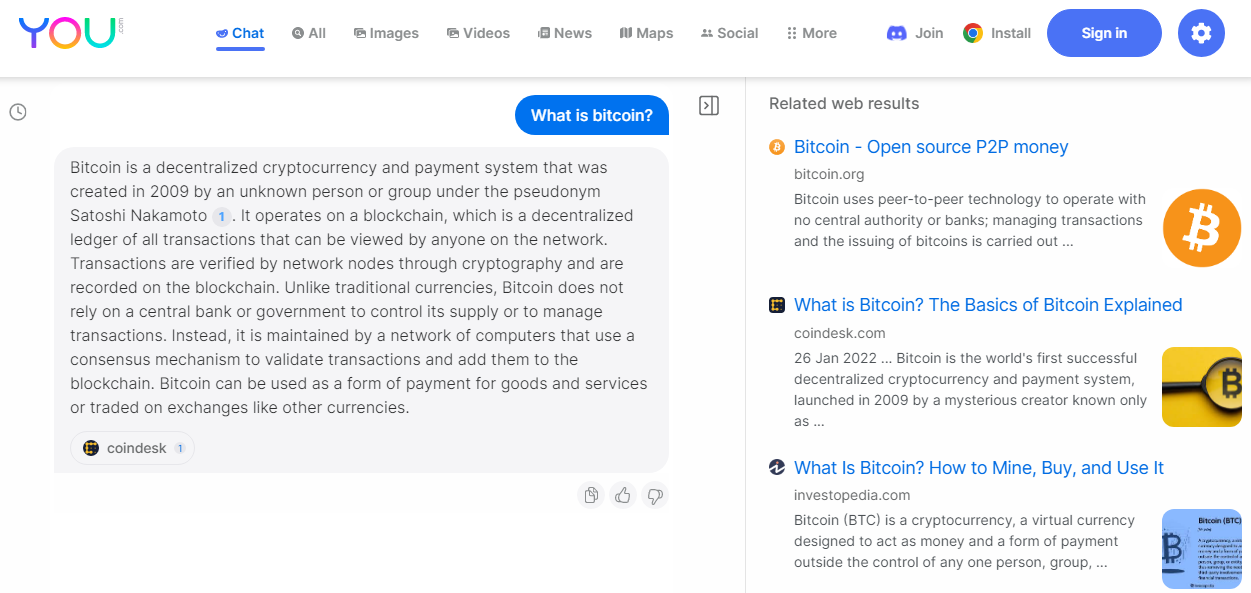
爬虫工具概览
 SE::You - You.com 搜索引擎结果数据抓取工具。
从 you.com 搜索引擎采集结果。
A-Parser 的功能允许保存 SE::You 爬虫工具的设置以供后续使用(预设),设置数据抓取计划等等。您可以使用自动查询扩展、从文件替换子查询、遍历数字字母组合和列表,以获取尽可能多的结果。
得益于内置强大的模板引擎 Template Toolkit,可以将结果保存为您需要的任何形式和结构,该引擎允许对结果应用额外的逻辑并以各种格式输出数据,包括 JSON、SQL 和 CSV。
采集的数据
- 使用 AI 生成的搜索查询回答
- 搜索结果中的链接、锚点、摘要和预览图链接
功能
- 选择数据抓取区域
- 设置安全搜索
应用场景
- 任何需要自动生成文本或 you.com 搜索结果的任务
查询
需要指定关键词作为查询,例如:
What is bitcoin?
test for parser
结果输出示例
得益于内置的模板引擎 Template Toolkit,A-Parser 支持灵活的结果格式化,这使其能够以任意形式以及结构化形式(如 CSV 或 JSON)输出结果。
默认输出
结果格式:
Question: $query\nAnswer: $answer\n\nRelated web results:\n$serp.format('$link\n')\n
结果示例:
Question: What is bitcoin?
Answer: Bitcoin is a decentralized digital currency that can be sent from user to user on the peer-to-peer bitcoin network without the need for intermediaries. It was created in 2009 by an unknown individual or group using the name Satoshi Nakamoto. Bitcoin transactions are verified by network nodes through cryptography and recorded on a blockchain, which is a public, distributed ledger. The total supply of bitcoin is limited to 21 million coins, and it is divisible to eight decimal places. Bitcoin has gained popularity as an investment and payment method, and there are many online exchanges and wallets which allow users to buy, sell, and store bitcoins.

Related web results:
https://bitcoin.org/
https://www.coindesk.com/learn/what-is-bitcoin/
https://www.investopedia.com/terms/b/bitcoin.asp
https://www.coinbase.com/learn/crypto-basics/what-is-bitcoin
https://www.bitcoin.com/
https://www.nerdwallet.com/article/investing/what-is-bitcoin
https://www.newscientist.com/definition/bitcoin/
https://money.cnn.com/infographic/technology/what-is-bitcoin/index.html
https://crypto.com/
https://en.wikipedia.org/wiki/Bitcoin

Question: test for parser
Answer: To test a parser, you can create a set of test cases that cover as many different scenarios and edge cases as possible. This can include valid inputs, invalid inputs, ambiguous inputs, and corner cases. You can then feed these test cases into your parser and check that the output is correct.

One common approach is to use a testing framework such as JUnit or pytest to automate the testing process. These frameworks provide tools for defining test cases, running tests automatically, and reporting on the results.

You can also use tools such as ANTLRWorks, which provides a GUI for testing ANTLR parsers interactively. This can be helpful when debugging your parser and verifying that it is working correctly.

Overall, the key to testing a parser is to thoroughly cover all possible inputs and edge cases to ensure that it behaves correctly in all situations.

Related web results:
https://stackoverflow.com/questions/4768927/better-way-to-test-automatically-a-parser
https://confluence.atlassian.com/display/BAMBOO/JUnit+Parser
https://softwareengineering.stackexchange.com/questions/367853/how-to-unit-test-a-parser-of-a-file
https://github.com/tc39/test262-parser-tests
https://www.meaningcloud.com/developer/resources/doc/deep-categorization-models/rules/test-parsing
https://github.com/linkedin/dex-test-parser
https://gitlab.arm.com/systemready/edk2-test-parser
https://documentation.tricentis.com/qtest/9910/en/content/qtest_launch/universal_agent_user_guides/develop_custom_test_result_parser_for_universal_agent.htm
https://docs.crowdsec.net/docs/parsers/create/
https://ssricardo.github.io/2018/junit-antlr-parser/
可用设置
| 参数 | 默认值 | 描述 |
|---|---|---|
| Region | All regions | 搜索区域 |
| Safe search | Moderate | 安全搜索 |