 FreeAI::GoogleAI - Google AI mode Scraper
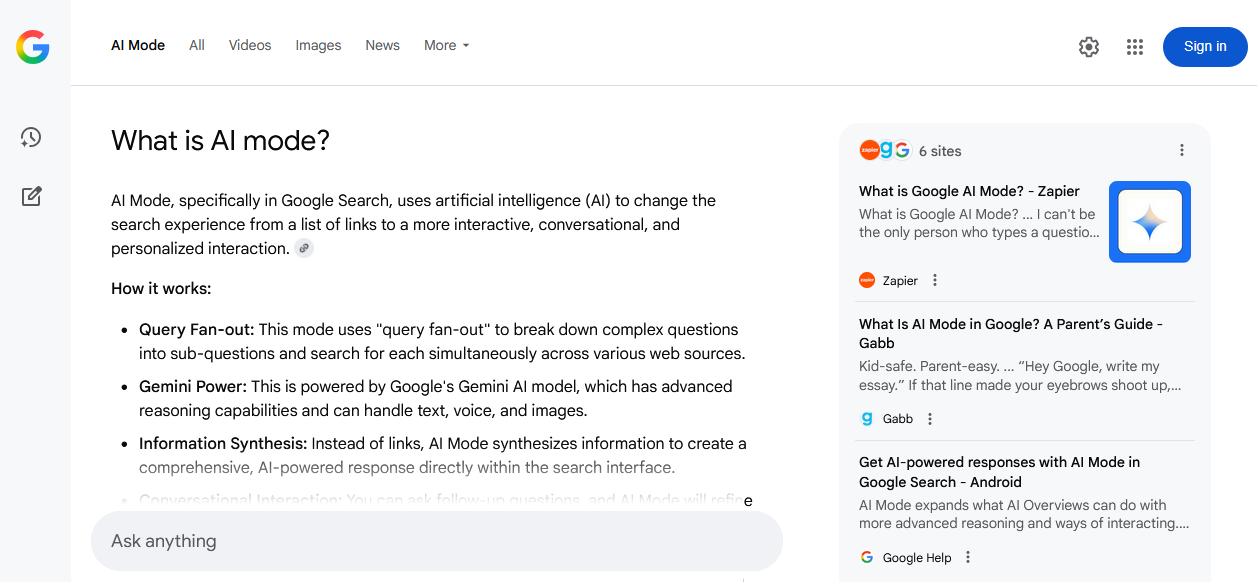
Scraper overview
The Google AI mode scraper is a powerful tool for collecting structured information from one of the leading AI systems, as AI mode is powered by Gemini from Google. Thanks to integration with Google AI mode, you get more than just lists of links; you receive up-to-date, concise, and relevant answers based on a vast number of sources, including scientific articles, blogs, forums, and news portals.
The Google AI mode scraper supports natural language queries, including clarifications, contextual questions, and nested constructions. Processing speed reaches 800–1500 queries per minute thanks to the multithreading mode. Depending on the configuration and presets used, you can obtain tens of thousands of unique text fragments and hundreds of links within a few minutes.
Output results can be saved in any required format thanks to the powerful Template Toolkit template engine, which allows structuring data into JSON, CSV, SQL, and other formats, as well as applying filtering, sorting, and data aggregation on the fly.
The FreeAI::GoogleAI scraper is ideal for competitive intelligence tasks, gathering facts and quotes, creating knowledge bases, monitoring news, and analyzing topics, thanks to the high quality and contextuality of the provided results.
Collected data
- Answer text
- Links, anchors, and snippets of data sources
Capabilities
- Operation via a real browser (Playwright) to bypass Google protection
- Automatic rotation and banning of blocked proxies
- Support for selecting search language and country
Use cases
- Collecting structured answers for thematic queries to create knowledge bases, content plans, reference systems, and FAQ generation
- Extracting source links with anchors and snippets - ideal for building lists of authoritative resources, citations, and backlink gathering
- Monitoring mentions of brands, products, or persons - tied to context and sources
- Searching for and analyzing expert opinions, trends, and insights from authoritative sources
- Quick verification of the relevance and completeness of information on key topics
- Automating competitor analysis: which resources are cited, which topics are covered, and how often
- Supporting research and analytical projects requiring aggregation of accurate information from different sources
- Any other tasks where it is necessary to quickly obtain brief, accurate answers with confirmation from real sources and logical context
Queries
Queries should be specified as search terms, exactly as if they were entered directly into the Google AI mode search box, for example:
How to learn fast?
How to improve memory and concentration?
What is a parser?
Results
Here and below, result examples are shortened for better clarity
By default, the answer to the query is displayed, for example:
A parser is a program that analyzes input data, typically text or code, and converts it into a structured format that a computer can understand and process.
Here's a breakdown of what a parser does:
Takes Input: Parsers receive input, which can be source code, data in a specific format (like XML or JSON), interactive commands, etc.
Breaks Down Input: The parser breaks the input into its constituent parts, such as keywords, operators, identifiers, and symbols, which are called tokens.
...
Output results examples
A-Parser supports flexible result formatting thanks to the built-in Template Toolkit, which allows it to output results in arbitrary forms, as well as structured ones like CSV or JSON.
Answer output
Result format:
$query
Answer: $p1.answer
Answer and sources output
Result format:
$query
Answer: $p1.answer


Sources:
$p1.sources.format('$link, $anchor, $snippet\n')
Result example:
What is a parser?
Answer: A parser is a program that analyzes input data, typically text or code...


Sources:
https://www.techtarget.com/searchapparchitecture/definition/parser, What is a Parser? - TechTarget, Jul 7, 2022 — What is a parser? In computer technology...
https://www.huntress.com/cybersecurity-101/topics/what-is-a-parser, What Is a Parser? - Huntress, May 27, 2025 — Ever wondered what happens behind the scenes...
Exporting sources to CSV
Result format:
[% FOREACH item IN p1.sources; tools.CSVline(loop.count, item.link, item.anchor, item.snippet); END %]
Result example:
1,https://www.pcmag.com,"Best Windows Laptop for Most People: HP OmniBook 5 14 (OLED, 34-hour battery)..."
2,https://www.tomshardware.com,"MacBook Air (M5) The Best Laptop (and Mac) overall. Strong performance..."
3,https://au.pcmag.com,"Best Budget MacBook. Apple MacBook Neo. 4.5 Outstanding. Pros & Cons..."
In the result filename, you need to change the extension to .csv for correct opening in Excel and Google Sheets.
Possible settings
| Parameter name | Default value | Description |
|---|---|---|
| Language (hl) | en | Selection of results language (hl= parameter) |
| Country (gl) | Auto (Based on IP) | Selection of the country from which the search is performed (gl= parameter) |
| Headless browser | ☐ | Launching the browser in background mode without GUI. Recommended to keep disabled for better compatibility with Google |
| Timeout (seconds) | 60 | Maximum time to wait for a page response in seconds |
| Max browser pages | 10 | Maximum number of simultaneously open pages in the browser |
| Util::ReCaptcha2 preset | default | Preset for solving Google captcha (/sorry/ page). default — captcha is disabled, the proxy is simply rotated |