 FreeAI::GoogleAI - Google AI 模式爬虫工具
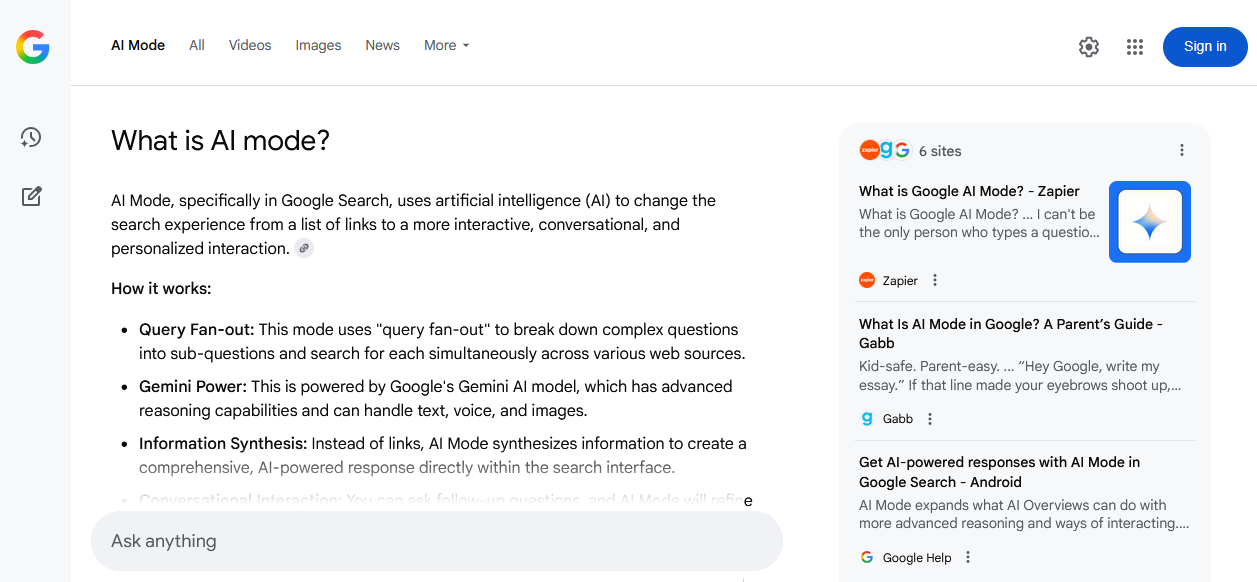
Google AI mode 爬虫工具概览
Google AI mode 爬虫工具是一款功能强大的工具,用于从领先的 AI 系统之一收集结构化信息,因为 AI mode 基于 Google 的 Gemini 运行。通过与 Google AI mode 集成,您获得的不仅是链接列表,而是基于大量来源(包括学术文章、博客、论坛和新闻门户)的最新、简洁且相关的回答。
Google AI mode 爬虫工具支持自然语言查询,包括补充说明、上下文问题和嵌套结构。得益于多线程工作模式,处理速度可达 每分钟 800–1500 个查询。根据配置和使用的预设,您可以在几分钟内获取数万个独特的文本片段和数百个链接。
得益于强大的 Template Toolkit 模板引擎,抓取结果可以保存为任何需要的格式,该引擎允许将数据结构化为 JSON, CSV, SQL 等格式,并能实时应用过滤、排序和数据聚合。
FreeAI::GoogleAI 爬虫工具非常适合竞争情报、事实与引用收集、知识库创建、新闻监测和主题分析等任务,这得益于其输出结果的高质量和上下文相关性。
采集数据
- 回答文本
- 数据源的链接、锚点和摘要
功能
- 通过真实浏览器 (Playwright) 运行,以绕过 Google 的防护
- 自动轮换和封禁被拦截的代理
- 支持选择搜索的语言和国家
应用场景
- 针对主题查询收集结构化回答,用于创建知识库、内容计划、参考系统和生成 FAQ
- 提取带有锚点和摘要的来源链接 - 非常适合构建权威资源列表、引用和收集反向链接
- 监测品牌、产品或人物的提及 - 并结合上下文和来源
- 从权威来源搜索和分析专家观点、趋势和见解
- 快速检查关键主题信息的时效性和完整性
- 自动化竞争对手分析:引用了哪些资源、涵盖了哪些主题以及频率如何
- 支持需要从不同来源聚合准确信息的科研和分析项目
- 任何其他需要快速获取带有真实来源确认和逻辑上下文的简短、准确回答的任务
查询
在查询中需要指定搜索词,就像直接在 Google AI mode 搜索框中输入一样,例如:
How to learn fast?
How to improve memory and concentration?
What is a parser?
结果
信息
此处及下文中的结果示例已简化,以便更直观地展示
默认情况下会输出查询的回答,例如:
A parser is a program that analyzes input data, typically text or code, and converts it into a structured format that a computer can understand and process.
Here's a breakdown of what a parser does:
Takes Input: Parsers receive input, which can be source code, data in a specific format (like XML or JSON), interactive commands, etc.
Breaks Down Input: The parser breaks the input into its constituent parts, such as keywords, operators, identifiers, and symbols, which are called tokens.
...
结果输出变体
得益于内置的 Template Toolkit 模板引擎,A-Parser 支持灵活的结果格式化,这使其能够以任意形式输出结果,包括 CSV 或 JSON 等结构化格式。
仅输出回答
结果格式:
$query
Answer: $p1.answer
输出回答和来源
结果格式:
$query
Answer: $p1.answer


Sources:
$p1.sources.format('$link, $anchor, $snippet\n')
结果示例:
What is a parser?
Answer: A parser is a program that analyzes input data, typically text or code...


Sources:
https://www.techtarget.com/searchapparchitecture/definition/parser, What is a Parser? - TechTarget, Jul 7, 2022 — What is a parser? In computer technology...
https://www.huntress.com/cybersecurity-101/topics/what-is-a-parser, What Is a Parser? - Huntress, May 27, 2025 — Ever wondered what happens behind the scenes...
将来源导出为 CSV
结果格式:
[% FOREACH item IN p1.sources; tools.CSVline(loop.count, item.link, item.anchor, item.snippet); END %]
结果示例:
1,https://www.pcmag.com,"Best Windows Laptop for Most People: HP OmniBook 5 14 (OLED, 34-hour battery)..."
2,https://www.tomshardware.com,"MacBook Air (M5) The Best Laptop (and Mac) overall. Strong performance..."
3,https://au.pcmag.com,"Best Budget MacBook. Apple MacBook Neo. 4.5 Outstanding. Pros & Cons..."
提示
需要在结果文件名中将扩展名更改为 .csv,以便在 Excel 和 Google Sheets 中正确打开。
可用设置
| 参数名称 | 默认值 | 描述 |
|---|---|---|
| Language (hl) | en | 选择结果语言(hl= 参数) |
| Country (gl) | Auto (Based on IP) | 选择进行搜索的国家/地区(gl= 参数) |
| Headless browser | ☐ | 在没有 GUI 的后台模式下运行浏览器。建议保持关闭以获得与 Google 更好的兼容性 |
| Timeout (seconds) | 60 | 等待页面响应的最大时间(秒) |
| Max browser pages | 10 | 浏览器中同时打开页面的最大数量 |
| Util::ReCaptcha2 preset | default | 解决 Google 验证码(/sorry/ 页面)的预设。default — 禁用验证码,仅轮换代理 |