 FreeAI::Server::OpenAI — 基于内置 AI 模型爬虫工具的 OpenAI API 服务器
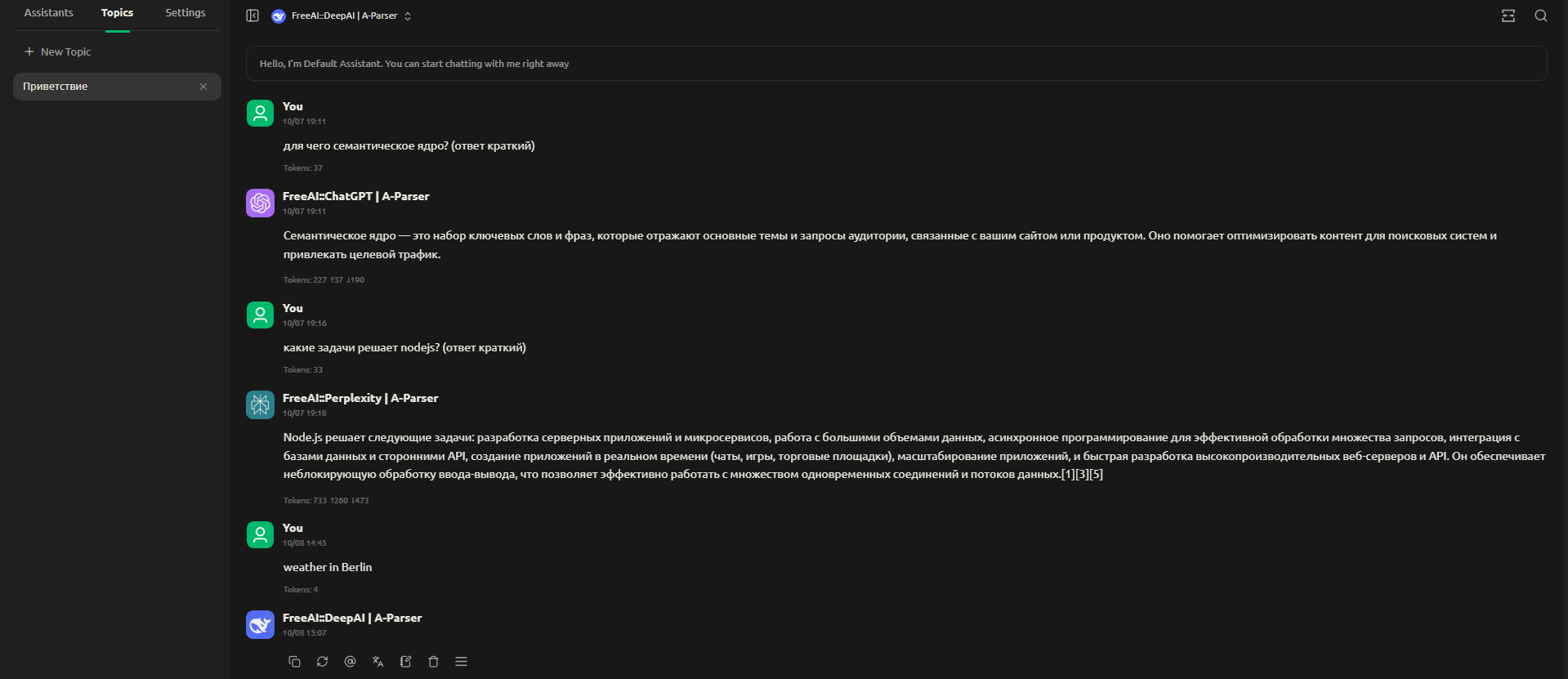
爬虫工具概览
该爬虫工具允许您部署自己的 OpenAI 兼容 API 服务器,您可以从您的应用程序(例如 Cherry Studio、Cline 等)和脚本中连接到该服务器 —— 既可以通过官方 OpenAI SDK,也可以使用常规 HTTP 请求。该爬虫工具提供了对 A-Parser 抓取的免费和付费模型的访问。
支持的模型列表:


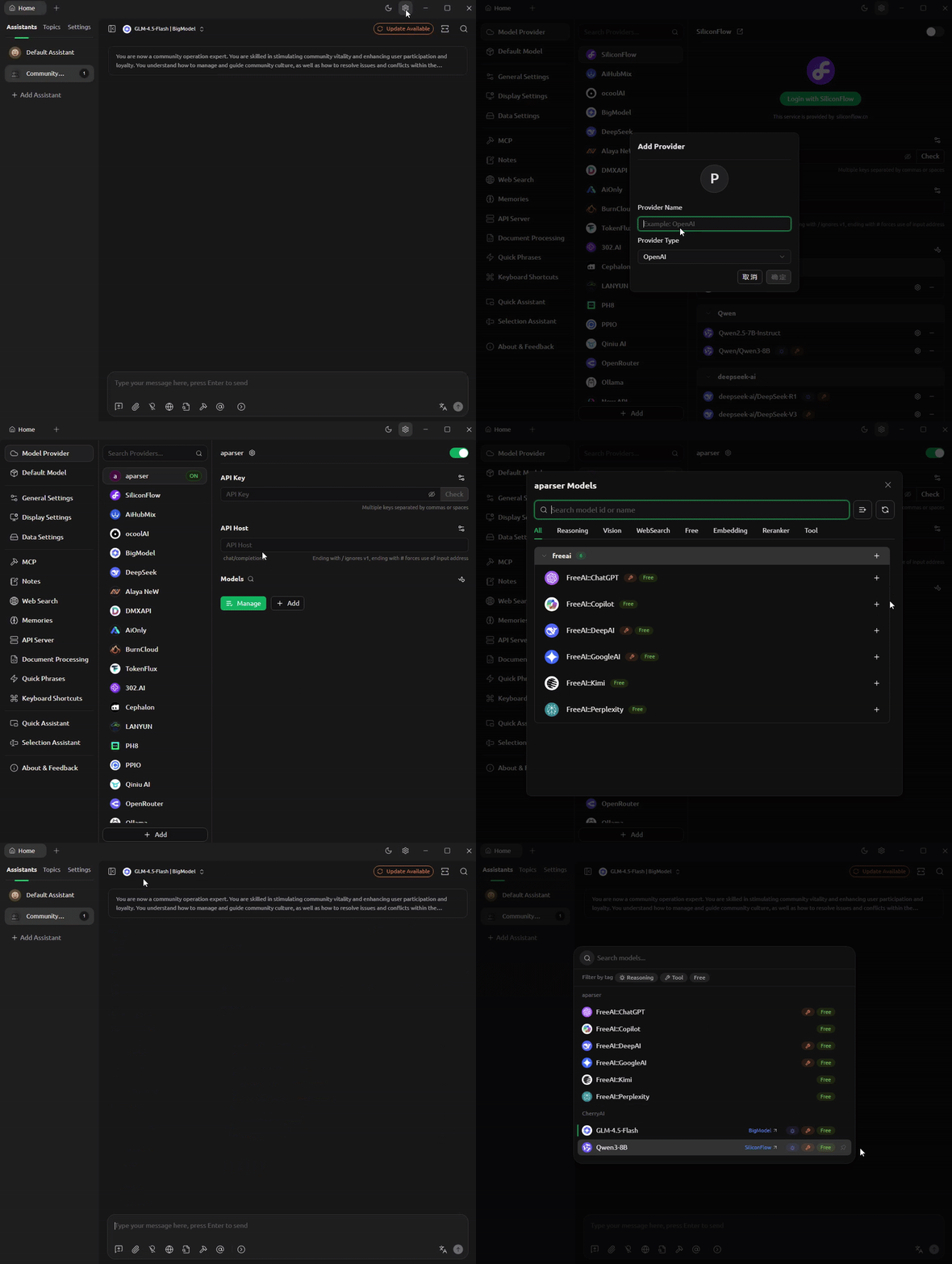
连接到 Cherry Studio
- 设置(右上角)
- 提供商列表,最下方点击“添加”
- 设置任意名称,Provider type 必须为 OpenAI
- 填写 API Key(任意密钥)
- 填写主机地址(在 FreeAI::Server::OpenAI 中配置),默认为 http://127.0.0.1:3000
- 点击“Manage”按钮添加所需的模型
查看连接视频
通过 OpenAI SDK 连接
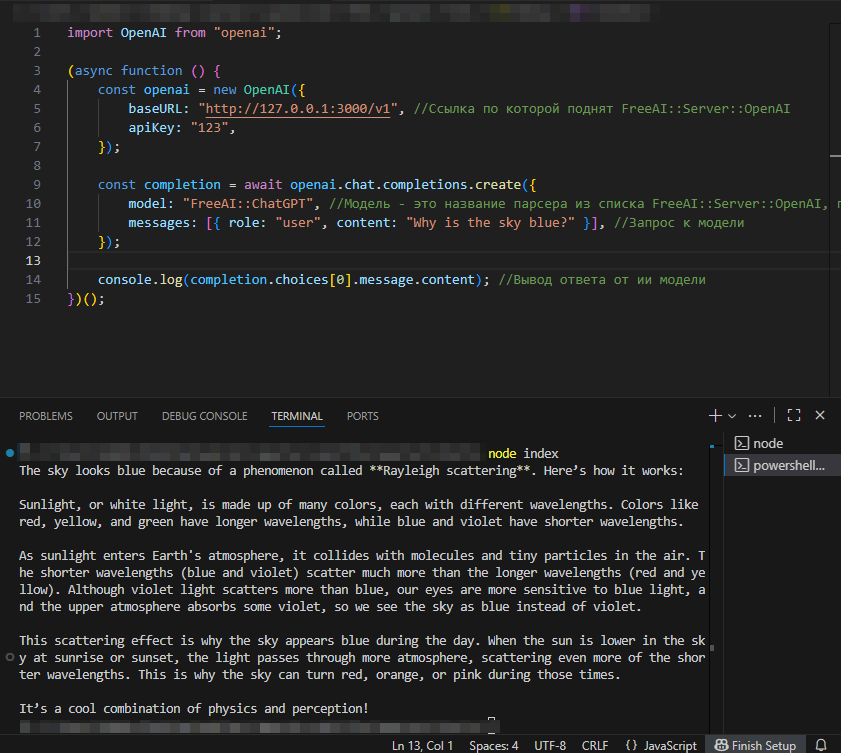
示例代码
import OpenAI from "openai";

(async function () {
    const openai = new OpenAI({
        baseURL: "http://127.0.0.1:3000/v1", //部署 FreeAI::Server::OpenAI 的链接
        apiKey: "123",
    });

    const completion = await openai.chat.completions.create({
        model: "FreeAI::ChatGPT", //模型是 FreeAI::Server::OpenAI 列表中的爬虫工具名称,支持的模型列表见“爬虫工具概览”部分
        messages: [{ role: "user", content: "Why is the sky blue?" }], //向模型发送请求
    });

    console.log(completion.choices[0].message.content); //输出 AI 模型的回答
})();
通过 HTTP 请求获取结果
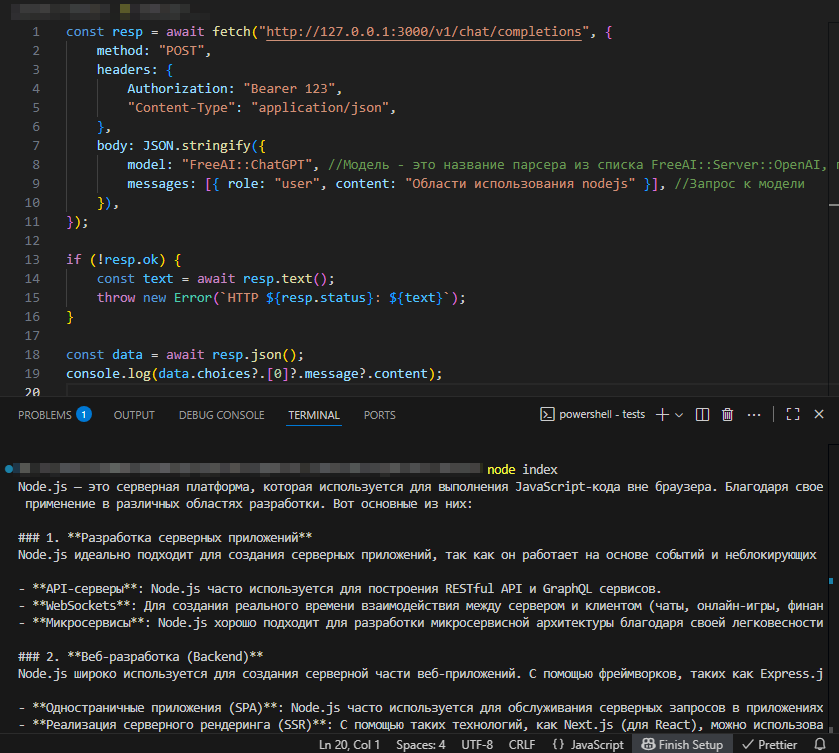
示例代码
const resp = await fetch("http://127.0.0.1:3000/v1/chat/completions", {
    method: "POST",
    headers: {
        Authorization: "Bearer 123",
        "Content-Type": "application/json",
    },
    body: JSON.stringify({
        model: "FreeAI::ChatGPT", //模型是 FreeAI::Server::OpenAI 列表中的爬虫工具名称,支持的模型列表见“爬虫工具概览”部分
        messages: [{ role: "user", content: "nodejs 的应用领域" }], //向模型发送请求
    }),
});

if (!resp.ok) {
    const text = await resp.text();
    throw new Error(`HTTP ${resp.status}: ${text}`);
}

const data = await resp.json();
console.log(data.choices?.[0]?.message?.content);
可用设置
| 参数名称 | 默认值 | 描述 |
|---|---|---|
| Listen Host | 127.0.0.1 | 服务接受传入连接的接口 IP 地址或主机名 |
| Listen Port | 3000 | 服务接受传入连接的端口号 |
| FreeAI::ChatGPT preset | default | FreeAI::ChatGPT 爬虫工具的预设 |
| FreeAI::Copilot preset | default | FreeAI::Copilot 爬虫工具的预设 |
| FreeAI::DeepAI preset | default | FreeAI::DeepAI 爬虫工具的预设 |
| FreeAI::GoogleAI preset | default | FreeAI::GoogleAI 爬虫工具的预设 |
| FreeAI::Kimi preset | default | FreeAI::Kimi 爬虫工具的预设 |
| FreeAI::Perplexity preset | default | FreeAI::Perplexity 爬虫工具的预设 |