 FreeAI::Server::OpenAI — OpenAI API server based on built-in AI model scrapers.
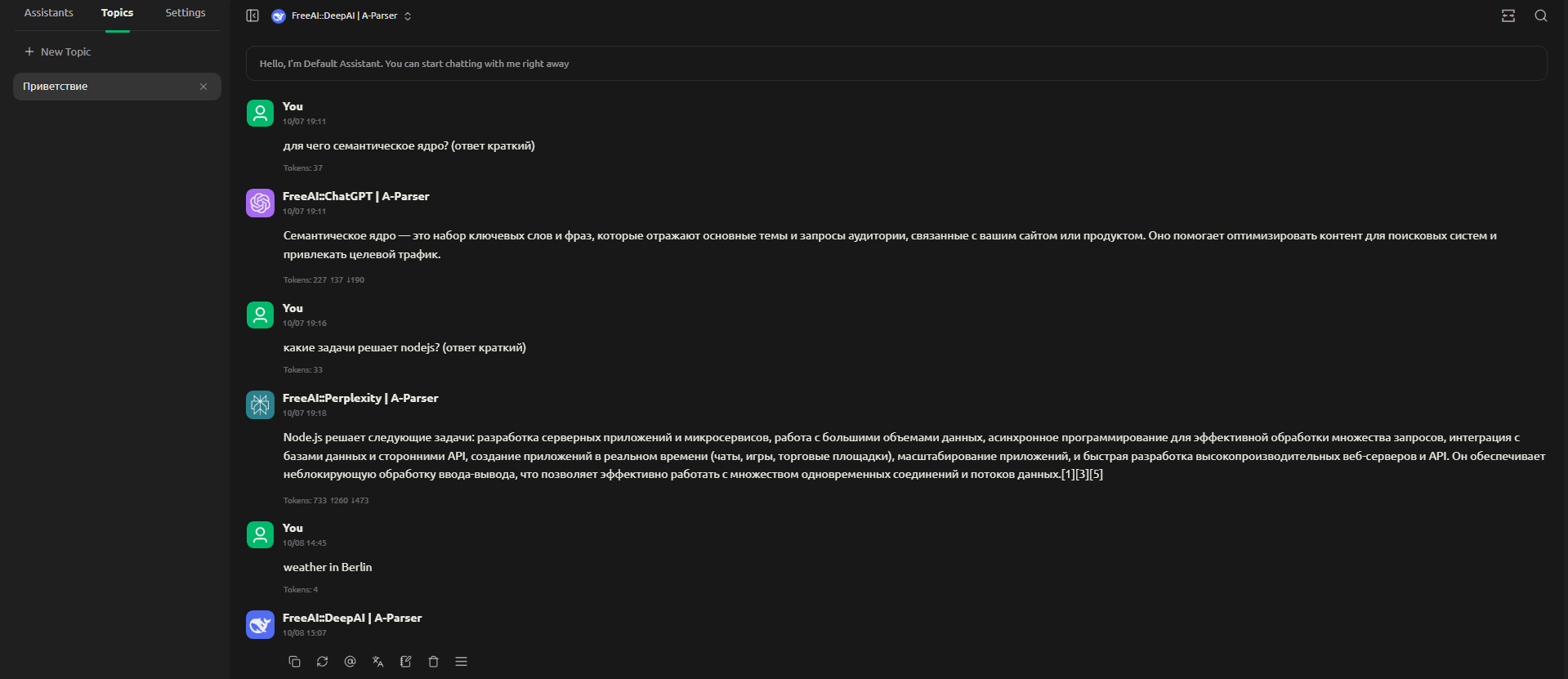
Overview of the scraper
The scraper provides the ability to deploy your own OpenAI-compatible API server, which you can connect to from your applications (e.g., Cherry Studio, Cline, etc.) and scripts — both via the official OpenAI SDK and using regular HTTP requests. The scraper provides access to free and paid models that A-Parser scrapes.
List of supported models:


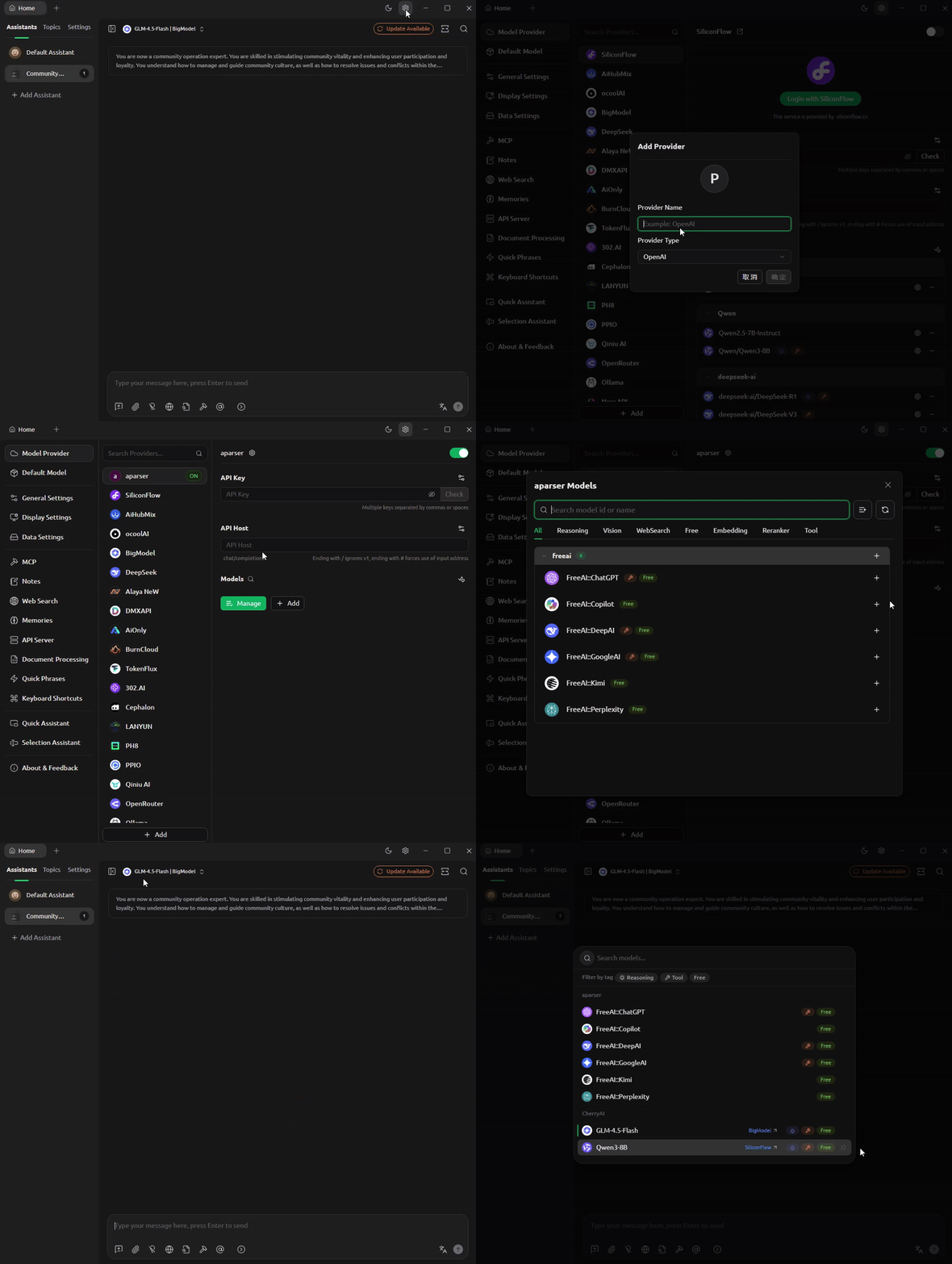
Connecting to Cherry Studio
- Settings (top right corner)
- List of providers, at the very bottom "add"
- Set an arbitrary name, Provider type must be OpenAI
- Enter API Key (any key)
- Enter host (configured in FreeAI::Server::OpenAI) initially http://127.0.0.1:3000
- Click "Manage" button and add the required models
View connection video
Connecting via OpenAI SDK
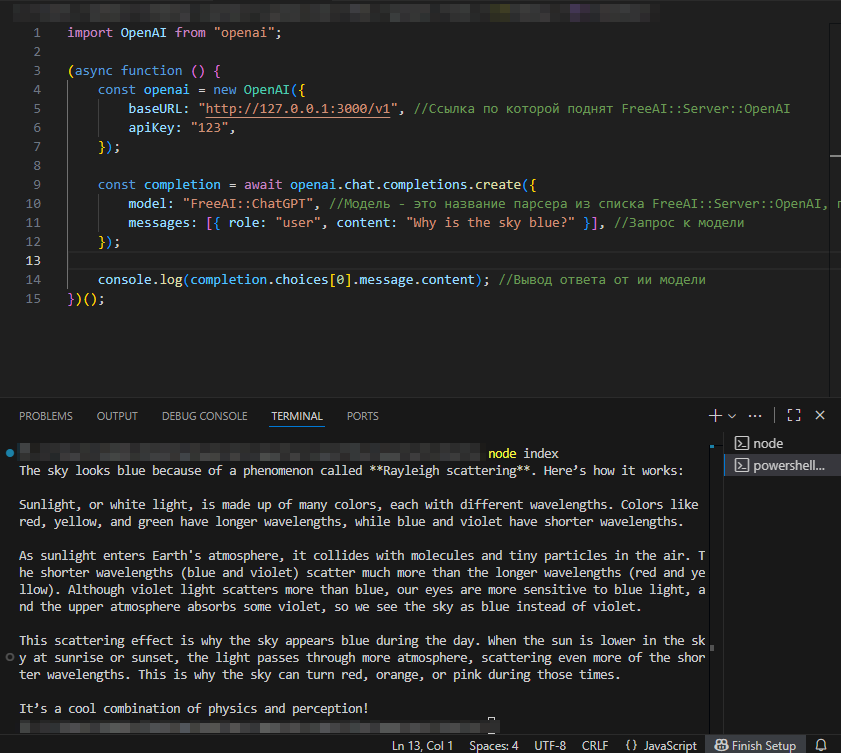
Example code
import OpenAI from "openai";

(async function () {
    const openai = new OpenAI({
        baseURL: "http://127.0.0.1:3000/v1", //Link where FreeAI::Server::OpenAI is running
        apiKey: "123",
    });

    const completion = await openai.chat.completions.create({
        model: "FreeAI::ChatGPT", //Model is the scraper name from the FreeAI::Server::OpenAI list, see the "Overview of the scraper" section for the list of supported models
        messages: [{ role: "user", content: "Why is the sky blue?" }], //Query to the model
    });

    console.log(completion.choices[0].message.content); //Output the response from the AI model
})();
Getting results via HTTP request
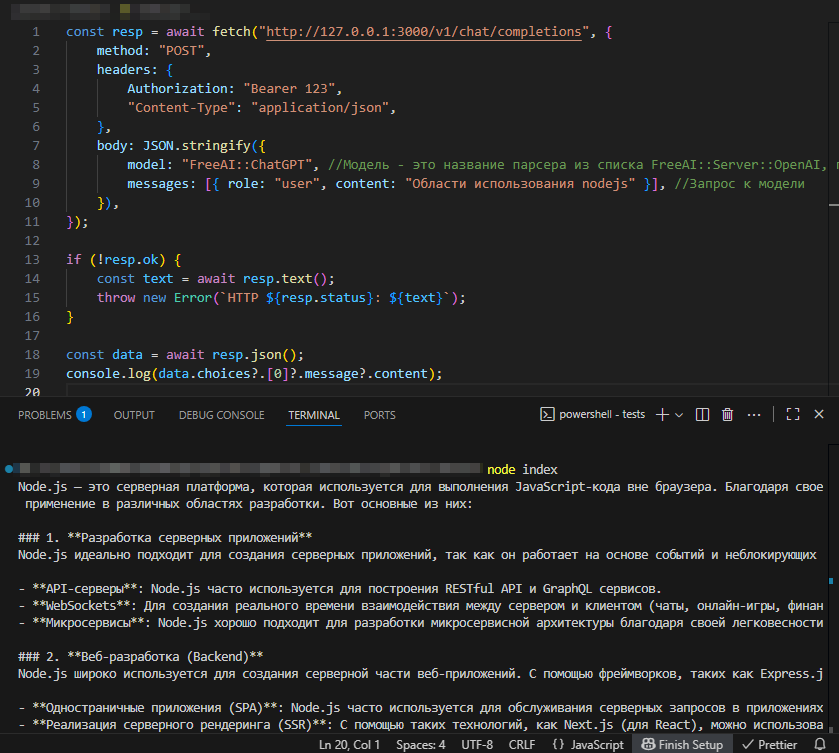
Example code
const resp = await fetch("http://127.0.0.1:3000/v1/chat/completions", {
    method: "POST",
    headers: {
        Authorization: "Bearer 123",
        "Content-Type": "application/json",
    },
    body: JSON.stringify({
        model: "FreeAI::ChatGPT", //Model is the scraper name from the FreeAI::Server::OpenAI list, see the "Overview of the scraper" section for the list of supported models
        messages: [{ role: "user", content: "Nodejs use cases" }], //Query to the model
    }),
});

if (!resp.ok) {
    const text = await resp.text();
    throw new Error(`HTTP ${resp.status}: ${text}`);
}

const data = await resp.json();
console.log(data.choices?.[0]?.message?.content);
Possible settings
| Parameter name | Default value | Description |
|---|---|---|
| Listen Host | 127.0.0.1 | IP address or hostname of the interface where the service accepts incoming connections |
| Listen Port | 3000 | Port number where the service accepts incoming connections |
| FreeAI::ChatGPT preset | default | Preset for FreeAI::ChatGPT scraper |
| FreeAI::Copilot preset | default | Preset for FreeAI::Copilot scraper |
| FreeAI::DeepAI preset | default | Preset for FreeAI::DeepAI scraper |
| FreeAI::GoogleAI preset | default | Preset for FreeAI::GoogleAI scraper |
| FreeAI::Kimi preset | default | Preset for FreeAI::Kimi scraper |
| FreeAI::Perplexity preset | default | Preset for FreeAI::Perplexity scraper |