 IP::Info - accurate data about IP addresses
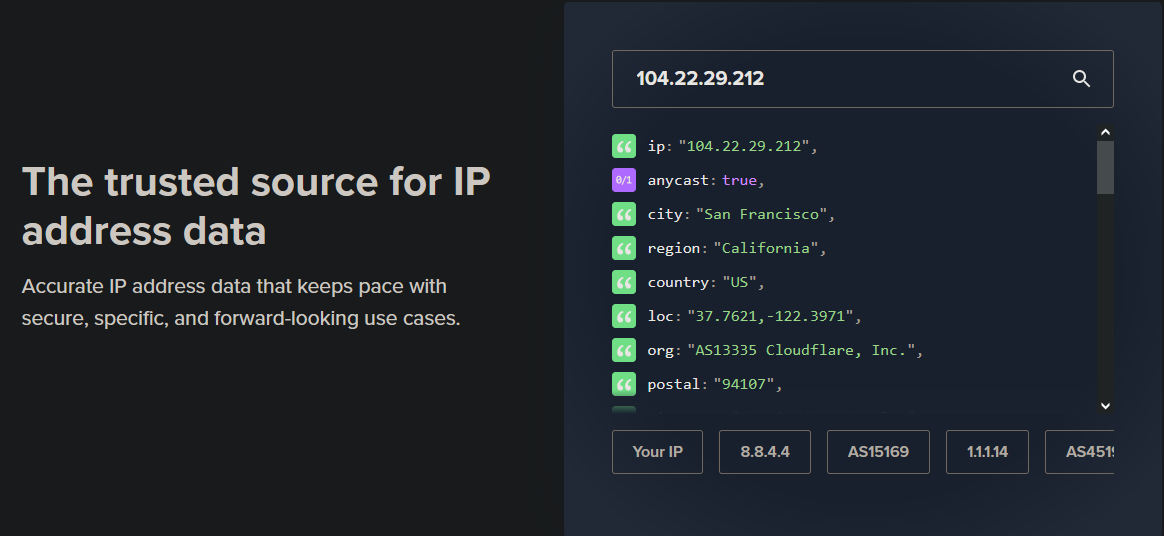
Scraper overview
 IP::Info – accurate data about IP addresses that meet security, specificity, and future-proofing requirements.
A-Parser functionality allows you to save scraping settings for the IP::Info scraper for future use (presets), set scraping schedules, and much more.
Results can be saved in any format and structure you need, thanks to the powerful built-in Template Toolkit which allows you to apply additional logic to results and output data in various formats, including JSON, SQL, and CSV.
Collected data
Data is collected from the ipinfo.io service
- Whether it is used by multiple servers
- City
- Region
- Country
- Location
- Postal code
- Timezone
- Autonomous System Number (ASN)
- ASN Name
- ASN Domain
- ASN Route
- ASN Type
- Company Name
- Company Domain
- Company Type
- Whether the IP uses VPN
- Whether the IP uses a proxy server
- Whether the IP uses TOR
- Whether the IP belongs to a hosting company
- Service
- Abuse department contact information
Use cases
- Determining IP location
- Privacy check
Queries
A list of IP addresses should be specified as queries, for example:
143.110.183.74
23.12.134.106
104.69.175.97
192.0.66.114
85.214.193.249
151.101.1.111
149.129.208.125
Output results examples
A-Parser supports flexible result formatting thanks to the built-in Template Toolkit, which allows it to output results in any form, as well as in structured formats like CSV or JSON
Default output
Result format:
$query: $country, $region, $city, Location: $loc, Postal code: $postal
Result example:
192.0.66.114: US, California, San Francisco, Location: 37.7509,-122.4153, Postal code: 94110
85.214.193.249: DE, Berlin, Berlin, Location: 52.5244,13.4105, Postal code: 10119
149.129.208.125: ID, Jakarta, Jakarta, Location: -6.2146,106.8451, Postal code:
143.110.183.74: IN, Karnataka, Doddaballapura, Location: 13.2257,77.5750, Postal code: 560100
151.101.1.111: US, California, San Francisco, Location: 37.7621,-122.3971, Postal code: 94107
23.12.134.106: IT, Sicily, Palermo, Location: 38.1166,13.3636, Postal code: 90100
104.69.175.97: SG, Singapore, Singapore, Location: 1.2897,103.8501, Postal code: 018989
Output in CSV table
Result format:
[% tools.CSVline(query, country, region, city, loc, postal) %]
Result example:
85.214.193.249,DE,Berlin,Berlin,"52.5244,13.4105",10119
192.0.66.114,US,California,"San Francisco","37.7509,-122.4153",94110
151.101.1.111,US,California,"San Francisco","37.7621,-122.3971",94107
143.110.183.74,IN,Karnataka,Doddaballapura,"13.2257,77.5750",560100
149.129.208.125,ID,Jakarta,Jakarta,"-6.2146,106.8451",
104.69.175.97,SG,Singapore,Singapore,"1.2897,103.8501",018989
23.12.134.106,IT,Sicily,Palermo,"38.1166,13.3636",90100
Dump results to JSON
Result format:
[%
obj = {};

    obj.query = query;
    obj.country = country;
    obj.region = region;
    obj.city = city;
    obj.loc = loc;
    obj.postal = postal;

obj.json _ ','
%]
Head text:
[
End text:
]
Result example:
[{"country":"IT","city":"Palermo","loc":"38.1166,13.3636","query":"23.12.134.106","postal":"90100","region":"Sicily"},{"country":"IN","city":"Doddaballapura","loc":"13.2257,77.5750","query":"143.110.183.74","postal":"560100","region":"Karnataka"}]
To make the "Prepend text" and "Append text" options available in the Task Editor, you need to activate "More options".
Possible settings
| Parameter | Default value | Description |
|---|---|---|
| Use proxy IP as query | ☐ | Use proxy IP as query |