 SecurityTrails::Domain - Gathering domain data from SecurityTrails
Overview of the scraper
SecurityTrails is the world's largest repository of historical DNS data. Data for security companies, researchers, and teams that need to detail, find suspicious changes in DNS records, and prevent future fraudulent or criminal activity.
A-Parser functionality allows you to save scraping settings for future use (presets), set scraping schedules, and much more. You can use automatic query multiplication, substitution of subqueries from files, brute-forcing of alphanumeric combinations and lists to obtain the maximum possible number of results.
Saving results is possible in the form and structure you need, thanks to the built-in powerful Template Toolkit which allows you to apply additional logic to the results and output data in various formats, including JSON, SQL, and CSV.
Collected data
- Alexa rank
- Apex domain
- Host
- Number of subdomains
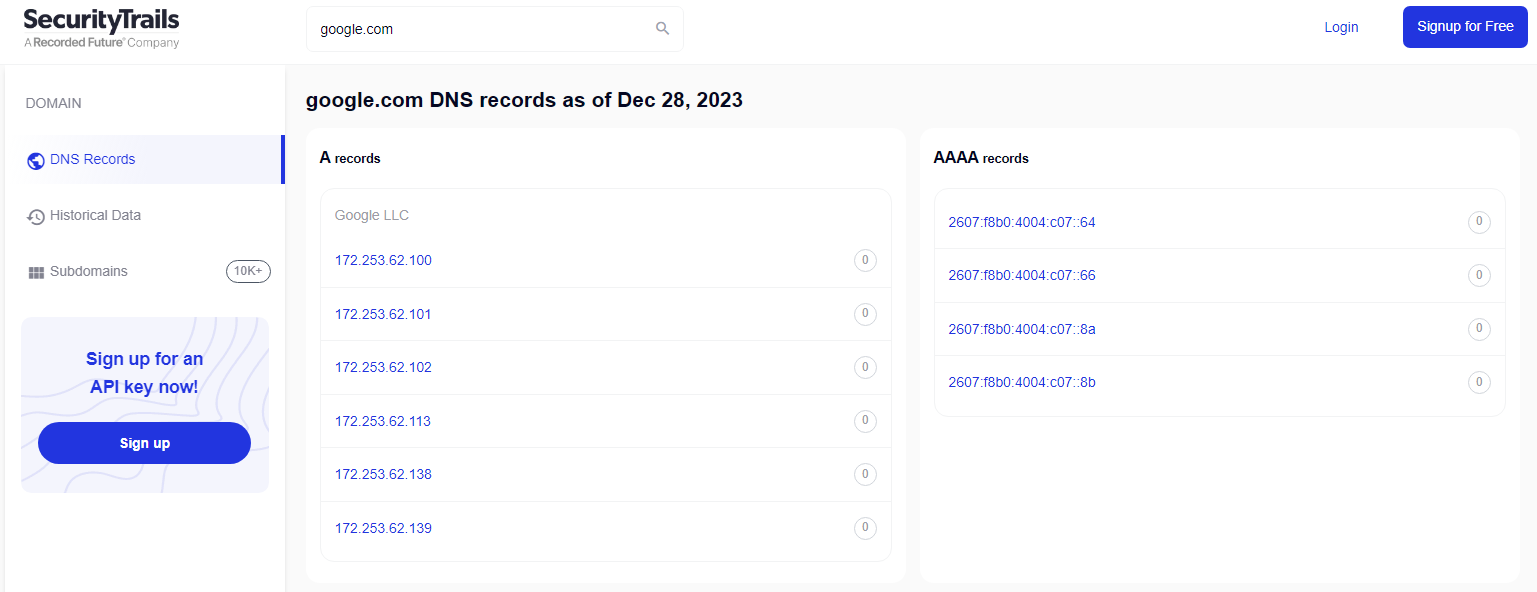
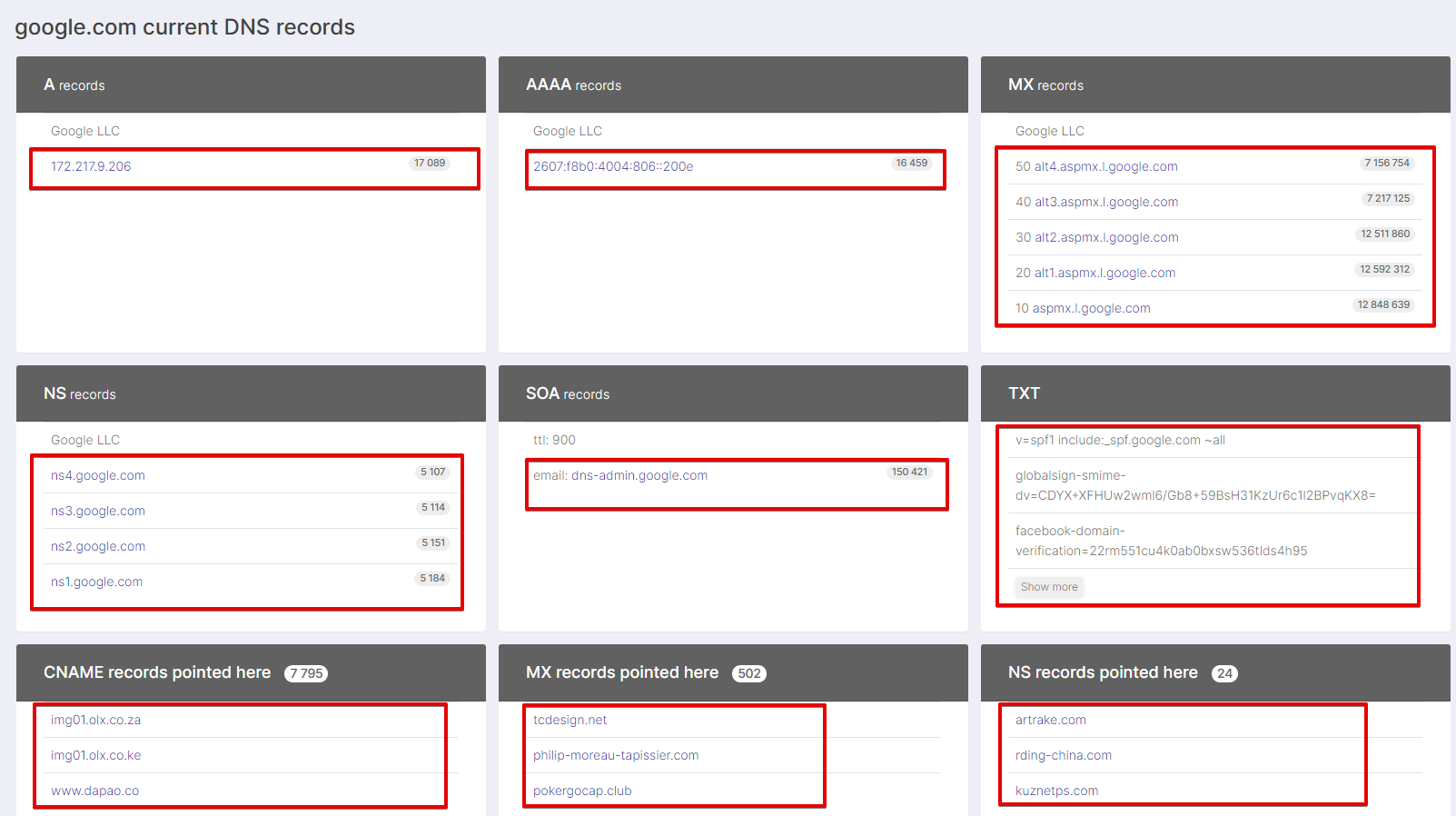
- A records
- TXT records
- AAAA records
- Ns records
- SOA records
- MX records
- CNAME records
- CNAME records pointed here
- MX records pointed here
- NS records pointed here
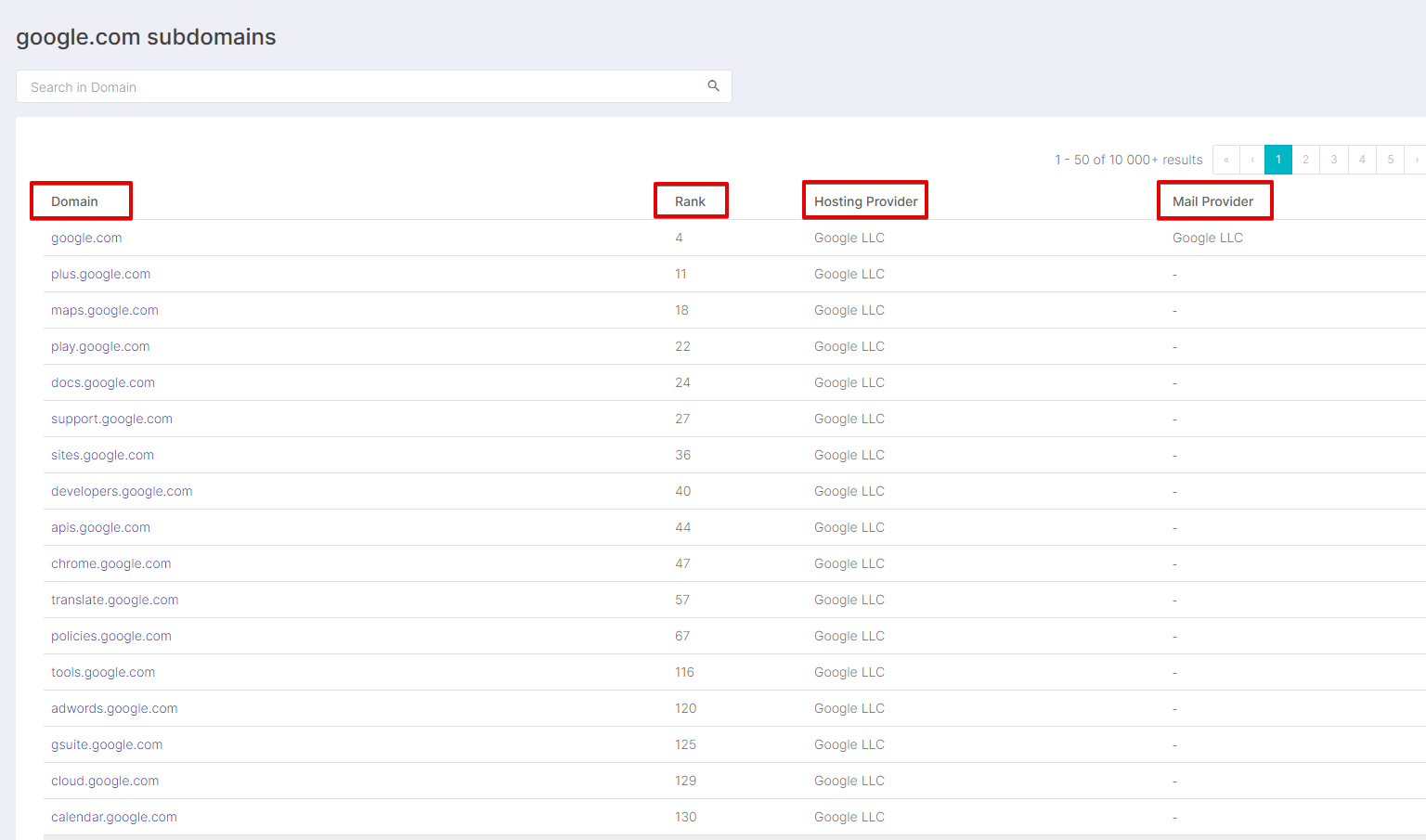
- Subdomains
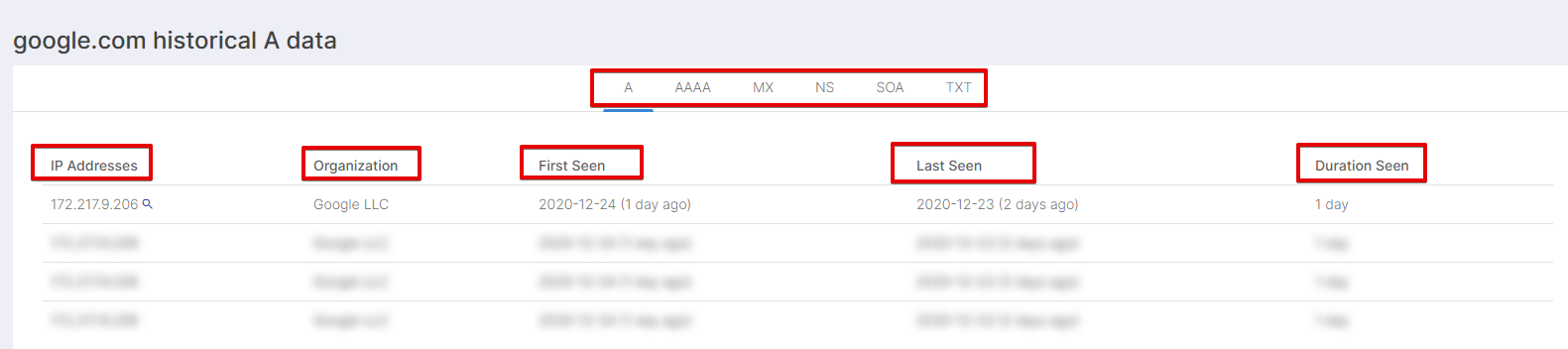
- historical A
- historical AAAA
- historical MX
- historical NS
- historical SOA
- historical TXT
Capabilities
Selection of the Mode section from which data is collected:
Subdomain
- https://securitytrails.com/list/apex_domain/google.com
History
- https://securitytrails.com/domain/google.com/history/a
- https://securitytrails.com/domain/google.com/dns
Use cases
- Obtaining subdomains and their Rank
- Collecting information about the hosting provider of subdomains
- Obtaining the mail provider of subdomains
- Collecting history for A, AAAA, MX, NS, SOA, TXT
- Collecting DNS records of the domain A, AAAA, MX, NS, SOA, TXT
Queries
Domains must be specified as queries, for example:
google.com
Output results examples
A-Parser supports flexible result formatting thanks to the built-in Template Toolkit, which allows it to output results in arbitrary form, as well as in structured form, such as CSV or JSON
Default output
Result format:
$query - $alexa - $apex_domain
Result example:
google.com - 1 - google.com
Output results for aRecords records
Result format:
$aRecords.format('$ip, $stats\n')
Result example:
142.250.73.238, 18037
Output results for txt records
Result format:
$txt.format('$record\n')
Result example:
v=spf1 include:_spf.google.com ~all
google-site-verification=wD8N7i1JTNTkezJ49swvWW48f8_9xveREV4oB-0Hf5o
globalsign-smime-dv=CDYX+XFHUw2wml6/Gb8+59BsH31KzUr6c1l2BPvqKX8=
facebook-domain-verification=22rm551cu4k0ab0bxsw536tlds4h95
docusign=1b0a6754-49b1-4db5-8540-d2c12664b289
docusign=05958488-4752-4ef2-95eb-aa7ba8a3bd0e
apple-domain-verification=30afIBcvSuDV2PLX
Output results for aaaaRecords records
Result format:
$aaaaRecords.format('$ip, $stats\n')
Result example:
2607:f8b0:4004:82a::200e, 17294
Output results for nsRecords records
Result format:
$nsRecords.format('$ns, $stats\n')
Result example:
ns4.google.com, 5226
ns3.google.com, 5233
ns2.google.com, 5268
ns1.google.com, 5298
Output results for mxRecords records
Result format:
$mxRecords.format('$p, $host, $stats\n')
Result example:
aspmx.l.google.com, 13227170, 10
alt4.aspmx.l.google.com, 7665791, 50
alt3.aspmx.l.google.com, 7726366, 40
alt2.aspmx.l.google.com, 12894431, 30
alt1.aspmx.l.google.com, 12975832, 20
Output results for soaRecords records
Result format:
$soaRecords.format('$ttl, $email, $stats\n')
Result example:
dns-admin.google.com, 147485, 900
Output results for soaRecords records in CSV
Result format:
[% FOREACH soaRecords;
    tools.CSVline(ttl, email, stats);
END %]
Result example:
dns-admin.google.com,147485,900
Output information about subdomains
Result format:
$subdomains.format('$domain, $alexa, $hosting, $mail\n')
Result example:
google.com, 4, Google LLC, Google LLC
plus.google.com, 11, Google LLC,
maps.google.com, 18, Google LLC,
play.google.com, 22, Google LLC,
docs.google.com, 24, Google LLC,
support.google.com, 27, Google LLC,
sites.google.com, 36, Google LLC,
developers.google.com, 40, Google LLC,
apis.google.com, 44, Google LLC,
chrome.google.com, 47, Google LLC,
translate.google.com, 57, Google LLC
Output information about subdomains in CSV table
Result format:
[% FOREACH subdomains;
    tools.CSVline(domain, alexa, hosting, mail);
END %]
Result example:
google.com,4,"Google LLC","Google LLC"
plus.google.com,11,"Google LLC",
maps.google.com,18,"Google LLC",
play.google.com,22,"Google LLC",
docs.google.com,24,"Google LLC",
support.google.com,27,"Google LLC",
sites.google.com,36,"Google LLC",
developers.google.com,40,"Google LLC"
Dump results to JSON
Common result format:
[% IF notFirst;
  ",\n";
ELSE;
  notFirst = 1;
END;

obj = {};
obj.query = query;
obj.subdomains = [];

FOREACH item IN p1.subdomains;
    obj.subdomains.push({
        domain = item.domain
        alexa = item.alexa
        hosting = item.hosting
        mail = item.mail
    });
END;

obj.json %]
Initial text:
[
Final text:
]
Result example:
[{
    "query": "google.com",
    "subdomains": [
        {
            "domain": "google.com",
            "mail": "Google LLC",
            "hosting": "Google LLC",
            "alexa": 4
        },
        {
            "domain": "plus.google.com",
            "mail": "",
            "hosting": "Google LLC",
            "alexa": 11
        },
        {
            "domain": "maps.google.com",
            "mail": "",
            "hosting": "Google LLC",
            "alexa": 18
        }
    ]
}]
To make the "Prepend text" and "Append text" options available in the Task Editor, you need to activate "More options".
Possible settings
| Parameter | Default value | Description |
|---|---|---|
| Mode | History | Section of the site from which data is collected |