 SEO::Ping - Bulk pinging to services supporting Weblog API (Google Blog Search, Feed Burner, Ping-o-Matic, etc.)
Overview of the scraper
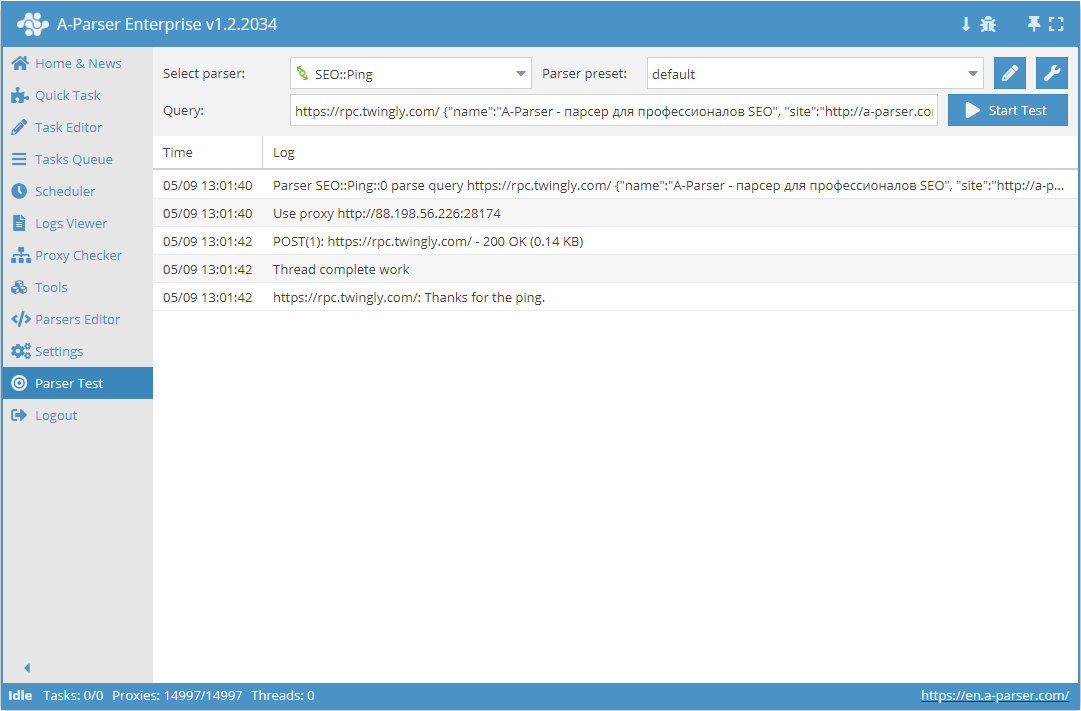
 SEO::Ping – allows sending Ping requests to notify services supporting Weblog API (http://www.weblogs.com/api.html) about new pages on websites\blogs: Google Blog Search, Feed Burner, Ping-o-Matic, etc.
A-Parser functionality allows you to save SEO::Ping scraping settings for future use (presets), set scraping schedules, and much more.
Saving results is possible in any form and structure you need, thanks to the built-in powerful Template Toolkit templating engine, which allows applying additional logic to results and outputting data in various formats, including JSON, SQL, and CSV.
Use Cases
- Mass indexing of website and blog pages
Queries
Two query options are supported: simplified and full format.
Simplified format
The following parameters are specified separated by a space:
- Address of the Ping service where the Ping request will be sent
- Website address
- Link to the website page for indexing
- Website or blog name
http://rpc.weblogs.com/RPC2 http://a-parser.com/ http://a-parser.com/wiki/seo-ping A-Parser - scraper for SEO professionals
Full format
The following is specified separated by a space:
- Address of the Ping service where the Ping request will be sent
- A JSON string containing the description of the pinged site
http://ping.feedburner.com {"name":"A-Parser - scraper for SEO professionals", "site":"http://a-parser.com/", "page":"http://a-parser.com/wiki/seo-ping", "feed":"http://a-parser.com/feed", "tags":"parser|scraper"}
In the full format, you can specify additional parameters such as:
- Website RSS feed address
- Tags describing the categories the site belongs to
All parameters except name and site are optional.
Mass sending of requests to multiple services
For mass sending of multiple pages to multiple services, you can use macro capabilities in the Query format:
- Place the list of services in the file
queries/subs/ping-services.txt - Place the list of links for indexing in the file
queries/subs/site-links.txt
Then the final query can be specified as follows:
{subs:ping-services} http://a-parser.com/ {subs:site-links} A-Parser - scraper for SEO professionals
The scraper will automatically create queries and send each link from the site-links.txt file to every service from the ping-services.txt file.
Output results examples
A-Parser supports flexible result formatting thanks to the built-in Template Toolkit templating engine, which allows it to output results in arbitrary form, as well as structured, for example, CSV or JSON
Default output
Result format:
$service: $message\n
Result example:
http://rpc.weblogs.com/RPC2: Thanks for the ping.
The success of the Ping request should be determined by the following parameters:
$success= 1 - request successfully sent and response received$flerror= 0 - Ping service accepted the request without errors