 Net::DNS - scraper resolves domains to IP addresses
Scraper overview
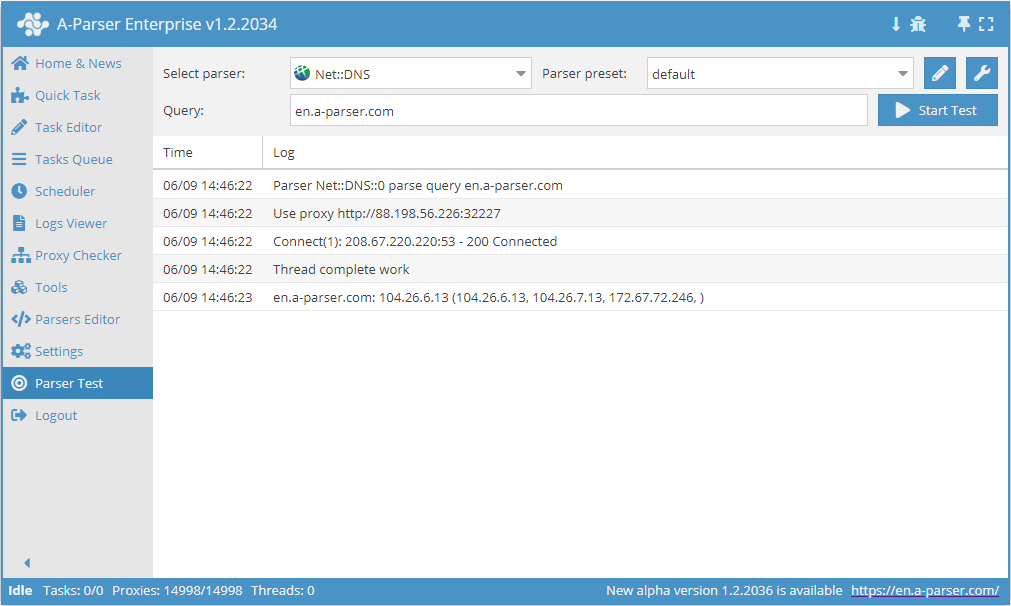
 Net::DNS – collects DNS records for a domain name. Automated bulk domain resolving, domain availability checking.
A-Parser functionality allows you to save Net::DNS scraping settings for future use (presets), set scraping schedules, and much more.
Saving results is possible in any format and structure you need, thanks to the built-in powerful Template Toolkit which allows applying additional logic to results and outputting data in various formats, including JSON, SQL, and CSV.
Collected data
- List of IP addresses
- DNS server used for a successful request
- DNS record of any type (output as JSON, making it easy to retrieve individual parameters)
Use Cases
- Resolving domain databases
- Checking domain availability
Queries
You should specify a list of domains as queries, for example:
a-parser.com
yandex.ru
google.com
vk.com
facebook.com
youtube.com
Output results examples
A-Parser supports flexible result formatting thanks to the built-in Template Toolkit, which allows it to output results in any form, as well as structured formats like CSV or JSON.
Default output
Result format:
$query: $ip ($ips.format('$ip, '))\n
The result displays the domain and its IP addresses:
youtube.com: 173.194.70.136 (173.194.70.136, 173.194.70.190, 173.194.70.93, 173.194.70.91, )
google.com: 46.28.247.98 (46.28.247.98, 46.28.247.89, 46.28.247.84, 46.28.247.108, 46.28.247.119, 46.28.247.114, 46.28.247.88, 46.28.247.94, 46.28.247.99, 46.28.247.109, 46.28.247.93, 46.28.247.104, 46.28.247.113, 46.28.247.118, 46.28.247.123, 46.28.247.103, )
facebook.com: 173.252.110.27 (173.252.110.27, )
a-parser.com: 176.9.9.90 (176.9.9.90, )
vk.com: 87.240.143.244 (87.240.143.244, 87.240.131.120, )
yandex.ru: 93.158.134.11 (93.158.134.11, 213.180.193.11, 213.180.204.11, 77.88.21.11, 87.250.250.11, )
Saving in SQL format
Result format:
[% "INSERT INTO dns VALUES('" _ query _ "', '" _ ip _ "', '" _ ips.format('$ip, ') _ "')\n" %]
Result example:
INSERT INTO dns VALUES('vk.com', '87.240.190.67', '87.240.190.67, 87.240.190.72, 87.240.190.78, 93.186.225.208, 87.240.137.158, 87.240.139.194, ')
INSERT INTO dns VALUES('a-parser.com', '176.9.9.90', '176.9.9.90, ')
INSERT INTO dns VALUES('yandex.ru', '5.255.255.50', '5.255.255.50, 77.88.55.50, 77.88.55.88, 5.255.255.5, ')
INSERT INTO dns VALUES('facebook.com', '157.240.19.35', '157.240.19.35, ')
INSERT INTO dns VALUES('youtube.com', '172.217.171.238', '172.217.171.238, ')
Dump results to JSON
Common result format:
[% IF notFirst;
  ",\n";
ELSE;
  notFirst = 1;
END;

obj = {};
obj.query = query;
obj.ips = p1.ips;

obj.json %]
Initial text:
[
Final text:
]
Result example:
[
    {"ips":[{"ip":"176.9.9.90"}],"query":"http://a-parser.com/"},
    {"ips":[{"ip":"172.217.173.78"}],"query":"http://google.com/"},
    {"ips":[{"ip":"77.88.55.60"},{"ip":"77.88.55.66"},{"ip":"5.255.255.55"},{"ip":"5.255.255.60"}],"query":"http://yandex.ru/"},
    {"ips":[{"ip":"172.217.25.14"}],"query":"http://youtube.com/"},
    {"ips":[{"ip":"87.240.190.78"},{"ip":"93.186.225.208"},{"ip":"87.240.137.158"},{"ip":"87.240.139.194"},{"ip":"87.240.190.67"},{"ip":"87.240.190.72"}],"query":"http://vk.com/"},
    {"ips":[{"ip":"157.240.196.35"}],"query":"http://facebook.com/"}
]
To make "Prepend text" and "Append text" options available in the Task Editor, you need to activate "More options".
Possible settings
| Parameter | Default value | Description |
|---|---|---|
| DNS Servers | 208.67.220.220, 8.8.8.8 | Support for multiple servers separated by commas |
| Not found is error | ☐ | Allows re-checking false responses from DNS servers |
| Rotation type | Consistently | Method for selecting the next DNS server (Sequential/Random) |
| Ban not working servers | ☑ | Bans non-working servers using a heuristic algorithm for 20 minutes; if only one server remains, it is not banned |
| Query type | A - Address record | Allows choosing the record type |