 Rank::Social::Signal - social signals scraper: likes, comments, shares
Overview of the scraper
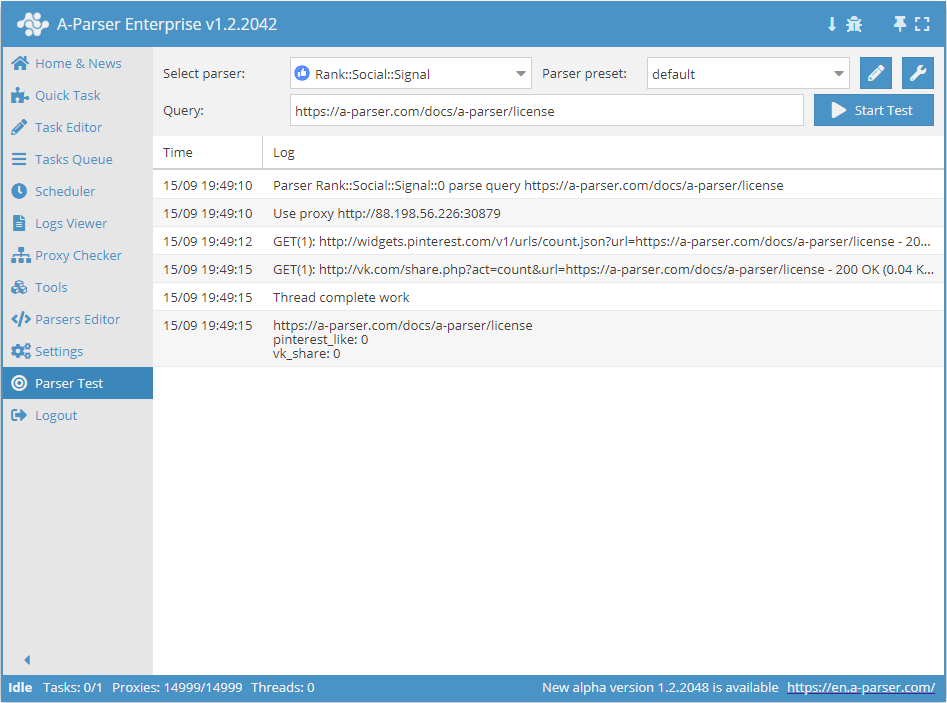
 Rank::Social::Signal – a social signals scraper. It collects the number of Pinterest likes and the number of shares on vk.com.
The A-Parser functionality allows you to save Rank::Social::Signal scraping settings for future use (presets), set scraping schedules, and much more.
Saving results is possible in the form and structure you need, thanks to the built-in powerful Template Toolkit templating engine, which allows you to apply additional logic to the results and output data in various formats, including JSON, SQL, and CSV.
Collected data
- Number of likes on the social service pinterest.com
- Number of shares on the social network vk.com
Capabilities
- Counting the number of likes on pinterest.com
- Counting the number of shares on vk.com
Queries
As queries, you need to specify a link to the article, for example:
https://a-parser.com/wiki/versions-and-licences/
Output results examples
A-Parser supports flexible result formatting thanks to the built-in Template Toolkit templating engine, which allows it to output results in any form, as well as in structured formats like CSV or JSON
Default output
Result format:
$query\npinterest_like: $pinterest_like\nvk_share: $vk_share\n
Result example:
https://a-parser.com/wiki/versions-and-licences/
pinterest_like: 0
vk_share: 0
Saving in SQL format
Result format:
[% "INSERT INTO social_signal VALUES('" _ query _ "', '" _ pinterest_like _ "', '" _ vk_share _ "')\n" %]
Result example:
INSERT INTO archive VALUES('https://a-parser.com/wiki/versions-and-licences/', 0, 0)
Dump results to JSON
Common result format:
[% IF notFirst;
  ",\n";
ELSE;
  notFirst = 1;
END;

obj = {};
obj.query = query;
obj.pinterest_like = p1.pinterest_like;
obj.vk_share = p1.vk_share;

obj.json %]
Initial text:
[
Final text:
]
Result example:
[{"query":"https://a-parser.com/wiki/versions-and-licences/","pinterest_like":0,"vk_share":0}]
To make the "Prepend text" and "Append text" options available in the Task Editor, you need to activate "More options".