 SE::Yandex::SQI - Check Site Quality Index in Yandex
Overview of the scraper
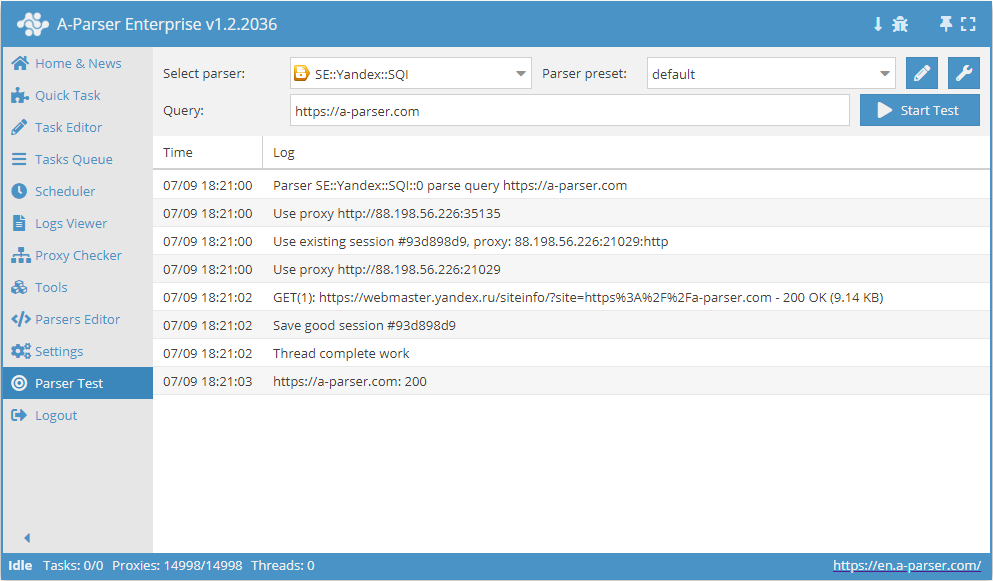
 SE::Yandex::SQI – checking the site quality index in Yandex. An incredibly fast scraper, with a speed of 3000-7000 queries per minute.
You can use automatic query multiplication, substitution of subqueries from files, brute-forcing of alphanumeric combinations and lists to obtain the maximum possible number of results. Using results filtering you can immediately clean the result by removing all unnecessary garbage (using negative keywords).
A-Parser functionality allows you to save scraping settings for the SE::Yandex::SQI scraper for future use (presets), set a scraping schedule, and much more.
Saving results is possible in the form and structure you need, thanks to the built-in powerful Template Toolkit which allows applying additional logic to results and outputting data in various formats, including JSON, SQL, and CSV.
Collected data
- Site Quality Index (Yandex SQI)
- Data on the presence of site badges (1 - badge received, 0 - no badge):
- User Choice
- Popular Site
- Secure Connection
- Turbo Pages
- Whether the site is official
- For "User Choice" and "Popular Site" badges, you can get the readiness level for receiving the badge as an intermediate value from 0 to 1, for example 0.4.
- Number of reviews, score, and rating
- Store rating in product search and store rating on Yandex Market (if this data is available for the searched site)
Use Cases
- Assessing site usefulness from Yandex's perspective
- Collecting titles
Queries
As queries, you must specify the domain of the searched site. You can specify it both with and without the protocol, for example:
yandex.ru
google.com
vk.com
facebook.com
https://a-parser.com
Output results examples
A-Parser supports flexible results formatting thanks to the built-in Template Toolkit, which allows it to output results in any form, as well as in structured formats like CSV or JSON
Default output
Result format:
$query: $sqi\n
Example result showing the initial query and its SQI:
facebook.com: 130000
yandex.ru: -1
https://a-parser.com: 110
google.com: 120000
vk.com: 340000
If SQI for a domain is unavailable, the result will be -1.
Output in CSV table
Result format:
[% tools.CSVline(query, sqi, rating); %]
File name:
$datefile.format().csv
Initial text:
Domain,Rating,Author,Price
To make the "Prepend text" option available in the Task Editor, you need to activate "More options". In "Prepend text", write the column names separated by commas and make the second line empty.
Saving in SQL format
Result format:
[% "INSERT INTO sqi VALUES('" _ query _ "', '" _ sqi _ "', '" _ rating _ "')\n" %]
Example result:
INSERT INTO sqi VALUES('google.com', '122000', '87')
INSERT INTO sqi VALUES('yandex.ru', 'none', '92')
INSERT INTO sqi VALUES('https://a-parser.com', '200', '')
INSERT INTO sqi VALUES('vk.com', '326000', '73')
INSERT INTO sqi VALUES('facebook.com', '117000', '66')
Dump results to JSON
Common result format:
[% IF notFirst;
  ",\n";
ELSE;
  notFirst = 1;
END;

obj = {};
obj.query = query;
obj.sqi = p1.sqi;
obj.rating = p1.rating;

obj.json %]
Initial text:
[
Final text:
]
Example result:
[{"query":"vk.com","rating":73,"sqi":326000},
{"query":"google.com","rating":87,"sqi":122000},
{"query":"https://a-parser.com","rating":"","sqi":200},
{"query":"yandex.ru","rating":92,"sqi":"none"},
{"query":"facebook.com","rating":66,"sqi":117000}]
To make the "Prepend text" and "Append text" options available in the Task Editor, you need to activate "More options".
Possible settings
| Parameter | Default value | Description |
|---|---|---|
| AntiGate preset | default | Choosing a  Util::AntiGate preset, more details on the setting here Util::AntiGate preset, more details on the setting here |
| AntiGate preset for old captcha | default | Similar to AntiGate preset, but used only for regular (old, single image) captchas. If no preset is selected here, the preset selected in AntiGate preset will be used for such captchas. |
| Experimental img captcha max count | 5 | Maximum number of repeated captcha images per attempt |
| Preffered captcha type | Click | Choice of preferred captcha type: Click or Puzzle |
| Use sessions | ☑ | Saves good sessions which allows scraping even faster, receiving fewer errors |