 SE::Yandex::Translate - Translates text via Yandex Translate
Scraper overview
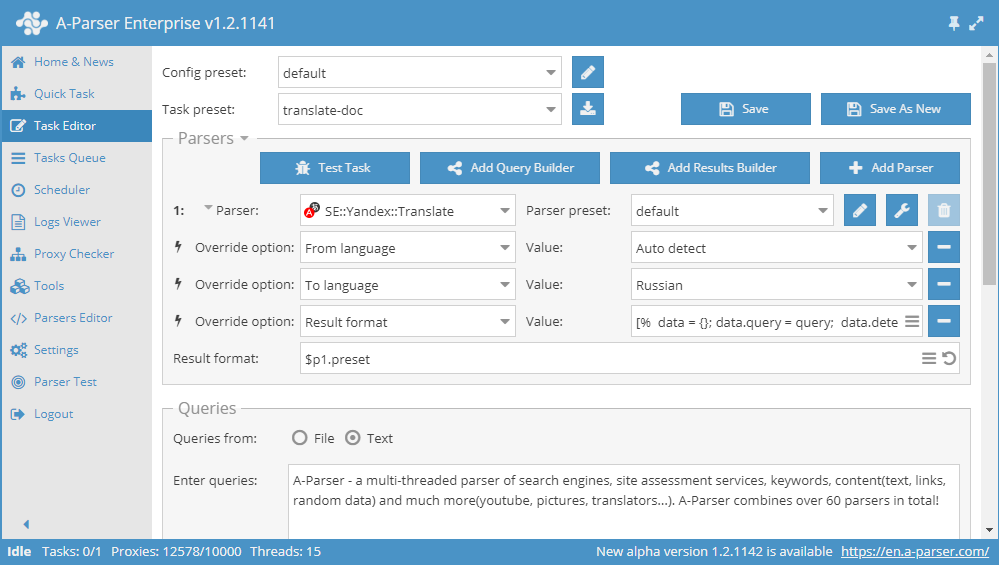
A fast, up to 2100 requests per minute, multithreaded text translator via the Yandex service. This scraper allows you to translate any volume of text in automatic mode, so you get unique content for filling websites, posting to social networks, or for populating any other resources. The scraper automatically detects the source language of the content; you only need to specify the target language. Yandex translator is capable of processing colossal amounts of text while consuming few resources.
Collected data
- Translated text
- Source text language
Capabilities
- Translation language selection
- Automatic language detection
Use cases
- Text translation
- Obtaining various content in the required language for further use
Queries
Any text for translation should be specified as queries, for example:
A-Parser - a multi-threaded parser of search engines, site assessment services, keywords, content(text, links, random data) and much more(youtube, pictures, translators...). A-Parser combines over 60 parsers in total!
Results output examples
A-Parser supports flexible results formatting thanks to the built-in Template Toolkit, which allows it to output results in any form, as well as in structured formats like CSV or JSON.
Default output
Result format:
$query - $translated\n
Result example:
A-Parser - a multi-threaded parser of search engines, site assessment services, keywords, content(text, links, random data) and much more(youtube, pictures, translators...). A-Parser combines over 60 parsers in total! - A-Parser - multithreaded parser of search engines, site assessment services, keywords, content(text, links, random data) and much more(youtube, pictures, translators...). A-Parser combines over 60 parsers in total!
Outputting only translated text
Result format:
$translated\n
Result example:
A-Parser - multithreaded parser of search engines, site assessment services, keywords, content(text, links, random data) and much more(youtube, pictures, translators...). A-Parser combines over 60 parsers in total!
Output to CSV table
Result format:
[% tools.CSVline(query, detected, translated) %]
Result example:
"A-Parser - a multi-threaded parser of search engines, site assessment services, keywords, content(text, links, random data) and much more(youtube, pictures, translators...). A-Parser combines over 60 parsers in total!",en,"A-Parser - multithreaded parser of search engines, site assessment services, keywords, content(text, links, random data) and much more(youtube, pictures, translators...). A-Parser combines over 60 parsers in total!"
Saving in SQL format
Result format:
[% "INSERT INTO text VALUES('" _ query _ "', '"; detected _ "', '"; translated _ "')\n"; %]
Result example:
INSERT INTO text VALUES('A-Parser - a multi-threaded parser of search engines, site assessment services, keywords, content(text, links, random data) and much more(youtube, pictures, translators...). A-Parser combines over 60 parsers in total!', 'en', 'A-Parser - multithreaded parser of search engines, site assessment services, keywords, content(text, links, random data) and much more(youtube, pictures, translators...). A-Parser combines over 60 parsers in total!')
Dumping results to JSON
Common result format:
[% IF notFirst;
  ",\n";
ELSE;
  notFirst = 1;
END;

obj = {};
obj.query = query;
obj.detected = p1.detected;
obj.translated = p1.translated;

obj.json %]
Initial text:
[
Final text:
]
Result example:
[{"query":"A-Parser - a multi-threaded parser of search engines, site assessment services, keywords, content(text, links, random data) and much more(youtube, pictures, translators...). A-Parser combines over 60 parsers in total!","translated":"A-Parser - multithreaded parser of search engines, site assessment services, keywords, content(text, links, random data) and much more(youtube, pictures, translators...). A-Parser combines over 60 parsers in total!","detected":"en"}]
To make the "Prepend text" and "Append text" options available in the Task Editor, you need to activate "More options".
Possible settings
| Parameter | Default value | Description |
|---|---|---|
| AntiGate preset | default | Selection of  Util::AntiGate preset, more details on the setting here Util::AntiGate preset, more details on the setting here |
| AntiGate preset for old captcha | default | Similar to AntiGate preset, but used only for regular (old, single image) captchas. If no preset is selected here, the preset selected in AntiGate preset will be used for such captchas. |
| Experimental img captcha max count | 5 | Maximum number of repeated image captchas per attempt |
| Preffered captcha type | Click | Selection of preferred captcha type: Click or Puzzle |
| From language | Auto-Detect | Selection of the language to translate from; auto-detection is set by default |
| To language | English | Selection of the language to translate to |
| Use sessions | ☑ | Ability to disable the use of sessions |