 SecurityTrails::Ip - Collecting domain data from SecurityTrails
Scraper overview
SecurityTrails is the world's largest repository of historical DNS data. Data for security companies, researchers, and teams that need to detail, find suspicious changes in DNS records, and prevent future fraudulent or criminal activity.
A-Parser functionality allows you to save scraping settings for future use (presets), set scraping schedules, and much more. You can use automatic query multiplication, substitution of subqueries from files, brute-forcing of alphanumeric combinations and lists to obtain the maximum possible number of results.
Saving results is possible in the form and structure you need, thanks to the built-in powerful template engine Template Toolkit which allows you to apply additional logic to the results and output data in various formats, including JSON, SQL, and CSV.
Collected data
- Domain
- Hosting provider
- Alexa rank
- Mail provider
Features
- Authorization by login and password
- Automatic pagination traversal
- Output results to CSV table, JSON, SQLite database
Use cases
- Getting subdomains by IP
- Collecting Alexa Rank for subdomains
- Getting Hosting Provider
- Getting Mail Provider
Queries
You should specify ipv4 addresses as queries:
172.217.164.174
Output results examples
A-Parser supports flexible result formatting thanks to the built-in template engine Template Toolkit, which allows it to output results in arbitrary form, as well as in structured form, such as CSV or JSON
Default output
Result format:
$list.format('$domain\n')
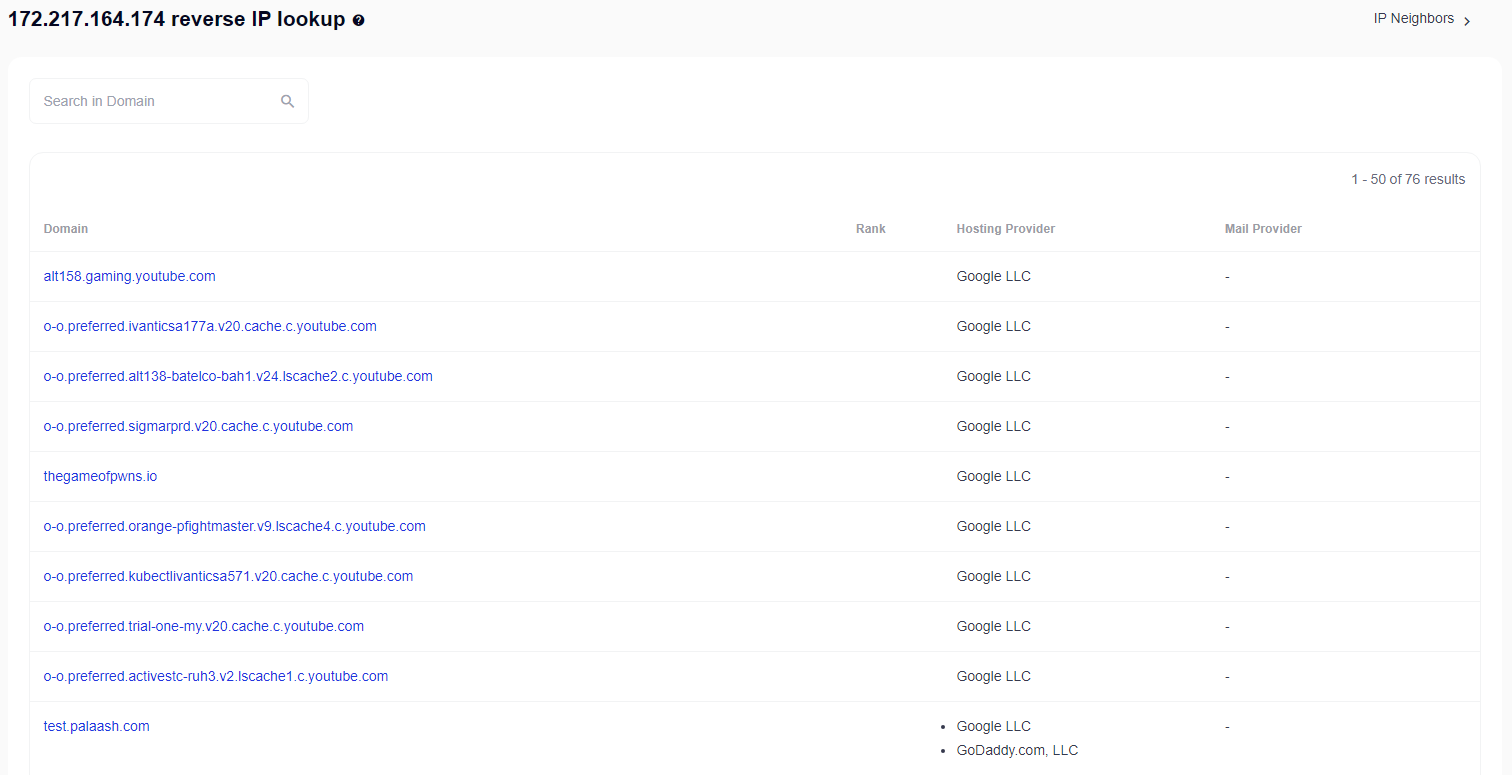
The result displays subdomains:
aalt158.gaming.youtube.com
o-o.preferred.ivanticsa177a.v20.cache.c.youtube.com
o-o.preferred.alt138-batelco-bah1.v24.lscache2.c.youtube.com
o-o.preferred.sigmarprd.v20.cache.c.youtube.com
thegameofpwns.io
o-o.preferred.orange-pfightmaster.v9.lscache4.c.youtube.com
o-o.preferred.kubectlivanticsa571.v20.cache.c.youtube.com
o-o.preferred.trial-one-my.v20.cache.c.youtube.com
o-o.preferred.activestc-ruh3.v2.lscache1.c.youtube.com
test.palaash.com
shoppe33.vip
Output all subdomain data
Result format:
$list.format('$domain, $host_provider, $alexa_rank, $mail_provider\n')
Example result:
google.com, Google LLC, 4, Google LLC
developers.google.com, Google LLC, 40, none
earth.google.com, Google LLC, 640, none
uk.youtube.com, Google LLC, 1305, none
Output to CSV table
Result format:
[% FOREACH list;
    tools.CSVline(domain, host_provider, alexa_rank, mail_provider);
END %]
Example result:
google.com,"Google LLC",4,"Google LLC"
developers.google.com,"Google LLC",40,none
earth.google.com,"Google LLC",640,none
uk.youtube.com,"Google LLC",1305,none
Dump results to JSON
Common result format:
[% IF notFirst;
  ",\n";
ELSE;
  notFirst = 1;
END;

obj = {};
obj.query = query;
obj.subdomains = [];

FOREACH item IN p1.list;
    obj.subdomains.push({
        domain = item.domain
        alexa_rank = item.alexa_rank
        host_provider = item.host_provider
        mail_provider = item.mail_provider
    });
END;

obj.json %]
Initial text:
[
Final text:
]
Example result:
[
    {
        "query": "172.217.164.174",
        "subdomains": [
            {
                "domain": "google.com",
                "mail_provider": "Google LLC",
                "host_provider": "Google LLC",
                "alexa": 4
            },
            {
                "domain": "developers.google.com",
                "mail_provider": "none",
                "host_provider": "Google LLC",
                "alexa": 40
            },
            {
                "domain": "earth.google.com",
                "mail_provider": "none",
                "host_provider": "Google LLC",
                "alexa": 640
            },
            {
                "domain": "uk.youtube.com",
                "mail_provider": "none",
                "host_provider": "Google LLC",
                "alexa": 1305
            }
        ]
    }
]
To make the "Prepend text" and "Append text" options available in the Task Editor, you need to activate "More options".
Possible settings
| Parameter | Default value | Description |
|---|---|---|
| Method | New | Choosing the scraping method (New / Old / Account authorization) |
| Login | Enter login | |
| Password | Enter password |