 SE::AOL::Suggest - AOL search suggestions scraper
Scraper overview
AOL keyword suggestion scraper. Thanks to the SE::AOL::Suggest scraper, you can automatically collect keyword databases from AOL search engine suggestions by query. Using the SE::AOL::Suggest scraper, you can easily and quickly scrape AOL suggestions for a query.
Thanks to the multithreaded operation of A-Parser, the query processing speed can reach 4700 queries per minute, which on average allows obtaining up to 13500-14500 results per minute.
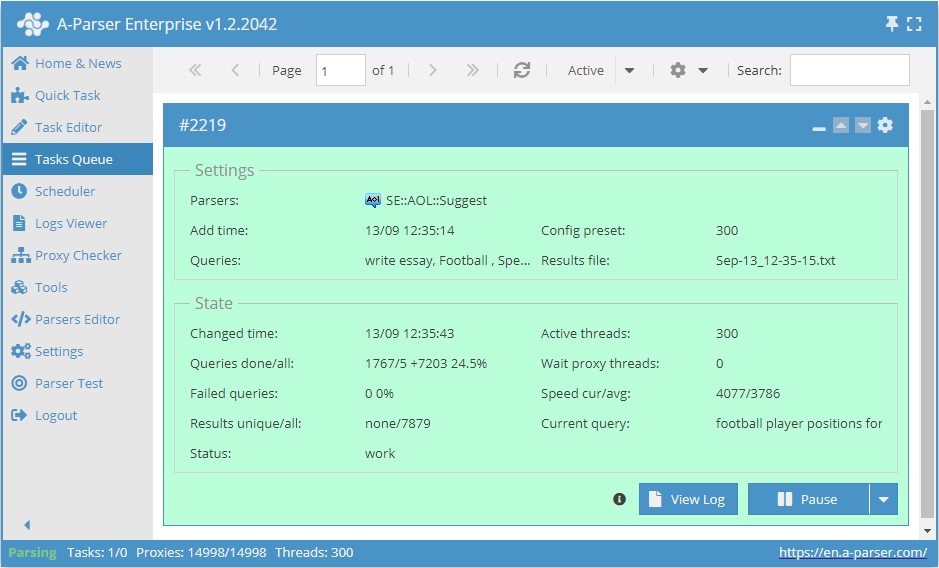
You can use automatic query multiplication, substitution of subqueries from files, permutation of alphanumeric combinations and lists to obtain the maximum possible number of results. Using results filtering you can immediately clean the result by removing all unnecessary trash (using negative keywords).
A-Parser functionality allows saving SE::AOL::Suggest scraper settings for further use (presets), setting a scraping schedule, and much more.
Saving results is possible in the form and structure you need, thanks to the built-in powerful Template Toolkit templating engine which allows applying additional logic to results and outputting data in various formats, including JSON, SQL, and CSV.
Collected data
- Number of results per query
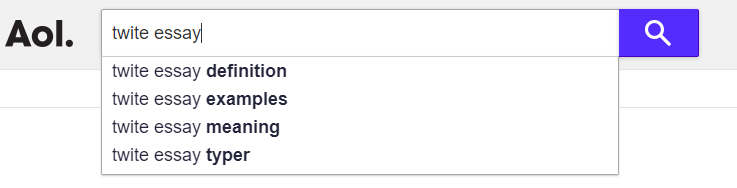
- Search suggestions
Capabilities
- Support for all AOL search operators (site:, etc.)
- Scrapes the maximum number of results provided by AOL - 100 pages with 20 elements per SERP
Use cases
- Keyword database collection
Queries
You should specify search phrases as queries, for example:
write essay
Football
Speak in english
forex
cheap essay
Query substitutions
You can use built-in macros for automatic substitution of subqueries from files; for example, if we want to add a list of other words to each query, we specify several main queries:
essay
article
thesis
In the query format, we specify a substitution macro for additional words from the Keywords.txt file; this method allows increasing query variability manifold:
{subs:Keywords} $query
This macro will create as many additional queries as there are in the file for each original search query, which in total will give [number of original queries] x [number of queries in the Keywords file] = [total number of queries] as a result of the macro's operation.
For example, if the Keywords.txt file contains:
buy
cheap
As a result, the substitution macro will turn 3 main queries into 6:
buy essay
cheap essay
buy article
cheap article
buy thesis
cheap thesis
Output results examples
A-Parser supports flexible result formatting thanks to the built-in Template Toolkit templating engine, which allows it to output results in any form, as well as structured, such as CSV or JSON
Exporting suggestions list
Same as in SE::Google::Suggest.
Output to CSV table
Same as in SE::Google::Suggest.
Saving in SQL format
Result format:
[% FOREACH results;
    "INSERT INTO serp VALUES('" _ query _ "', '";   suggest _ "')\n";
END %]
Result example:
INSERT INTO serp VALUES('write essay', 'write essay for me')
INSERT INTO serp VALUES('write essay', 'write essay')
INSERT INTO serp VALUES('write essay', 'write essay online')
INSERT INTO serp VALUES('write essay', 'write essay for you')
INSERT INTO serp VALUES('write essay', 'write essay free')
INSERT INTO serp VALUES('write essay', 'write essay conclusion')
INSERT INTO serp VALUES('write essay', 'write essay today')
INSERT INTO serp VALUES('write essay', 'write essays for money')
...
Dump results to JSON
Same as in SE::Google::Suggest.
Results processing
A-Parser allows processing results directly during scraping; in this section, we have listed the most popular use cases for the SE::AOL::Suggest scraper
Parse to level option
Same as in SE::Google::Suggest.
Results filtering (using negative keywords)
Same as in SE::Google::Suggest.